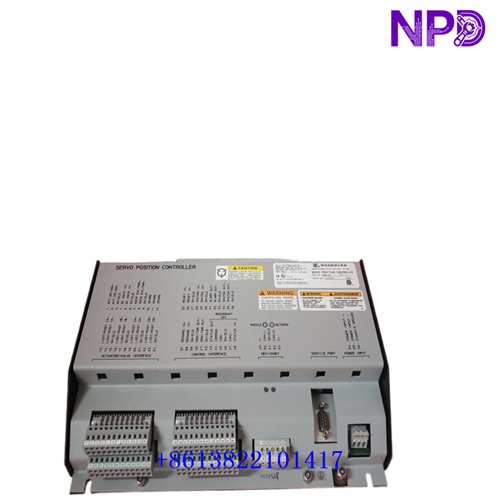

Description
⚙️ Product Specifications (Datasheet)
| Parameter | Value |
| Model / Part Number | 723PLUS Series (P/N: 8280-411) |
| Device Type | Digital Microprocessor-Based Speed & Load Controller |
| Housing Material | Heavy-Duty Sheet Metal Chassis |
| Operating Temperature | -40°C to +70°C (-40°F to +158°F) |
| Power Supply Voltage | High Voltage Version (90 to 150 VDC or 88 to 132 VAC) |
| Network Protocol | Local Operating Network (LON) Channels for Digital Communications |
| Load Sharing | Integral Analog Load Sharing Circuitry & Auto Breaker Opening Logic |
| Setpoint Features | Remote Speed/Load Settings (via Analog Inputs / LON Network) |
| Speed Sensor Inputs | 2 Independent Channels (Magnetic Pickup / MPU or Proximity Sensors) |
| Serial Communications | Dual RS-422 / RS-485 Serial Ports (Modbus RTU / ASCII) |
🚀 Standard Operating Procedure
- 🛠️ Pre-Start Loop Checks: Verify high-voltage power wiring (88–132 VAC or 90–150 VDC), check terminal block connections, and verify analog load-share lines, MPU sensors, and LON communications network loops.
- ⚡ Power On Sequence: Switch on the control power breaker. Observe front panel LEDs as the unit initializes internal CPU diagnostics and network self-checks.
- 🕹️ Control Mode Setup: Select operating mode (Isochronous, Droop, or Remote Load Sharing) via external discrete contacts or LON network control commands.
- 🏎️ Prime Mover Acceleration: Initiate engine start. The 8280-411 executes programmed speed acceleration ramps up to rated speed while monitoring dual speed channels.
- 🔄 Load Sharing & Synchronizing: Once paralleled, the controller uses integral analog load-sharing circuitry to balance proportional kW load automatically across connected units.
- 📉 Controlled Unloading & Auto Breaker Trip: Upon issuing a stop signal, the controller ramps down generator load and automatically trips the circuit breaker once power reaches a low-level threshold.
- 🛑 Engine Cooldown & Stop: Allow the engine to complete its cool-down period before shutting down fuel delivery completely.
⚙️ Parameter Configuration Guide
- 💻 Connect a PC running Woodward Watch Window software or attach a Handheld Programmer (HHP) to the 9-pin serial service port.
- 🔑 Log in with the required security passcode to access parameter tuning and system configuration menus.
- 📑 Navigate to setup blocks, including Speed Dynamics, LON Network Node Configuration, Analog Load-Share Line Calibration, and Auto-Breaker Trip Thresholds.
- ✏️ Adjust parameter values to match generator and prime mover specifications (e.g., set ramp rates, kW load thresholds, and PID gain values).
- 💾 Select “Save Values” to store all modified parameters into non-volatile EEPROM memory prior to disconnecting software.
🔄 Manual / Automatic Mode Switching
- 🖐️ To Select Manual Mode: Actuate the designated manual/droop discrete contact input or set a manual override in Watch Window. Manual mode allows local operators to adjust speed references and fuel limiters manually.
- 🤖 To Select Auto Mode: Toggle control contact inputs back to Automatic / LON mode. The controller automatically manages speed loops, follows remote speed/load references, and balances power sharing across the network.
❓ Frequently Asked Questions (Q&A)
- ❓ Q: What is the primary purpose of LON communication protocol on model 8280-411?
💡 A: The LON protocol enables high-speed digital data exchange and peer-to-peer communication between multiple 723PLUS controllers and Woodward expansion modules without heavy multi-wire signal routing.
- ❓ Q: How does the automatic breaker opening function work?
💡 A: During controlled ramp-down, the controller decreases generator load to a safe, low-power limit (soft unloading) and automatically opens the generator circuit breaker to prevent reverse power conditions.
- ❓ Q: What power input voltage range does part number 8280-411 require?
💡 A: Model 8280-411 utilizes a High-Voltage power supply input operating continuously between 88–132 VAC (47–63 Hz) or 90–150 VDC.