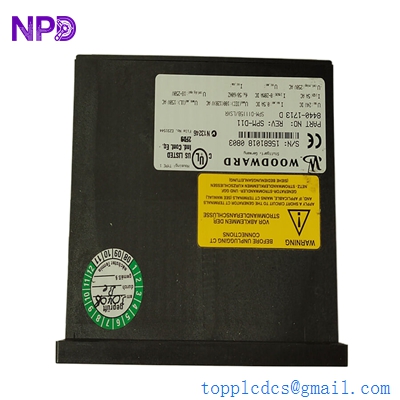

Description
- Model: Woodward 8440-1713
- Brand: Woodward (USA)
- Series: easYgen-2000 Series (Specifically easYgen-2500)
- Core Function: Automatic mains failure (AMF) and load sharing for multiple gensets.
- Product Type: Genset Control & Power Management Module
- Key Specs: 12/24 V DC Power LCD Display CANbus/Ethernet/RS-485 Communication
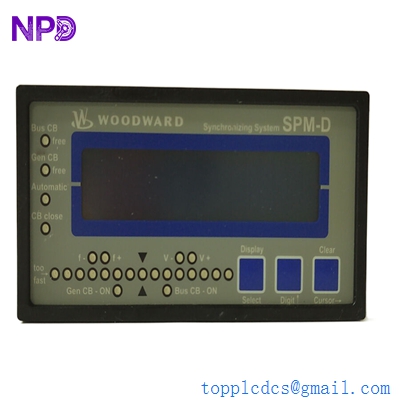
WOODWARD 8440-1713
Key Technical Specifications
- Operating Voltage: 12/24 V DC (8 to 40 V DC range)
- Power Consumption: Max. 12 W
- Current Sensing: 1 A or 5 A (Software configurable)
- Voltage Sensing: Up to 480 V AC (Direct) / 600 V AC (with PTs)
- Digital Inputs: 10 Configurable inputs
- Relay Outputs: 11 Configurable outputs
- Communication: CANbus (J1939), RS-232, RS-485 (Modbus RTU)
- Display: 128 x 64 pixel graphical LCD with backlighting
- Protection Features: Over/Under Voltage, Over/Under Frequency, Reverse Power, Overload
- Housing: Plastic front panel for flush mounting (IP65 rated with gasket)
Application Scenarios & Engineering Insights
The Woodward 8440-1713 (easYgen-2500) is a “workhorse” in the power generation world. Unlike basic start/stop controllers, this unit handles the complex math of synchronizing multiple generators to a common bus or a utility grid. If you’ve ever seen a hospital or data center switch from grid power to backup without a flicker, there’s a good chance an easYgen-2000 series controller was managing the breaker timing behind the scenes.
Typical Application Scenarios:
- Critical Infrastructure Backup Managing 2-8 generators in parallel for data centers or hospitals, ensuring load is distributed evenly across all running engines.
- Prime Power / Remote Mining Controlling a local microgrid where multiple diesel or gas engines must ramp up/down based on changing industrial loads.
- Peak Shaving Automatically starting the generator when utility costs peak, synchronizing with the grid, and “shaving” the demand to save on electricity bills.
Case Study: The Data Center Sync Failure
Background: A Tier 3 data center in Singapore had a legacy synchronization panel using an older Woodward 8440-1713. During a routine monthly load test, Generator #2 failed to “close-to-bus,” causing a synchronization timeout and leaving the facility with only 50% backup capacity.
The Problem: The onboard relay for the Breaker Close command had physically worn out after 10 years of service. The onsite team couldn’t find a local distributor with stock; the official lead time was quoted at 12 weeks.
The Solution: We provided a replacement 8440-1713 from our inventory. Because we know these units well, we reminded the client to export their configuration file (.ext or .wset) using Woodward’s ToolKit software before swapping the hardware.
The Result: * Zero Data Loss: By following the proper export/import procedure, the client didn’t have to manually re-enter over 200 parameters.
- Rapid Recovery: The generator was back in “Auto” and fully synchronized within 48 hours of the initial failure.
- Advice: We recommended they keep their old unit; we could potentially repair the relay as a “cold spare.”
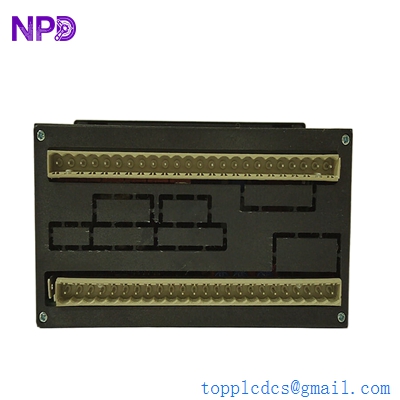
WOODWARD 8440-1713
Compatible Replacement Models
Woodward’s numbering system is precise. The 8440-1713 is the standard easYgen-2500.
| Model | Compatibility | Key Differences | Action Required |
| 8440-1713 | (Current) | Standard easYgen-2500 | – |
| 8440-1714 | ⚠️ Software Comp. | Different internal I/O mapping or language pack | Update ToolKit config |
| 8440-1813 | ⚠️ Partial | easYgen-2200 (Lower tier, no load sharing) | ❌ Do not use for parallel applications |
| easYgen-3200 | ⚠️ Hardware Mod | Higher tier, more I/O, different physical size | Panel cutout modification required |
Engineer’s Note: If you are moving from a very old firmware version to a new 8440-1713, the Woodward ToolKit software might flag “Parameter Version Mismatch.” Don’t panic. You usually just need to update the .SID (Service Interface Definition) file in your software to see the new menus.
Troubleshooting Quick Reference
| Symptom | Possible Cause | Part Relevance | Quick Check |
| Screen is Blank | Power polarity or Fuse | ❌ Low | Check terminals 1 (+) and 2 (-) for 24V DC |
| “Sync Timeout” Alarm | Phase rotation mismatch | ⚠️ Medium | Measure L1-L2-L3 on both Bus and Gen |
| CANbus Error (Red LED) | Termination resistor | ❌ Low | Check for 120Ω resistor at the end of the line |
| Unit Reboots on Crank | Voltage drop during start | ⚠️ Medium | Check battery health or add a DC/DC stabilizer |
| “Check Sum Error” | Memory corruption | ✅ High | Attempt firmware flash; if fails, replace unit |
❗ Pro-Tip: The “Phase Rotation” Trap
I see this at least once a month. Someone replaces a controller, wires it up exactly like the old one, but the unit refuses to close the breaker. The easYgen is seeing a “Phase Rotation Mismatch.”
- The Reality: The new unit is more sensitive to phase angle than the old one.
- The Fix: Use a phase rotation meter to confirm the Gen and Bus are both L1-L2-L3. If the controller says 1-3-2, it will never allow a sync. Check the 8440-1713 settings for “Phase Rotation” and ensure it matches your site’s physical wiring.