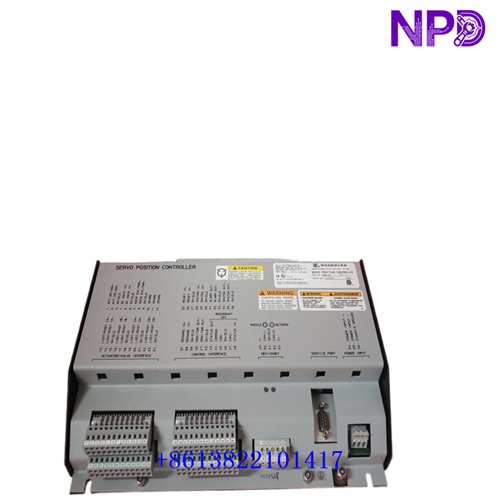

Description
⚙️ Product Specifications (Datasheet)
| Parameter | Value |
|---|---|
| Model / Part Number | 723PLUS Series (P/N: 9907-247) |
| Device Type | Programmable Microprocessor-Based Speed & Load Controller |
| Power Supply Voltage | Low Voltage DC Version (18 to 40 VDC continuous, 24/32 VDC Nominal @ 40 W max) |
| Housing Material | Heavy-Duty Sheet Metal Chassis |
| Operating Temperature | -40°C to +70°C (-40°F to +158°F) |
| Speed Sensor Inputs | 2 Independent Channels (Magnetic Pickups / MPUs or Proximity Switches) |
| Analog Inputs / Outputs | 4 Programmable Analog Inputs / 3 Programmable Analog Outputs |
| Discrete Inputs / Outputs | 8 Configurable Discrete Inputs / 3 Relay Contact Outputs |
| Communication Ports | Dual RS-422 / RS-485 Serial Ports (Modbus RTU / LonWorks) |
| Country of Origin | USA (Woodward, Inc.) |
🚀 Standard Operating Procedure
- 🛠️ Pre-Start Loop Inspection: Verify low-voltage DC power supply wiring matches 18–40 VDC specifications. Inspect field wiring across all 4 analog inputs, 3 analog outputs, 8 discrete inputs, and dual MPU speed channels.
- ⚡ Power On Sequence: Apply DC control power. Confirm front panel status LEDs illuminate and internal self-diagnostics pass without system fault warnings.
- 🕹️ Control Mode Setup: Select initial operating mode (Isochronous, Droop, or Remote Speed Reference) using external discrete inputs or serial network commands.
- 🏎️ Prime Mover Start: Initiate the engine start sequence. The 9907-247 tracks speed feedback through its dual speed sensor channels and executes programmed acceleration ramps up to rated operational speed.
- 📊 Operational Monitoring: Monitor real-time speed feedback, fuel demand output percentage, process analog inputs, and relay output statuses via Watch Window software.
- 🛑 Controlled System Shutdown: Issue a stop command via discrete inputs or serial commands to smoothly ramp fuel actuators down to zero before stopping the prime mover.
⚙️ Parameter Configuration Guide
- 💻 Connect a PC running Woodward Watch Window software or attach a Handheld Programmer (HHP) to the 9-pin serial service port.
- 🔑 Log in using the authorized security password level to unlock parameter tuning and I/O terminal mapping menus.
- 📑 Navigate to setup menu blocks, including Dual Speed Sensing Configuration, PID Dynamics (Gain/Reset), Analog I/O Scaling, and Discrete Logic Mapping.
- ✏️ Configure the 4 analog inputs and 3 analog outputs for target process or remote bias signals, and assign logic functions to the 8 discrete inputs and 3 discrete outputs.
- 💾 Select “Save Values” to store all updated settings into non-volatile EEPROM memory prior to disconnecting software.
🔄 Manual / Automatic Mode Switching
- 🖐️ To Select Manual Mode: Actuate the designated local/manual discrete contact switch or set a manual override in Watch Window. Manual mode grants operators local authority over speed setpoints and actuator positions.
- 🤖 To Select Auto Mode: Toggle control input contacts back to Automatic mode. The controller automatically maintains closed-loop speed loops or responds to remote DCS commands via Modbus or analog inputs.
❓ Frequently Asked Questions (Q&A)
- ❓ Q: What is the primary I/O layout for model 9907-247? 💡 A: Model 9907-247 features a comprehensive hardware profile consisting of 2 speed inputs (MPUs or proximity switches), 4 analog inputs, 3 analog outputs, 8 discrete inputs, and 3 discrete outputs.
- ❓ Q: Why does this model feature dual speed sensor inputs? 💡 A: Dual speed channels allow for redundant speed sensing, speed signal failover, or monitoring two different rotating shafts in critical prime mover applications.
- ❓ Q: What input power voltage is required for part number 9907-247? 💡 A: Model 9907-247 is a Low-Voltage DC unit designed for continuous operation on an 18 to 40 VDC power supply (24 VDC or 32 VDC nominal).