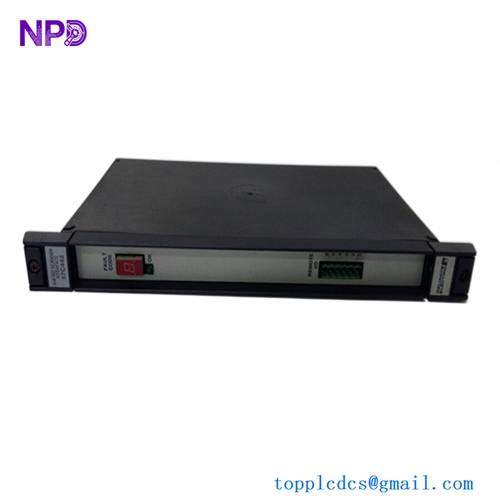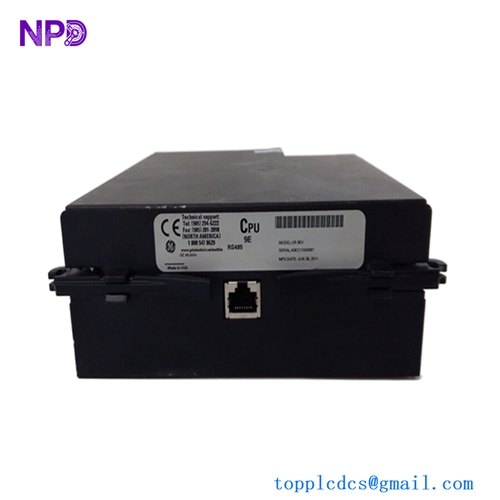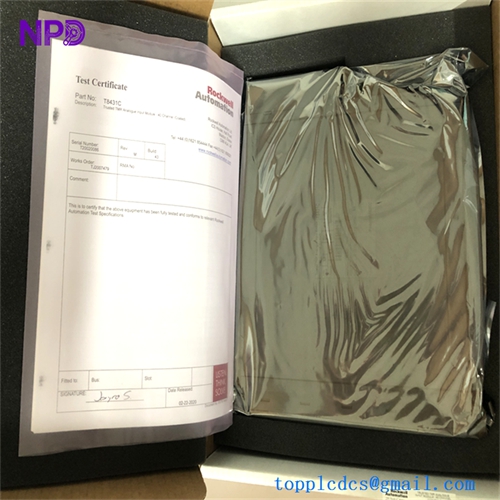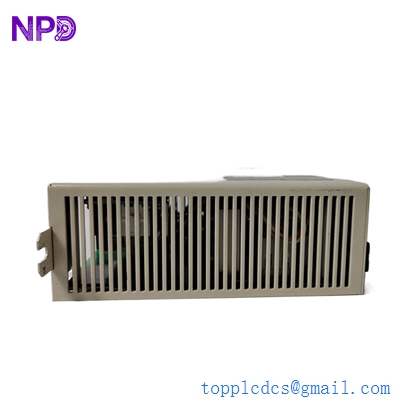

Description
- Model: WR-D4007 (also known as PSC Power Supply II / MCPS2)
- Brand: Reliance Electric (Rockwell Automation / ABB Baldor)
- Series: PSC7000 / PSC5000 Control System
- Core Function: High-performance power supply module providing regulated DC power to control cards.
- Condition: Brand New Surplus (Original factory unit, legacy stock).
- Product Type: Power Supply Card / Drive Board.
- Key Specs: 85-132V AC Input | 24V DC Output | 5A Max Current.
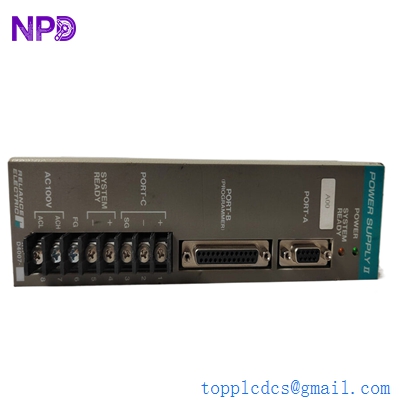
RELIANCE WR-D4007
Key Technical Specifications
- Input Voltage Range: 85-132V AC (Single Phase)
- Input Frequency: 47-63 Hz
- Output Voltage: 24V DC (Regulated)
- Output Current: 5.0 Amperes (Maximum continuous)
- Power Card Type: Power Supply II (MCPS2)
- Cooling: Natural convection (Ensure vertical mounting for airflow)
- Protection Features: Built-in Overcurrent, Overvoltage, and Short-Circuit protection
- Isolation: 600V AC dielectric strength
- Weight: ~1.50 kg (Approx. 3.3 lbs)
- Dimensions: ~215 mm (H) x ~250 mm (L) x ~55 mm (W)
Installation & Configuration Guide
Phase 1: Pre-Installation (Preparation)
Safety Warning:
- This is a high-voltage component. Disconnect all AC mains power before touching the chassis.
- Verify that the incoming line voltage is within the 85-132V AC range. Feeding 220V into this card will result in immediate catastrophic failure.
- Check for any visible bulging in the electrolytic capacitors on the board—since these are legacy units, a visual inspection is vital.
Tools Required:
- Philips head screwdriver (No. 2).
- Digital Multimeter (for DC output verification).
- Anti-static wrist strap (mandatory).
Phase 2: Removing the Defective Card
- Power Down: Wait at least 3 minutes after disconnecting power to allow internal capacitors to discharge.
- Wiring: Label the input (AC) and output (DC) wires. In my experience, the screw terminals on these older Reliance racks can become brittle; loosen them carefully.
- Extraction: Remove the retaining screws holding the card to the motherboard/chassis. Pull the card straight toward you to avoid bending the backplane pins.
Phase 3: Hardware Installation
- DIP Switch Sync: Compare the new WR-D4007 with the old one. If there are any jumper pins or DIP switches for redundancy settings, match them exactly.
- Seating: Align the card with the guide rails. Slide it in firmly until the backplane connector “clicks” into place.
- Securing: Tighten the mounting screws to ensure a solid ground connection to the chassis.
Phase 4: Testing & Validation
- Dry Run: Before connecting the DC load, apply AC power.
- Voltage Check: Use your multimeter to measure the DC output terminals. It should read a steady 24V DC (±2%).
- Load Reconnection: Power down, connect the field wiring, and power back up.
- Monitoring: Observe the status LEDs. A steady green LED indicates the card is healthy. If the LED flickers or turns red under load, check for a downstream short circuit in your I/O racks.
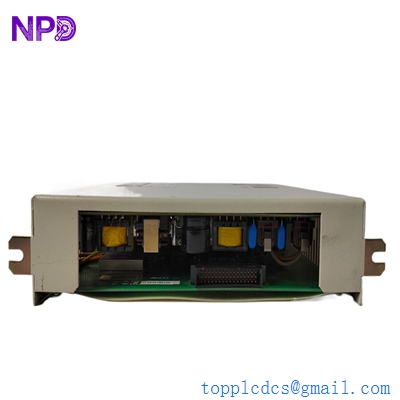
RELIANCE WR-D4007
Customer Cases & Industry Applications
Case 1: Printing Press Recovery (Legacy System Support) A large-scale newspaper printing facility in the Midwest was using a Reliance PSC7000 system to control their main folder drive. The WR-D4007 power supply failed, causing the entire line to halt. Since the system was “End of Life,” the manufacturer’s only solution was a $150,000 drive migration. We supplied a New Surplus WR-D4007 overnight. The press was back in operation within 18 hours for a fraction of the cost.
Case 2: Steel Mill Power Supply Redundancy In a heavy-duty steel rolling mill, reliability is everything. The client had two WR-D4007 units running in a parallel-redundant configuration. One unit suffered a component failure due to the high-heat environment. By replacing it with an original Reliance unit rather than a “compatible” third-party power supply, the client maintained the integrity of their redundancy logic, preventing a potential $80,000-per-hour downtime event.
Frequently Asked Questions (FAQ)
Q: Is the WR-D4007 the same as the WR-D4005? A: No. While they look similar, the WR-D4007 (MCPS2) has a different power rating and output characteristics. They are not directly interchangeable in critical PSC7000 control loops. Always stick to the specific model number on your cabinet’s bill of materials.
Q: These are old parts; how do I know the capacitors aren’t dried out? A: This is a fair concern with legacy Reliance stock. Every WR-D4007 we ship undergoes a 24-hour load test on our specialized testing rack. We monitor for ripple voltage and heat signatures to ensure the internal components are performing like new.
Q: Does this module require a specific software configuration? A: No, the WR-D4007 is a pure hardware power supply module. It does not require any programming via AutoMax or PSC software. It is a “Plug-and-Play” component once the physical jumpers are set.
Q: What is the lead time for this obsolete part? A: Because we keep these in our strategic inventory, we can typically ship within 48 hours. If you are in a “Machine Down” situation, we can often arrange same-day courier pickup.
Q: Do you offer a warranty on discontinued Reliance parts? A: Yes. We provide a full 12-month warranty. If the unit fails under normal operating conditions, we will replace it or issue a full refund, as we know how critical these parts are to your production.