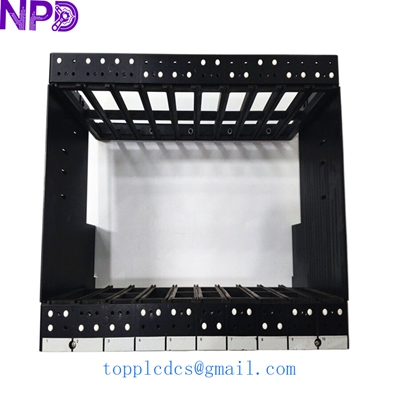
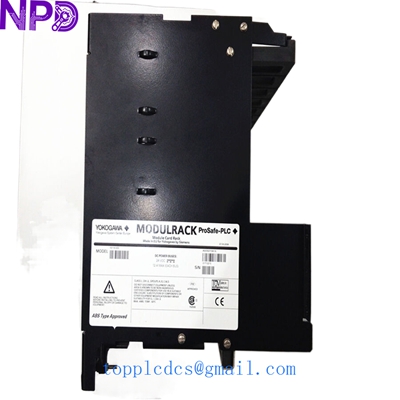

Description
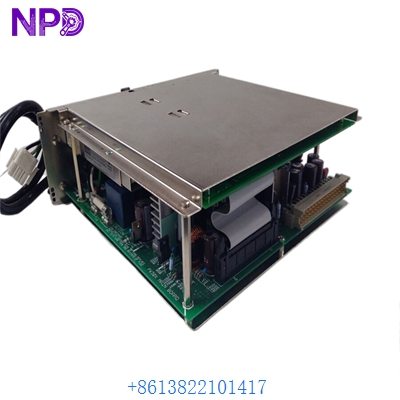
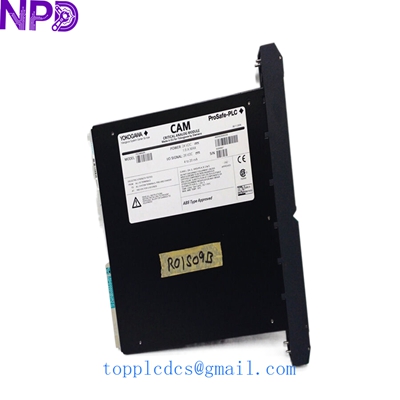
- Model: YOKOGAWA 16114-500 (PN: 16114-5006)
- Brand: Yokogawa (In collaboration with Moore Products Co.)
- Series: ProSafe-PLC / Industrial Safety Systems
- Core Function: Module Card Rack (Modulrack) for housing critical I/O modules
- Type: Chassis/Rack Hardware
- Key Specs: 24VDC Input | Dual 12A Max Bus | Supports Critical Discrete Modules (CDM)
- Part Number: 16114-500 / 16114-5006
- Primary Power: 24 VDC
- Current Rating: 12 A Max per DC Power Bus (21 A Max combined/total bus capacity)
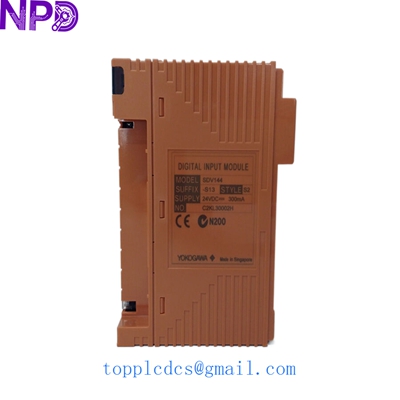
- Module Compatibility: Primarily designed for Critical Discrete Modules (e.g., PSCDM024DCBAN)
- Temperature Rating: Max Ambient 60°C (140°F)
- Hazardous Area Certification: Class I, Division 2, Groups A, B, C & D
- Mounting: Standard cabinet/panel mounting
- Weight: Approx. 20.4 kg (Empty rack)
- Origin: Made in the U.S.A. (Moore Products legacy)
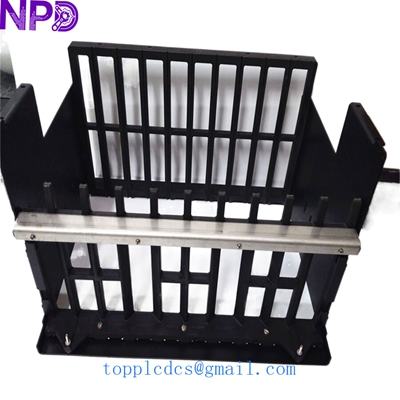
Yokogawa 16114-500 A5E002710416
Installation & Configuration Guide
Preparation (Est. Time: 40 minutes)
⚠️ Safety Warning:
- This rack is used in ProSafe-PLC safety systems. Do not remove or install this hardware while the safety loops are active without following your plant’s override/bypass protocols.
- The unit is heavy (over 20kg). Use two people or mechanical assistance for cabinet mounting to avoid injury or damage to the backplane.
Removal Steps
- Power Down: Disconnect the main 24VDC feed to the DC power buses. Verify zero voltage at the bus terminals.
- Module Extraction: Remove all installed I/O cards (like PSCDM modules) by loosening their captive screws and sliding them out.
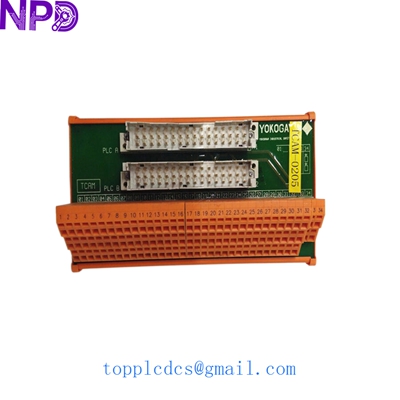
- Cabling: Label and disconnect the transition boards and field wiring cables from the rear/bottom interface.
- Unmounting: Support the weight of the rack while removing the mounting bolts from the cabinet frame.
Installation Steps
- Clearance: Ensure at least 100mm of clearance around the rack for natural convection cooling, as these racks are rated for 60°C environments.
- Mounting: Secure the rack to the cabinet rails. Ensure the frame is properly grounded (Earthing) to the cabinet ground bus.
- Bus Wiring: Connect the 24VDC supply to the internal buses. Double-check polarity; reversing the 12A bus can damage the backplane components.
- Module Loading: Slide the modules into their designated slots. Ensure the “G” keys or alignment pins match the rack’s backplane.
Testing & Commissioning
- Voltage Check: Before inserting the CPU/Modules, power on the rack and measure the voltage at each slot’s power pins to ensure it is a stable 24VDC.
- Bus Redundancy: If using dual power feeds, test each bus independently to ensure the redundancy logic on the Modulrack is functioning.
- Diagnostic Check: Once modules are inserted, check the ProSafe-PLC diagnostic software for any “Rack Communication Faults” or “Power Supply Alarms.”
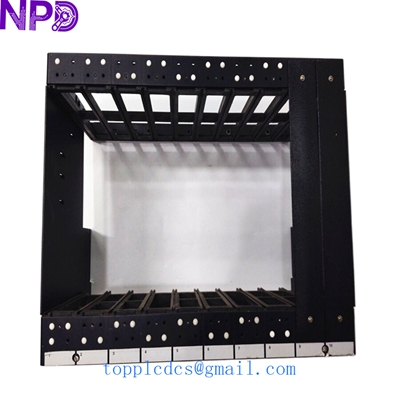
Yokogawa 16114-500 A5E002710416
Customer Cases & Industry Applications
Case 1: Refinery Safety System Life-Extension
Situation: A refinery in Southeast Asia utilized a ProSafe-PLC system for their burner management. A physical fault in the 16114-500 rack (damaged backplane connector) caused intermittent failures in a critical discrete output bank.
Problem: The OEM no longer manufactures this rack. Upgrading to a newer ProSafe-RS system would require a $500,000 capital expenditure and weeks of downtime.
Action: We supplied a New Surplus 16114-5006 rack. Because the part was a direct match, the maintenance team swapped the hardware during a 24-hour scheduled turnaround.
Result: The safety system was restored to full health for a fraction of the upgrade cost. The plant successfully extended the life of their existing safety infrastructure by another 5+ years.
Case 2: Offshore Platform Critical Spare
Situation: A platform in the North Sea identified the 16114-500 as a “Single Point of Failure” for their fire and gas system. They had modules in stock but no spare rack.
Action: The customer purchased a 16114-500 from our stock to keep as a “cold spare.”
Result: Having the rack on-site reduced their potential Emergency Repair Time from 8 weeks (sourcing time) to under 4 hours.
Frequently Asked Questions (FAQ)
Q: What is the difference between 16114-500 and 16114-5006? A: 16114-500 is typically the model number for the chassis assembly, while 16114-5006 refers to the specific part number or revision of the populated rack. They are generally interchangeable for ProSafe-PLC applications.
Q: Is this rack compatible with the newer ProSafe-RS modules? A: No. The 16114-500 is part of the legacy ProSafe-PLC (Moore Products) line. The newer ProSafe-RS uses different bus architectures and I/O modules.
Q: Why does the rack mention Moore Products Co.? A: Yokogawa partnered with Moore Products (later acquired by Siemens) for the early ProSafe-PLC hardware. Many of these racks carry both Yokogawa and Moore/Siemens markings but are functionally identical.
Q: Can I run this rack at its maximum 21A capacity continuously? A: While the bus is rated for 21A max, for long-term reliability in high-heat environments (near 60°C), it is recommended to stay within 80% of the 12A rating per individual bus.
Other Inventory Items Available
- YOKOGAWA PSCDM024DCBAN (Critical Discrete Module)
- YOKOGAWA PSCCM24AAN (Critical Control Module)
- YOKOGAWA PSCAIAAN (Critical Analog Input)
- ABB PM866K01 (AC800M Controller)
- HONEYWELL CC-PAIH01 (High Level AI)
- TRICONEX 3008 (Main Processor)
- EMERSON KJ3222X1-BA1 (DeltaV MQ)
- BENTLY NEVADA 3500/22M (TDI Module)