Description
- Model: Yokogawa PSCAMAAN 16404-5003
- Brand: Yokogawa (Japan)
- Series: Centum CS 1000 / CS 3000 R3
- Core Function: Power Supply Module for I/O nests and control stations
- Product Type: Power Supply Card
- Key Specs: 100-120 V AC Input | High-load stability | Redundancy support
- Input Voltage: 100-120 V AC (Nominal)
- Input Frequency: 50/60 Hz
- Output Voltages: Internal system DC rails
- Mounting: Dedicated I/O nest slot
- Redundancy: Supported (Dual module configuration)
- Operating Temperature: 0 to 50°C
- Status Indicators: Front-panel LEDs (Ready/Fault)
- Cooling: Natural convection (No fan required)
- Connection: Rear-plane connector interface
- Weight: Approx. 1.2 kg
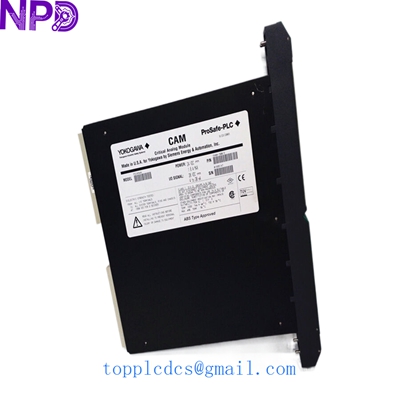
YOKOGAWA PSCAMAAN 16404-5003
Application Scenarios & Pain Points
In large-scale continuous process plants, the power supply is the heart of the DCS (Distributed Control System). If a PSCAMAAN card fails in a non-redundant nest, you aren’t just losing one I/O point—you’re losing the entire rack of data. For systems running on older Centum CS 3000 architectures, these modules are becoming increasingly rare. When they die, they usually die due to capacitor aging after 10+ years of 24/7 service, leaving engineers scrambling for a replacement that doesn’t require a multi-million dollar system upgrade.
Typical Application Scenarios:
- Refinery DCS Maintenance Providing stable DC power to analog input and output cards within the control room cabinets.
- Power Plant Control Upgrade Supporting existing Centum systems where the client prefers maintaining legacy hardware over a full platform migration.
- Chemical Batch Processing Ensuring zero-interrupt power for I/O nests controlling critical safety valves and flow meters.
The “Midnight Save” Case Study:
Background: A mid-sized LNG terminal in Southeast Asia experienced a sudden failure on a legacy Yokogawa control station. The secondary power supply on the nest had already failed months prior (and wasn’t replaced—classic mistake), and now the primary kicked the bucket.
Problem: The entire berth monitoring system went dark. The site team had no spares on-site, and the official local channel quoted a “best-effort” lead time of 4 weeks because the part is technically “mature/discontinued.”
Solution: They reached out to us on a Tuesday evening. We pulled a PSCAMAAN 16404-5003 from our climate-controlled storage, ran it through our Fluke-monitored load test overnight, and shipped it via DHL Express the next morning.
Result: The part arrived on Friday. The site engineer swapped it in, the “Ready” LED turned green, and the system rebooted perfectly. They avoided a prolonged shutdown and immediately ordered a second unit to finally restore their redundancy.
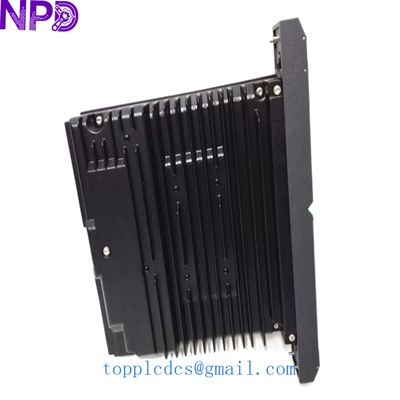
YOKOGAWA PSCAMAAN 16404-5003
Compatible Replacement Models
If you can’t find the exact 16404-5003, here is how the landscape looks for replacements:
| Original Model | Replacement Model | Compatibility | Key Difference | Price Impact |
| PSCAMAAN 16404-5003 | PSCAMAAN 16404-5000 | ✅ Direct Replacement | Minor revision change; fully interchangeable. | Neutral |
| PSCAMAAN 16404-5003 | PW482-10 | ❌ Incompatible | New Centum VP series; different form factor and pins. | High (Requires rack change) |
Engineer’s Note: Honestly, with these power cards, don’t try to “hack” a newer model in. The pinouts on the backplane are specific to the 16404 series. If you have the 5003, stick with the 5003 or the 5000 version.
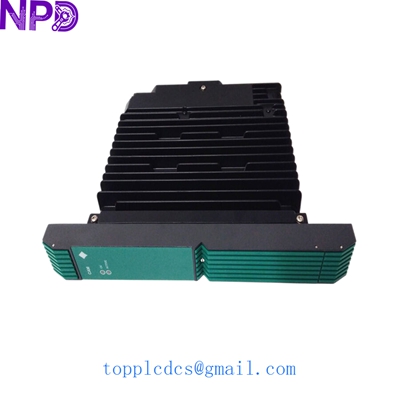
YOKOGAWA PSCAMAAN 16404-5003
Troubleshooting Quick Reference
| Symptom | Potential Cause | Part Relevance | Quick Check | Action |
| No LEDs on front panel | Incoming AC power lost | ❌ Low | Check AC terminal block with a multimeter (110 V AC). | Check fuses/breakers in the cabinet. |
| “Fault” LED is Red | Internal component failure | ✅ High | Check if the module is seated properly in the nest. | Replace the module immediately. |
| Intermittent system resets | Capacitor aging / Voltage ripple | ✅ High | Check DC rail stability using an oscilloscope if possible. | Replace module if ripple exceeds 50mV. |
| Output voltage low | Overload on the I/O bus | ⚠️ Medium | Remove I/O cards one by one to see if voltage recovers. | If voltage stays low with no load, card is bad. |
Technical Pitfalls to Avoid:
- ❗ Firmware? No, but check the Jumpers: While this isn’t a CPU, some Yokogawa board types have address jumpers on the backplane or the card itself. Always take a photo of the side of the old card before sliding the new one in!
- ❗ Hot-Swapping: Centum nests generally support hot-swapping if you have a redundant pair. However, if you only have one power supply running, pulling it will crash the rack. Check your redundancy status before you pull!
- ❗ ESD Protection: I’ve seen guys fry these cards just by carrying them across a carpeted office in winter. Use an ESD bag and a wrist strap. A $2,000 card isn’t worth “skipping” the strap.
SOP Quality & Testing Process
We don’t just “box and ship.” Every PSCAMAAN 16404-5003 undergoes a rigorous validation:
- Visual Inspection: We check for “swollen caps” (electrolytic capacitor bulging) which is the #1 killer of these units. We also verify the rear connector pins for any signs of arcing or corrosion.
- Live Bench Test: The module is installed in a Yokogawa Centum I/O nest. We use a Fluke 115 to verify the output rails are within ±1% of nominal spec.
- Burn-in: We leave the module powered under 80% rated load for 24 hours. We use a thermal imager to ensure no “hot spots” are developing on the transformers or MOSFETs.
- Insulation Test: 500 V DC megger test to ensure the isolation between the AC input and DC output is >10 MΩ.
Related Inventory (Available Now)
- Yokogawa AIP111 | Control Bus Interface Card
- Yokogawa ADV151-P00 | Digital Input Module
- Yokogawa AAI143-H00 | Analog Input Module
- Yokogawa CP451-10 | Processor Module
- Yokogawa SB401-10 | Bus Slave Module
- Yokogawa VI702 | Vnet/IP Interface Card
- Yokogawa PW481-10 | Power Supply Module
- Yokogawa AAI543-H00 | Analog Output Module
- Yokogawa ADV551-P00 | Digital Output Module
- Yokogawa ADR541-P00 | Relay Output Module