Description
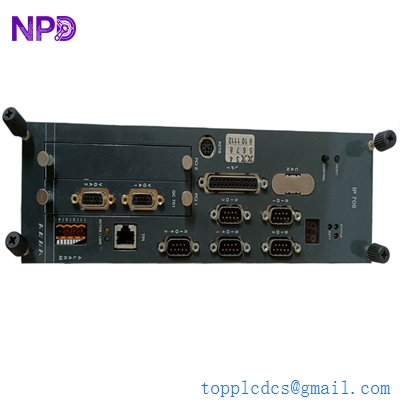
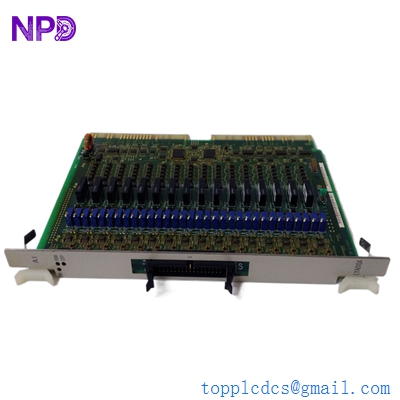
- Model: YOKOGAWA PSCDM024DCBAN (Part No: A5E0024837106)
- Brand: Yokogawa (Japan)
- Series: CENTUM CS 3000 / VP System
- Core Function: Power Distribution and Signal Conditioning [Condition: New Surplus]
- Product Type: Power Distribution Board (PSCDM)
- Key Specs: 24 V DC Input | Multi-channel Output | DIN Rail/Rack Mount
| Parameter Item | Specification Details |
| Input Voltage | 24 V DC (Nominal) |
| Voltage Tolerance | 20.4 V to 28.8 V DC |
| Board Part Number | A5E0024837106 |
| Channel Configuration | Integrated Multi-channel Power Distribution |
| Protection Class | IP20 |
| Operating Temperature | -20 °C to +60 °C (-4 °F to 140 °F) |
| Mounting Type | System Rack / Cabinet Mounting |
| Communication Interface | Backplane Bus Connector |
| Status Indicators | LED for Power (Green) and Fault Status (Red) |
| Isolation Voltage | 500 V AC between Power and Logic circuits |
| Dimensions | Standard Yokogawa PSCDM Form Factor |
| MTBF | Rated at >150,000 Hours |
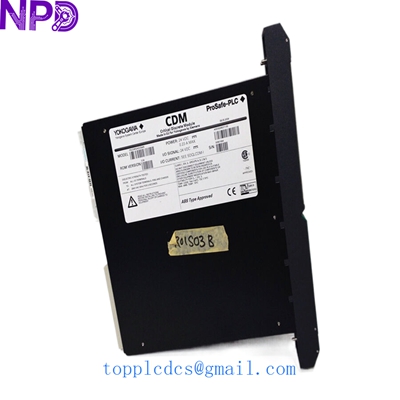
YOKOGAWA PSCDM024DCBAN A5E0024837106
Installation & Configuration Guide
Replacing a Yokogawa power distribution board isn’t rocket science, but it does require patience and precision. To be honest, most system failures aren’t due to the board itself being “bad” out of the box, but rather due to secondary faults caused by static electricity or loose wiring during installation.
Phase 1: Preparation (Estimated: 15 mins)
⚠️ Safety Warning: Before touching any power module, verify the system has undergone a redundancy switch. If this is a single-unit critical node, you must apply for a maintenance window. Disconnect the 24 V DC main breaker and use a multimeter to confirm zero voltage at the terminals.
Tool Checklist:
- Anti-static wrist strap (don’t skip this; the ICs on the board are highly sensitive).
- Fluke Multimeter (to check voltage stability).
- Fine-tip Phillips screwdriver and marking pen.
- Smartphone camera: Take photos of every wiring terminal on the old PSCDM024DCBAN, especially any custom jumpers.
Phase 2: Removal of Old Module (Estimated: 10 mins)
- Disconnect External Wiring: Remove the terminal blocks in order. Do not pull on the wires forcefully to prevent wire labels from falling off.
- Remove Fixing Screws: These boards usually have 2–4 mounting screws. When loosening counter-clockwise, hold the board with one hand to prevent it from dropping and hitting the CPU below.
- Pull Out the Board: Gently pull the board out perpendicular to the backplane.
- Inspect Backplane: Check the gold fingers on the A5E0024837106 for scorch marks or blackening. If found, check the upstream power supply for surges.
Phase 3: Installation of New Module (Estimated: 15 mins)
- Verify Physical Configuration: Compare jumpers on the new and old boards to ensure they are identical.
- Insert into Guide Rails: Slide the board into the rack guide rails. Once you feel the gold fingers engage, apply firm pressure until the screw holes align.
- Restore Wiring: Following your photos, reconnect the wires one by one. Give each wire a slight tug to ensure the terminal screws are tight.
- Self-Check: Look for dropped washers or tools inside the cabinet; these are fatal short-circuit hazards in dense automation racks.
Phase 4: Power-On & Functional Testing (Estimated: 20 mins)
- Initial Power-On: Close the DC breaker.
- Observe LEDs: The green “Ready/Power” LED should light up within 3 seconds. If the red LED flashes, cut power immediately and re-check input voltage.
- System Check: On the Yokogawa HIS (Human Interface Station), verify the slot status changed from “Disconnected” to “Normal.”
- Load Test: Run for 30 minutes and check the heat sink temperature with the back of your hand. If it’s not overheating and signals are steady, the replacement is successful.
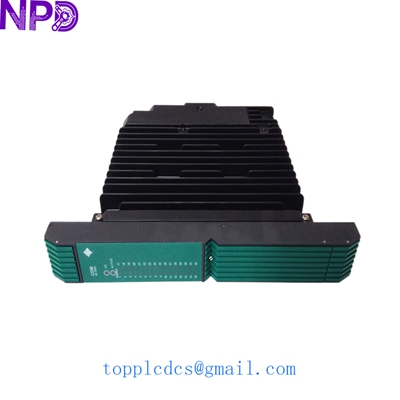
YOKOGAWA PSCDM024DCBAN A5E0024837106
Customer Cases & Industry Applications
Case 1: Chemical Plant System “Resurrection”
Background: A chemical plant in South China had a CENTUM CS 3000 system in service for over 12 years. Last summer, due to an AC failure in the rack room, an old PSCDM024DCBAN power board suffered a capacitor breakdown, causing a whole group of I/O modules to go offline.
The Problem: Yokogawa official support stated the model was EOL (End of Life) with a lead time of 14 weeks. Every day of downtime cost the plant over $70,000 in lost production.
The Result: We received the call and shipped a unit from our stock via air freight the same afternoon. The customer received it by 9 AM the next day. Following our guide, they completed the swap in 30 minutes. The system powered up perfectly, avoiding months of downtime anxiety. The procurement manager later ordered 2 more units for strategic backup.
Case 2: System Integrator’s Emergency “Firefighting”
Background: A system integrator managing an overseas power plant discovered they had fried an original A5E0024837106 Board due to a wiring error during commissioning.
The Solution: This specific board was unavailable locally. Through our global channels, we provided a test report and live video proof of a New Surplus unit and dispatched it via DHL International Express, arriving on-site in 4 days.
Feedback: The integrator noted: “With obsolete parts, the fear is always getting a refurbished unit. This board was pristine, no scratches on the gold fingers, and it saved our reputation with the end-user.”
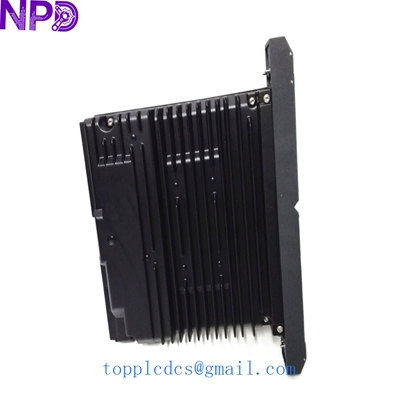
YOKOGAWA PSCDM024DCBAN A5E0024837106
Frequently Asked Questions (FAQ)
Q1: Is this power board new or used? A: We only provide New Surplus. This means it has never been installed or run in a system and remains in its original anti-static packaging or factory-new condition. Honestly, with power boards, the life of a used capacitor is a gamble, which is why we strictly avoid refurbished units.
Q2: My old board has the same model number but a slightly different suffix. Is it compatible? A: Yokogawa made minor PCB revisions over the years, but the A5E0024837106 identifier is the key to the hardware circuit. As long as the main model PSCDM024DCBAN matches, the physical specs are compatible. If unsure, send us a photo of your old board for final verification.
Q3: Do I need to re-download the program after replacement? A: No. This is a power distribution and physical connection layer; it does not store logic programs. As long as your jumpers match the old board, it is plug-and-play.
Q4: How does your warranty work? A: We provide a 12-month warranty. Even as a surplus unit, we back it for a full year. If it fails due to non-human factors, we replace it with another unit immediately.
Q5: Is it worth buying if our plant hasn’t failed yet? A: This is a strategic choice. For obsolete models, if your system needs to run for another 3+ years, buffer at least one unit. Waiting until a failure occurs to search the global market often leads to 10x higher prices and crushing lead times.
Suggested Spare Parts Inventory
The following models are currently in stock for your inventory optimization:
- YOKOGAWA AAI143-S00 – Analog Input Module
- YOKOGAWA ADV151-S00 – Digital Input Module
- ABB PM866K01 – Processor Unit
- ABB DI810 – Digital Input 24V
- GE Fanuc IC695CPU310 – RX3i CPU Module
- Honeywell CC-PDIL01 – Digital Input Module
- Triconex 3721 – Analog Input Module
- Bently Nevada 3500/22M – Transient Data Interface
- Emerson KJ3222X1-BA1 – VE4003S2B1 I/O Module
- Siemens 6ES7414-3XM05-0AB0 – S7-400 CPU