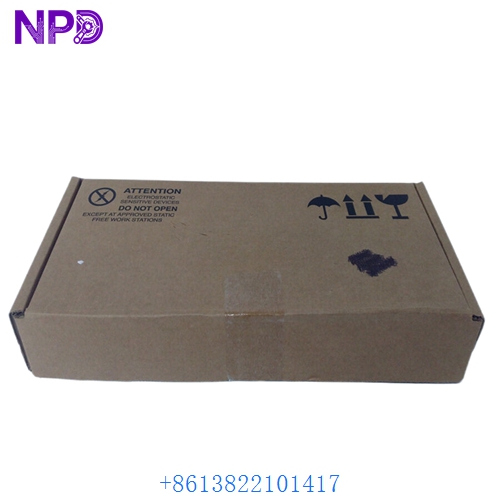

Description
Product Specifications
| Attribute | Specification |
|---|---|
| Model Number | 1009101010.0200 |
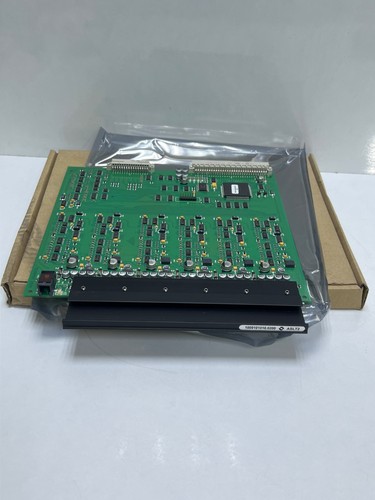
| Product Name | ASLT2 (AlphaCom Slave Line Board) |
| Capacity | 6 subscriber lines per board |
| Compatibility | AlphaCom XE7, XE20, and XE26 Servers |
| Interface | Proprietary Zenitel/Vingtor-Stentofon bus |
| Dimensions | 233 mm x 160 mm x 20 mm |
| Weight | 0.25 kg |
| Origin | Norway |
| Power Supply | Powered via the AlphaCom backplane |
Application Fields
The Zenitel ASLT2 is a specialized line card designed for internal communication systems. It is primarily used in:
- Maritime and Offshore: Critical intercom systems on ships and oil rigs.
- Industrial Facilities: High-noise environments requiring robust communication links.
- Security Infrastructure: Correction facilities, airports, and transport hubs.
- Public Safety: Integrated PA (Public Address) and voice alarm systems.
Product Instructions
- Hardware Installation: Ensure the AlphaCom server is powered down or follow the hot-swap protocol if supported by your specific rack version. Insert the ASLT2 into an available slave slot on the backplane.
- Cabling: Connect the intercom stations to the board using twisted-pair cabling. Each board supports up to 6 stations.
- Software Provisioning: Use the AlphaPro management tool to register the new subscriber lines. Assign directory numbers (extensions) and configure feature profiles for each port.
- Signal Testing: Once installed, use the onboard LED indicators to verify that the board is communicating correctly with the Central Processor Unit (CPU).
Product Q&A
Q1: What is the main difference between the ASLT and the ASLT2? A1: The ASLT2 is the modernized version of the original slave line board, featuring updated components for improved longevity and compatibility with AlphaCom XE series servers.
Q2: Can I mix ASLT and ASLT2 boards in the same AlphaCom exchange? A2: Yes, AlphaCom servers generally support a mix of different generation line cards, provided the total power consumption and slot availability are within system limits.
Q3: How do I troubleshoot a specific line on the ASLT2 board? A3: First, check the status in the AlphaPro monitoring tool. If a single port is down, test the field wiring and the intercom station itself. If all 6 ports are down, the board may not be seated correctly or there may be a backplane issue.
Related Product Models
- ZENITEL 1009101010 (Original ASLT)
- ZENITEL 1009202100 (AGA Board)
- ZENITEL 1009101060 (ATLB Board)
- ZENITEL 1009501000 (Processor Board)
- ZENITEL 1009641000 (Power Supply Unit)