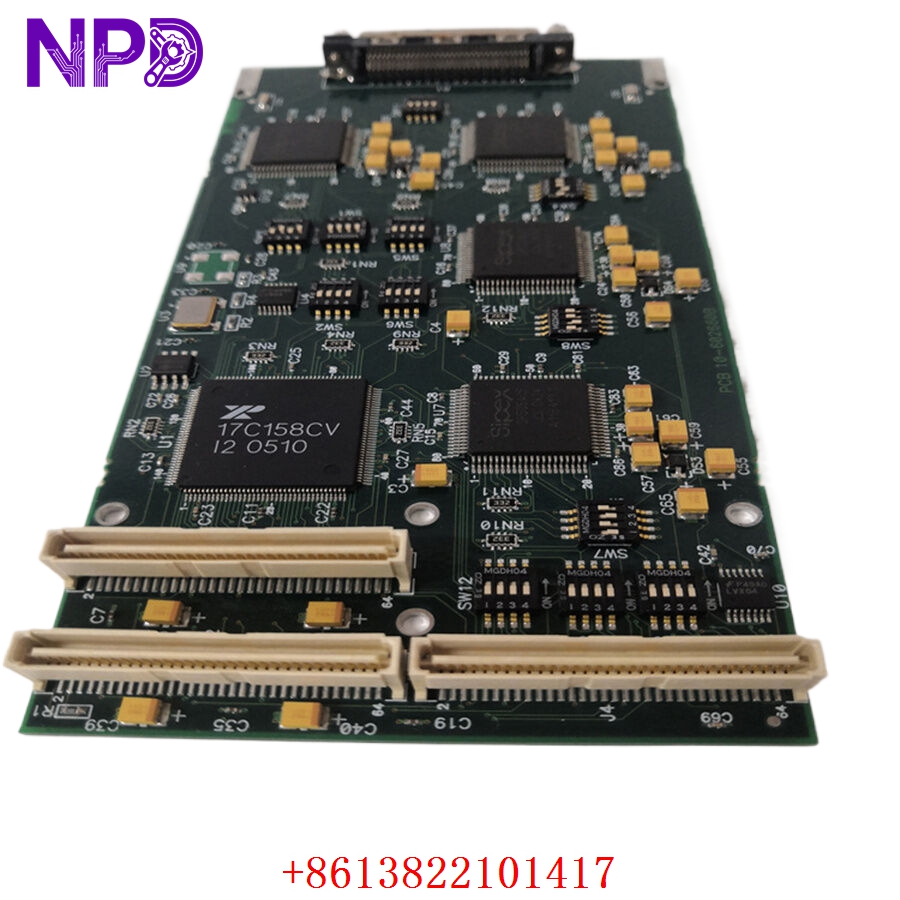

Description
The ZENITEL NORWAY 1009102000 ATLB (Access Terminal Line Board) is a critical interface module used in Vingtor-Stentofon intercom and public address systems. This PCB board is specifically designed to manage the connection and signaling for access terminals within maritime, industrial, and high-security communication networks. It facilitates reliable voice data transmission and system monitoring, ensuring clear, uninterrupted communication in challenging professional environments.

Technical Specifications
| Parameter | Description |
| Model | ATLB / 1009102000 |
| Manufacturer | ZENITEL / VINGTOR-STENTOFON |
| Function | Access Terminal Line Board Interface |
| Application | Intercom and PA/GA Systems |
| Connectivity | Standard Multi-pair Terminal Blocks |
| Condition | New / Original |
| Origin | Norway |
Operational Guidelines & Usage
🔹 Startup Sequence
- Ensure the ATLB board is correctly seated in the intercom exchange rack or designated mounting enclosure.
- Verify that all field-side cabling (terminal lines) is correctly terminated according to the installation diagram.
- Apply system power to the exchange rack.
- The board will perform an automated self-check; observe the status LEDs for confirmation of link activity.
- Once the heartbeat LED is active, the terminal lines are ready for system configuration via the exchange management software.
🔹 Shutdown Sequence
- If the unit requires maintenance or replacement, set the intercom exchange to “Service Mode” through the configuration console.
- Disconnect the power supply to the rack.
- Wait for all capacitive charge to dissipate (approx. 1-2 minutes).
- Use an anti-static wrist strap when removing the ATLB module to avoid damaging sensitive logic traces.
🔹 Normal Operational Flow
- The ATLB board acts as a bridge, monitoring the status of connected intercom stations (on-hook/off-hook).
- It processes incoming audio/control signals from the access terminals and relays them to the central exchange processor.
- It maintains a continuous electrical link to detect line faults or unauthorized disconnection of terminals.
- Real-time diagnostic feedback is relayed to the system controller to ensure the integrity of the communication network.
🔹 Parameter Configuration
- Access the system configuration tool provided by Zenitel (e.g., AlphaPro).
- Define the line parameters, including call priorities and audio amplification levels, for each port connected to the ATLB.
- Map individual terminal addresses to ensure correct routing within the intercom system.
- Perform a test call to confirm that the ATLB board is correctly handling both signaling and voice traffic.
🔹 Mode Switching
- Active/Monitor Mode: The board is fully operational, managing line signaling and audio paths.
- Maintenance/Test Mode: Used during system commissioning or troubleshooting to isolate the ATLB from the main exchange, preventing test signals from triggering alarms or routing calls to the public address system.
Common Questions & Answers (Q&A)
💡 Q: What does a flashing “Line Fault” indicator mean?
A: This usually indicates an open circuit, short circuit, or high resistance on the terminal line connected to that specific port. Check the cable integrity and the intercom terminal unit itself for damage.
💡 Q: Can the ATLB be replaced while the system is powered?
A: No. It is strongly advised to power down the intercom exchange rack before removing or inserting any PCB modules. Hot-swapping can lead to electrical surges that may damage the module or disrupt the central exchange processor.
💡 Q: How do I protect the PCB from marine environment conditions?
A: Zenitel boards are designed for robustness, but they should be kept within a controlled, enclosed cabinet. Ensure that the cabinet door seals are intact and that there is adequate airflow to prevent internal condensation, which is the leading cause of PCB trace oxidation.
💡 Q: Is the ATLB board compatible with older Vingtor systems?
A: The ATLB 1009102000 is intended for specific exchange generations. Always consult your system’s technical documentation or the serial number on your central exchange unit to verify compatibility before upgrading or replacing existing boards.