
Description
Product Description
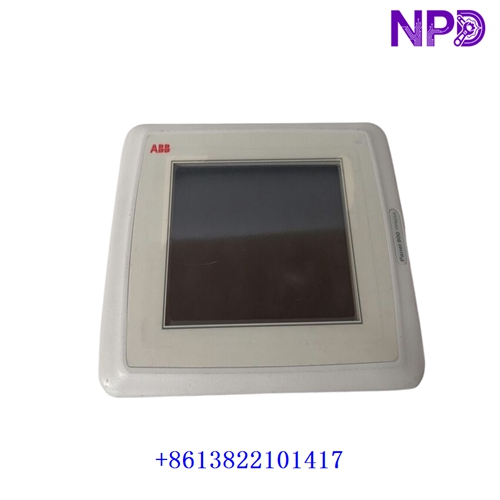
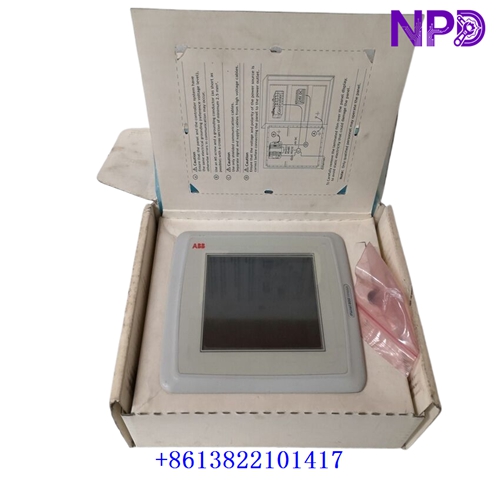
The ABB PP825A (3BSE042240R3) is a 5.7-inch color touchscreen operator panel from ABB’s Panel 800 series. It provides a local human-machine interface (HMI) for displaying process graphics, operating information, alarms, and control-related data in industrial automation applications.
The PP825A features a 320 × 240-pixel display with resistive touch operation. It is designed for panel mounting in industrial control cabinets and operator stations, allowing operators to interact with configured applications through a compact graphical interface.
This model belongs to the Panel 800 Version 5 product family. ABB specifies Panel Builder 800 Version 5 as the configuration software. When replacing an installed unit, verify the existing project, communication settings, panel cutout, and hardware revision before commissioning.
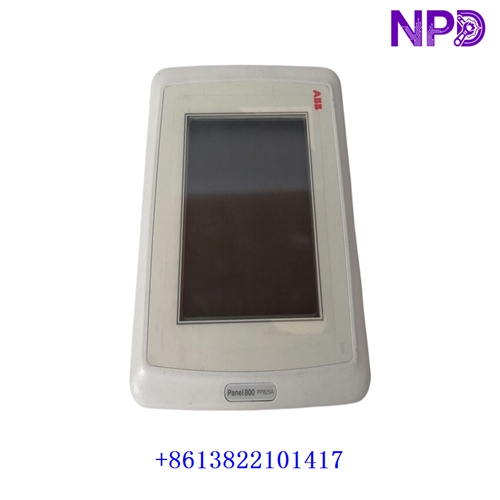
PP825A 3BSE042240R3
Product Datasheet
| Parameter | Specification |
|---|---|
| Brand | ABB |
| Model | PP825A |
| Order Number | 3BSE042240R3 |
| Series | Panel 800 |
| Product Type | HMI Touch Panel |
| Display Size | 5.7 inches |
| Display Technology | CSTN/TFT color display |
| Resolution | 320 × 240 pixels |
| Touch Technology | Resistive touchscreen |
| Display Functions | Graphics and text |
| Configuration Software | Panel Builder 800 Version 5 |
| Front Panel Protection | IP66 |
| Rear Protection | IP20 |
| Front Panel Dimensions | 202 × 152 × 6 mm |
| Mounting Depth | 57 mm; allow approximately 157 mm including clearance |
| Weight | Approximately 0.9 kg |
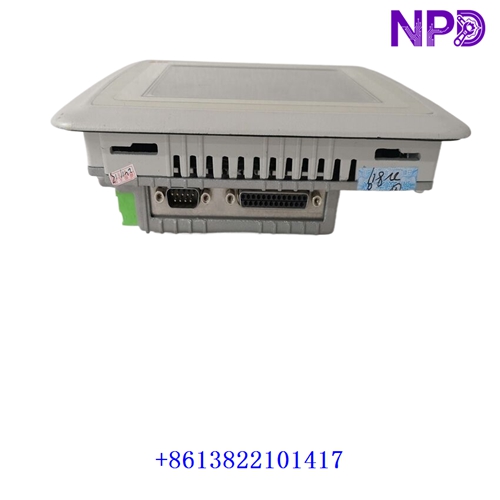
| Serial Interfaces | RS-232C and RS-422/RS-485 |
| Ethernet | Shielded RJ45 |
| USB | USB 1.1 Host, Type A |
| Application Flash Memory | 12 MB, including fonts |
| Real-Time Clock Battery | CR2450 |
| Product Status | Verify actual inventory condition |
| Country of Origin | Confirm from product label |
Technical Features & Specifications
1. Compact Operator Interface
The 5.7-inch color display provides a local interface for viewing configured process graphics, equipment status, operating values, and alarm information. Its 320 × 240 resolution is suitable for compact operator screens and established control-panel layouts.
2. Resistive Touch Operation
The resistive touchscreen allows operators to select configured controls and navigate application screens. The touch surface should be kept clean and protected from sharp objects, excessive pressure, and abrasive cleaning materials.
3. Serial and Ethernet Connectivity
The PP825A provides RS-232C, RS-422/RS-485, and Ethernet interfaces. These connections support equipment-specific communication arrangements, depending on the configured application and connected controller.
Confirm the required port, pin assignment, cable wiring, communication parameters, and protocol configuration before connecting the replacement panel.
4. USB Host Interface
The USB Type-A host port supports compatible peripheral connections. ABB documentation specifies USB 1.1 and a maximum output current of 500 mA. Peripheral compatibility should be checked against the applicable hardware documentation.
5. Panel 800 Version 5 Configuration
ABB identifies Panel Builder 800 Version 5 as the required configuration environment for this panel family. Before replacement, confirm software availability, project-file compatibility, application backup, and the ability to transfer the existing configuration.
Application Scenarios & Pain Points
- Industrial process control: Provides a local interface for configured process displays and operator commands.
- Manufacturing equipment: Supports machine-status visualization and operator interaction.
- Utility systems: Can serve as a local monitoring interface for configured control applications.
- Control cabinet replacement: Provides a replacement option when an existing PP825A panel has display, touch, or communication faults.
- Maintenance and retrofit projects: Helps maintain an established Panel 800 operator-interface installation.
First-Time Installation Checklist
- Verify that the nameplate identifies PP825A and order number 3BSE042240R3.
- Compare the replacement unit’s hardware revision and connector arrangement with the installed panel.
- Confirm the cabinet cutout, mounting clearance, and panel sealing requirements.
- Check the power supply requirements against the original installation documentation.
- Identify the existing RS-232C, RS-422/RS-485, or Ethernet connection.
- Verify cable pinouts, shielding, grounding, and communication settings.
- Back up the existing HMI project before making configuration changes.
- Confirm Panel Builder 800 Version 5 compatibility and project-transfer procedures.
- Test screen navigation, touch response, communication, alarms, and operator functions.
- Record the replacement panel’s serial number, hardware revision, and commissioning results.
Daily Maintenance
- Clean the display with a soft, non-abrasive cloth and an approved screen-cleaning product.
- Avoid pressing the resistive touchscreen with sharp tools.
- Check the front-panel seal for damage, contamination, or loose mounting hardware.
- Inspect Ethernet and serial connectors for looseness, corrosion, or damaged cables.
- Monitor display readability, touch response, and communication stability.
- Maintain a current backup of the HMI application and configuration.
- Check the real-time clock and battery condition according to the maintenance schedule.
Troubleshooting & Frequently Asked Questions
Q1: What is the ABB PP825A?
The PP825A is a 5.7-inch color resistive-touch HMI from ABB’s Panel 800 series, designed for displaying configured graphics and text in industrial automation applications.
Q2: What is the resolution of the PP825A?
The specified display resolution is 320 × 240 pixels.
Q3: Which software is required to configure the PP825A?
ABB specifies Panel Builder 800 Version 5 for configuration.
Q4: Can the PP825A communicate through Ethernet and serial ports?
Yes. The hardware documentation identifies Ethernet, RS-232C, and RS-422/RS-485 interfaces. Actual communication depends on the application configuration and connected equipment.
Q5: Is the PP825A compatible with every ABB AC800M controller?
Compatibility should not be assumed solely from the ABB brand or controller family. Verify the installed communication architecture, controller configuration, protocol, and HMI project.
Q6: What should be checked if the screen does not respond?
Check the power supply, panel connections, display condition, and hardware status. If the display works but touch input does not, inspect the touch surface and verify whether the fault is hardware-related.
Q7: Can another Panel 800 model replace the PP825A?
Not automatically. PP815A, PP835A, PP845A, and PP865A have different display sizes and resolutions. Application migration, mounting, and configuration compatibility must be checked before substitution.
Safety Precautions
- Isolate power before removing or installing the panel.
- Follow the original cabinet wiring diagram and ABB installation instructions.
- Do not connect or disconnect communication cables while energized unless the equipment documentation permits it.
- Verify grounding, cable shielding, and electrical separation.
- Confirm that the panel’s environmental ratings are suitable for the installation.
- Back up application data before changing or replacing hardware.
- Commission the panel under an approved maintenance procedure.
Recommended Related Models & Components
The following products belong to the ABB Panel 800 family or are associated accessories. They are related products, not guaranteed direct replacements.
- ABB PP815A – 3BSE042239R2 Panel 800 Touch Panel
- ABB PP835A – 3BSE042234R2 Panel 800 Touch Panel
- ABB PP845A – 3BSE042235R2 Panel 800 Touch Panel
- ABB PP865A – 3BSE042236R2 Panel 800 Touch Panel
- ABB RX825 – PP825A Touch Cover
- ABB Panel Builder 800 Version 5 – HMI Configuration Software
- ABB AC 800M – Controller Family
- ABB PM861A – AC 800M Processor Module
- ABB PM866 – AC 800M Processor Module
- ABB PM864A – AC 800M Processor Module
- ABB CI854A – PROFIBUS-DP Communication Interface
- ABB CI855 – S100 I/O Communication Interface
- ABB CI867 – Modbus TCP Communication Interface
- ABB AI810 – Analog Input Module
- ABB DI810 – Digital Input Module
Check the exact product revision, software compatibility, and system configuration before ordering related components.