Description
- Model: F3236
- Brand: HIMA (Germany)
- Series: H41q / H51q Systems
- Core Function: 16-channel safety-related digital output (24 V DC)
- Type: Digital Output Module (Safety)
- Key Specs: 24 V DC, 0.5 A per channel, Short-circuit proof, SIL 3 rated
- Channels: 16 independent digital outputs
- Operating Voltage: 24 V DC
- Output Current: 500 mA (0.5 A) per channel
- Safety Integrity Level: Up to SIL 3 (IEC 61508)
- Internal Power Consumption: 5 V: 150 mA | 24 V: 180 mA (plus load)
- Diagnostics: Internal self-test for cross-circuits and functional integrity
- Safety Isolation: Galvanic isolation from the bus system
- Response Time: < 10 ms
- Space Requirement: 4 units of width (4TE)
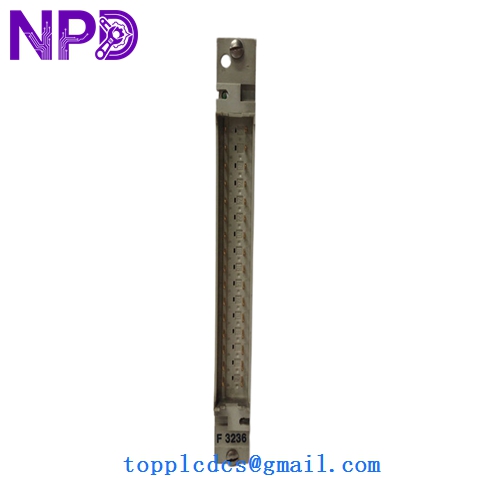
HIMA F3236
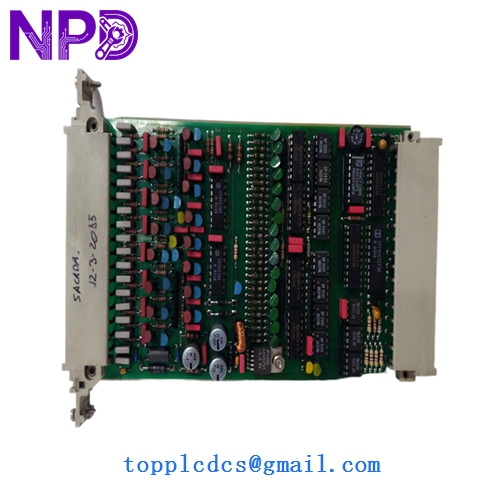
HIMA F3236
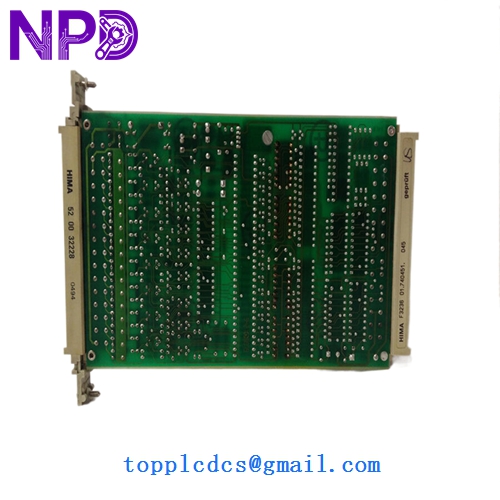
HIMA F3236
Installation & Configuration Guide
Phase 1: Pre-Installation (Preparation: 10 minutes)
⚠️ Safety First: This is a SIL 3 rated safety module. Any error in installation could compromise the safety loop.
- Safety Loop Bypass: Ensure the relevant safety loops are bypassed in the control system to prevent an accidental plant trip during replacement.
- Version Check: Verify that the hardware revision of the new F3236 is compatible with your existing rack. HIMA modules usually have a revision sticker on the side.
- ESD Protection: Use a grounded wrist strap. The micro-logic on safety boards is extremely sensitive to static discharge.
Phase 2: Removal (Step-by-Step)
- Power Down: While some HIMA racks allow for “Hot Swap” in redundant configurations, it is always safer to power down the specific sub-rack if the process allows.
- Unlock: Loosen the top and bottom retaining screws on the front panel.
- Extract: Use the card puller handles to gently unseat the module from the backplane. Pull it straight out to avoid bending the multi-pin connector.
- Keying Check: Check the mechanical coding pins on the back of the old board to ensure the new board matches.
Phase 3: Installation & Commissioning
- Insertion: Align the module with the card guides and push firmly until the front plate is flush with the rack.
- Secure: Tighten the retaining screws.
- Observation: Watch the front panel LEDs.
- Green LED (RUN): Should be steady.
- Red LED (ERR): Should be OFF. If flashing, check for external short circuits or an I/O mismatch in the ELOP software.
- Test: Perform a partial stroke test or signal verification on the outputs to ensure the field devices (solenoids, relays) are responding correctly.
Customer Cases & Industry Applications
Case 1: Offshore Platform Emergency Shutdown An offshore gas platform in the North Sea had a failing output channel on an F3236 module controlling critical fire dampers. A total system failure would have required a mandatory evacuation. We provided two New Surplus F3236 modules within 72 hours. The platform maintenance team swapped the faulty card during a scheduled test window, maintaining their SIL 3 safety rating without interrupting production.
Case 2: Chemical Plant Maintenance Strategy A major chemical producer in Germany operates several H51q systems. Realizing that HIMA had moved toward “End of Life” for these parts, they decided to procure four F3236 units as strategic “Last-time-buy” stock. Six months later, a power surge damaged a rack of I/O. Because they had the spares on-site, they were back in operation in four hours instead of facing a 12-week lead time for “Refurbished” alternatives.
Frequently Asked Questions (FAQ)
Q: Can I hot-swap the F3236 module? A: If your HIMA system is configured for redundancy (e.g., Dual or TMR), the F3236 can technically be hot-swapped. However, in my experience, it is critical to ensure the “Force” or “Bypass” status is active in the ELOP software first to prevent the safety logic from seeing a “Channel Failure” and tripping the system.
Q: Why does the “ERR” light blink after I install the new board? A: This usually indicates an “I/O Fault” or a “Short Circuit” in the field wiring. Since the F3236 has integrated diagnostics, it will detect if a solenoid coil is disconnected or shorted. Check your field junction box and the 24 V DC load supply before assuming the module is faulty.
Q: Are these boards “New Surplus” or “Refurbished”? A: These are New Surplus. In safety systems, “Refurbished” boards are a massive risk because you don’t know the thermal history or the number of duty cycles the internal safety relays have undergone. Our New Surplus boards are zero-hour units, ensuring the full MTBF (Mean Time Between Failures) rated by HIMA.
Q: Do I need to reconfigure the software? A: No. As long as you are replacing an F3236 with another F3236, the ELOP or SILworX software will recognize the hardware automatically. The logic resides in the CPU (F8650), not the I/O card.