Description
- Model: MOLEX SST-PB3-CLX
- Brand: Molex (Brad Communications)
- Series: SST Communication Modules for Allen-Bradley ControlLogix
- Core Function: High-speed Profibus DP Master/Slave interface for 1756 racks
- Product Type: Communication Module
- Key Specs: Profibus DP-V0/V1 support, Up to 12 Mbps, Master and Slave simultaneous
- Backplane Compatibility: Allen-Bradley ControlLogix (1756 Series)
- Network Interface: 9-pin D-Sub (Female) Profibus port
- Baud Rates: 9.6 Kbps to 12 Mbps (Auto-detection supported)
- Protocol: Profibus DP-V0 and DP-V1 (Class 1 and Class 2)
- Data Capacity: Up to 244 bytes Input and 244 bytes Output per slave
- Configuration Port: USB or Serial (depending on firmware version)
- Operating Temperature: 0°C to 60°C (32°F to 140°F)
- Current Draw: 850 mA at 5.1 V DC
- Isolation: 500 V DC network-to-backplane
- Certifications: CE, UL listed, Hazardous Location Class 1 Div 2
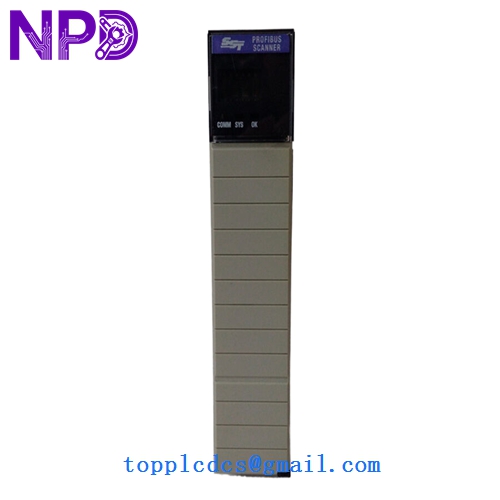
MOLEX SST-PB3-CLX
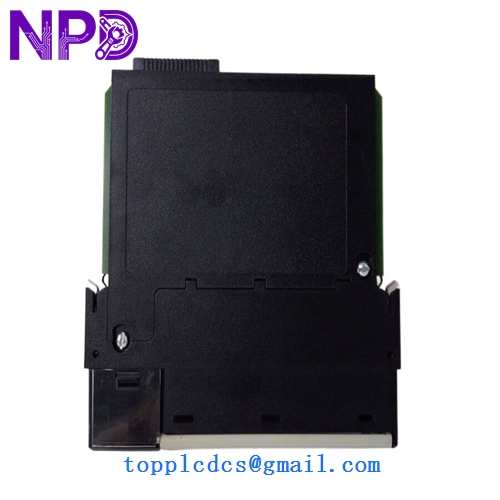
MOLEX SST-PB3-CLX
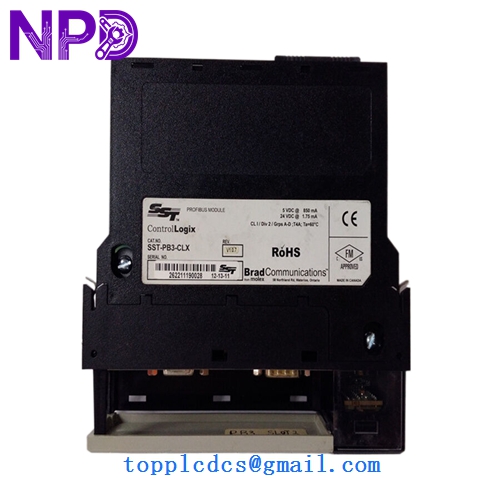
MOLEX SST-PB3-CLX
Installation & Configuration Guide
Phase 1: Preparation (Pre-Installation)
Estimated time: 15 minutes
⚠️ Safety First:
- Ensure the ControlLogix chassis is powered down before inserting the module.
- Confirm the existing Profibus network is in a stable state.
- Wear a grounded ESD (Electrostatic Discharge) wrist strap.
Tools & Data Needed:
- Small flat-head screwdriver for D-Sub connector screws.
- The original .SST configuration file or GSD files for the slave devices.
- A backup of the RSLogix 5000 / Studio 5000 project.
Phase 2: Configuration & Hardware Setup
Estimated time: 20 minutes
Step 1: Physical Inspection Check the backplane pins of the SST-PB3-CLX. Since we provide New Surplus units, the pins should be perfectly straight with no signs of insertion wear.
Step 2: Configuration (The Critical Part) Unlike standard A-B modules, the Molex card requires the SST Console software.
- Open your configuration tool.
- Match the Station Address (Node ID) to the old module’s settings.
- Ensure the Baud Rate matches the existing network (usually 1.5 Mbps or 12 Mbps).
Step 3: Slot Assignment Align the module with the 1756 chassis tracks. Press firmly until the top and bottom tabs click. Note: You don’t need to change the PLC code if the slot and I/O sizing remain identical.
Phase 3: Power-On & Diagnostic Check
Estimated time: 10 minutes
- Apply Power: Watch the LED display on the front of the module.
- Display Codes: – “CY” (Cycling): The module is searching for the network.
- “OK”: Communication is established with all configured slaves.
- “E1” or “E2”: Indicates a configuration mismatch or cable fault.
- Verify in RSLogix: The I/O status for the module should be “Running” with no yellow exclamation marks in the I/O tree.
Customer Cases & Industry Applications
Case 1: Automotive Assembly Line Emergency Repair A major US-based automotive plant faced a line stoppage when an aging SST-PB3-CLX failed due to a power surge. The local distributor quoted a 14-week lead time because the part is technically “Mature.” By sourcing our New Surplus unit, the plant received the module via international priority within 72 hours. We provided the exact firmware version needed, allowing them to swap the card and load the config file in under 30 minutes, saving an estimated $250,000 in extended downtime.
Case 2: Strategic Hoarding for a Paper Mill A paper mill in Southeast Asia uses over twenty ControlLogix systems, all communicating with Siemens drives via Profibus. Knowing that Molex has moved toward “End of Life” status for this specific series, the maintenance manager purchased three units from us to keep as “Insurance Stock.” Six months later, a lightning strike wiped out two communication cards. Because they had the spares on the shelf, the mill stayed online while their competitors struggled to find parts on the open market.
Frequently Asked Questions (FAQ)
Q: Does this module require a specific version of RSLogix 5000? A: Not necessarily. The SST-PB3-CLX is added as a “Generic 1756 Module.” As long as your version of RSLogix supports generic modules (which almost all do), it will work. The heavy lifting is done by the Molex SST configuration software, not the PLC software itself.
Q: I found a cheaper “Refurbished” unit online. Why should I buy your New Surplus? A: In my experience, refurbished communication cards are a gamble. Profibus chips are sensitive to heat and aging. A refurbished unit might pass a 5-minute “power-on” test but fail under full network load or high vibration. We only sell Brand New units that haven’t spent years inside a hot cabinet, ensuring you get the full 10-15 year lifespan.
Q: Can I use this as a Slave instead of a Master? A: Yes. The module is quite versatile. It can act as a Profibus DP Master, a Slave, or even both simultaneously. This is common when the ControlLogix needs to talk to its own I/O (Master) while reporting data to a higher-level Siemens DCS (Slave).
Q: Is the firmware upgradable? A: Yes, the firmware can be flashed via the USB/Serial port. However, we usually ship with the most stable, widely compatible version. If you need a specific version (like v3.06 or v4.01), let us know before we ship!