
Description
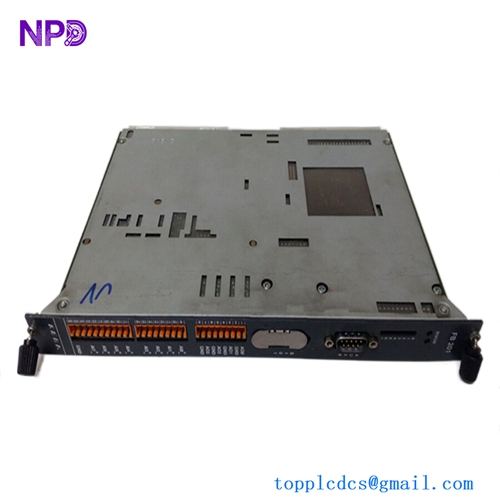
The Soren T. Lyngso REC 900 is an industrial-grade Feeder Management Relay engineered for the comprehensive protection, control, and monitoring of electrical distribution networks. It integrates advanced power system protection algorithms with real-time telemetry processing, making it ideal for managing substations, industrial feeders, and complex power distribution plants. Designed by Soren T. Lyngso (STL), this robust multi-function relay ensures high system availability, rapid fault isolation, and seamless data transmission to centralized SCADA systems.
⚙️ Technical Parameters & Specifications
- Model Number: REC 900
- Device Type: Feeder Management & Protection Relay
- Protection Functions: Overcurrent, earth fault, over/undervoltage, and thermal overload tracking
- Dimensions: 175 mm x 240 mm x 160 mm
- Weight: 3.10 kg
- Country of Origin: Denmark
🚀 Application Areas
- Substation Automation: Controlling and protecting incoming and outgoing medium-voltage feeder lines.
- Industrial Power Distribution: Managing power grids in heavy industrial facilities like refineries and chemical plants.
- Transformer Protection: Monitoring downstream load profiles to prevent thermal damage and overcurrent stress.
- Distributed Generation Integration: Providing grid-coupling monitoring for localized renewable energy connections.
📖 Product Usage Instructions
The REC 900 is intended for flush mounting on the front panel of switchgear enclosures or control desks. Ensure the panel cutout matches the chassis specifications and secure the unit using the included mounting brackets to withstand ambient industrial vibrations. Route current transformer (CT) and voltage transformer (VT) secondary wiring through dedicated, short-circuitable terminal blocks to allow safe isolation during testing. Always ensure the device chassis is solidly connected to the primary station earth bus.
🌐 Communication Configuration Steps
- IP Address / Network Protocol: Connect to the relay via the rear Ethernet port or serial interface using the STL configuration tool. Assign a static IP address, subnet mask, and default gateway that match the substation’s dedicated automation network architecture (supporting protocols like IEC 61850 or Modbus).
- Station Number: Set the unique node address (Station ID) or unit address through the local Human-Machine Interface (HMI) keypad or the configuration software to ensure clear routing across multi-drop fieldbus networks.
- Baud Rate: Configure the serial communication parameters (RS-485/RS-232) to synchronize with the master RTU or gateway, selecting from standard transmission speeds up to 115200 bps (or 10/100 Mbps for Ethernet).

⚡ Power-Up & Commissioning Flow
- Wiring and Phase Audit: Verify that all CT/VT polarities are correct, auxiliary power terminals are properly seated, and current loops are closed.
- Auxiliary Power Activation: Energize the auxiliary power input (typically supporting a wide range of 110V–220V AC/DC or 24V–48V DC depending on the model variant).
- HMI Initialization: Monitor the front panel display as the relay runs its bootloader and internal memory verification. The “System Ready” or “Healthy” LED should light up solid green.
- Secondary Injection Testing: Use a relay test set to inject simulated currents and voltages, confirming that the measurement parameters displayed on the HMI match the injected values.
✅ Initial Operation Checklist
- Are the current transformer inputs securely terminated and free of open-circuit conditions?
- Has the relay configuration file been successfully uploaded and verified against the protection coordination study?
- Does the internal real-time clock synchronize correctly with the master network time server (NTP/IRIG-B)?
- Have the trip output contacts been checked for correct physical actuation of the circuit breaker?
❓ Common Questions (Q&A)
Q: What does a flashing red “Alarm” or “Trip” LED indicate on the front panel?
A: A flashing red indicator means a protection threshold (e.g., overcurrent or earth fault) has been exceeded, causing the relay to issue a trip or alarm signal. Check the event log on the display screen to view the fault parameters and timestamp.
Q: Can I modify protection settings directly from the front panel during operation?
A: Yes, basic settings can be changed via the HMI keypad, provided the operator inputs the correct security password. However, for major logic modifications, it is recommended to use the offline configuration software and upload the file when the feeder is isolated.
Q: How do I clear a latched fault indication after the physical line problem has been resolved?
A: Once the field fault is cleared, press the physical “Reset” button on the front panel HMI or send a remote reset command via the SCADA system to clear the visual latched alarms and restore the relay to a normal monitoring state.