Description
Product Core Brief
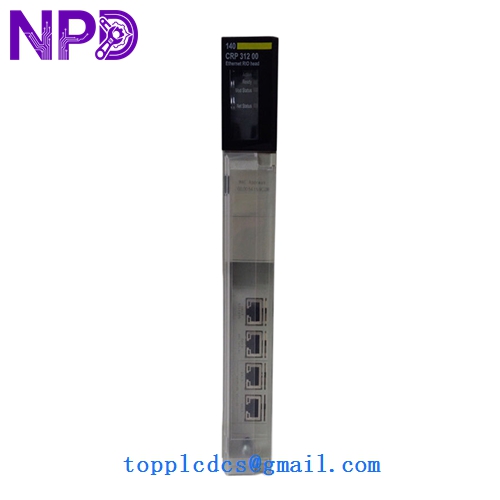
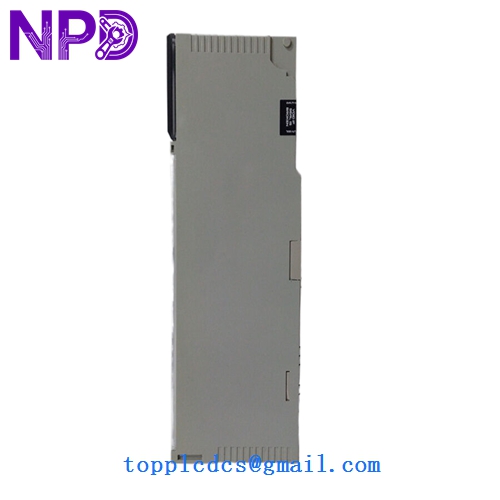
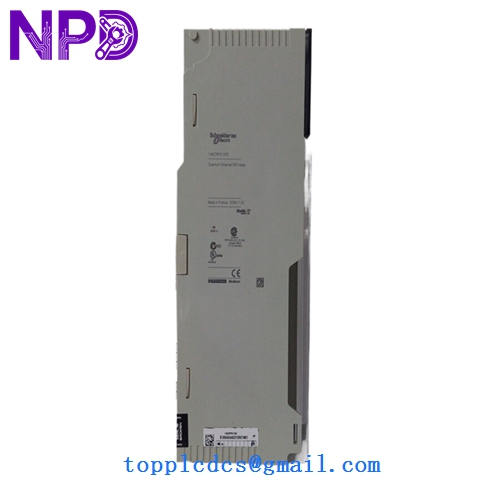
- Model: 140CRP31200
- Brand: Schneider Electric / Modicon
- Series: Modicon Quantum
- Core Function: Remote I/O (RIO) Head module for communication between CPU and drop stations
- Condition: Brand New Surplus (Original New), in factory packaging
- Product Type: RIO Head Processor (Single Cable)
- Key Specs: S908 RIO Link | 1.5 Mbps Coaxial | Supports up to 31 Drops
- Communication Interface: S908 Remote I/O
- Media Type: 75 Ohm Coaxial Cable (RG-6 or RG-11)
- Topology: Tree, Star, or Daisy Chain (using taps)
- Transmission Rate: 1.544 Mbits/s
- Max Distance: Up to 15,000 feet (with repeaters)
- Address Range: Supports up to 31 remote drops
- Current Requirements: 750 mA at 5 V DC
- Slot Requirements: 1 slot (In the primary controller rack)
- Diagnostics: Front panel LED indicators (Active, Ready, Error)
- Isolation: 500 V DC between coaxial port and bus logic
Installation & Configuration Guide
Phase 1: Pre-Installation (Preparation: 15 minutes)
⚠️ System Safety: The Modicon Quantum backplane is not hot-swappable for processor-level modules. Power down the primary rack before installing the 140CRP31200. Failure to do so can result in a “Kernel Error” or permanent damage to the backplane address pins.
Tools & Prep:
- RG-6 Coaxial stripping and crimping tool (if making new cables)
- 75 Ohm Terminators (Essential for bus stability)
- Unity Pro or Concept software for hardware configuration
Phase 2: Removing the Faulty Module (Removal: 10 minutes)
- Disconnect Coax: Unscrew the F-connector from the module face. Use a small wrench if it’s over-tightened, but do not pull on the cable itself.
- Unlatch: Press the top and bottom release tabs simultaneously.
- Extraction: Slide the module out. Inspect the backplane connector for any signs of “pitting” or blackening, which indicates a previous electrical surge.
Phase 3: Installing the New Module (Installation: 20 minutes)
- Address Configuration: Note that the 140CRP31200 does not usually have physical rotary switches; the RIO drop addressing is handled in the PLC software configuration.
- Seating: Align with the rack rails and push firmly until the latches click.
- Coax Connection: Connect the RIO cable. Important: Ensure you have a 75 Ohm terminator at the end of the line. An unterminated RIO bus will cause intermittent “Drop Loss” errors.
Phase 4: Commissioning & Validation (Testing: 25 minutes)
- LED Check:
- Ready (Green): Internal self-test passed.
- Active (Green): Communication with the CPU is established.
- Error (Red): Communication failure or hardware mismatch.
- Software Mapping: Open your project in Unity Pro/Control Expert. Confirm the module is recognized in the I/O bus.
- Health Bit Monitoring: Check the “STAT” registers in the PLC. If the “Drop Communication” bits are flickering, check the coaxial T-taps and signal strength.
Customer Cases & Industry Applications
Case 1: Water Treatment Plant Communication Failure A municipal water facility lost communication with three remote pumping stations. The culprit was a 15-year-old 140CRP31200 that had failed due to humidity-induced corrosion on its internal circuits. Schneider’s current lead time for legacy parts was over 12 weeks. We provided a brand-new surplus unit within 3 days, restoring the town’s water monitoring system before the reservoir levels became critical.
Case 2: Mining Conveyor System Extension A copper mine in Chile needed to add two additional I/O drops to an existing Quantum system. The engineering firm was worried about the stability of adding drops to a legacy S908 bus. By using our 140CRP31200 at www.newplcdcs.com as a primary head and ensuring proper 75 Ohm termination, the mine successfully expanded its conveyor control without needing a multi-million dollar migration to M580.
Frequently Asked Questions (FAQ)
Q: Can I use 50 Ohm BNC cables with this module? A: Absolutely not. The S908 RIO system is strictly a 75 Ohm architecture. Using 50 Ohm cables or terminators will cause signal reflections, leading to frequent “Drop Fails” and potentially crashing the PLC processor.
Q: Is the 140CRP31200 compatible with the 140CRP93100? A: They are both RIO Head modules, but the 140CRP31200 is the standard single-cable version. If your system was designed for redundancy (two cables), you may need the 140CRP93200. Always check your current wiring—if there is only one coaxial cable, the CRP31200 is the correct choice.
Q: Does this module require a specific firmware version? A: For most Quantum systems, it is “plug-and-play.” However, if you are using very old “Concept” software (v2.1 or older), it’s wise to verify the module’s revision level. Our surplus units are typically the latest hardware revisions produced before the series was discontinued.
Q: Why is “New Surplus” better than “Refurbished”? A: In RIO communication modules, the signal drivers are under constant stress. Refurbished units often have “weak” drivers that may work on a short test bench but fail when driving 2,000 feet of cable in a real plant. A “New Surplus” module ensures the signal gain is at factory-spec levels.