
Description
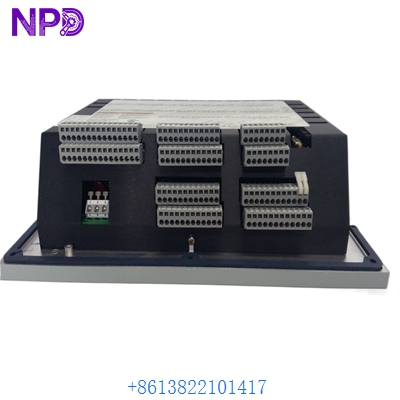
The Woodward 5417-557 serves as a critical interface component designed specifically for the direct configuration of Woodward Digital Programmable Controllers (DPC). This specialized cable facilitates seamless communication between your computer and the controller, ensuring precise parameter adjustment, diagnostics, and firmware management. Engineered for reliability in industrial environments, it provides a stable link required for the sensitive data exchange necessary to maintain optimal control system performance.
As a high-quality Woodward 5417-557 interface solution, this cable eliminates connectivity bottlenecks during the commissioning and troubleshooting phases. Its robust construction ensures that data integrity is maintained even in noisy industrial settings, allowing technicians to perform configuration tasks with confidence.
Technical Specifications
- Product Name: DPC-RS-232 Direct Configuration Cable
- Model Number: 5417-557
- Connector Type: RS-232 Serial Interface
- Cable Length: Standard industrial length for direct access
- Weight: Approximately 0.25 kg
- Dimensions: Standardized modular cabling dimensions
- Origin: Manufactured to Woodward’s global quality standards
Frequently Asked Questions
⚙️ What is the primary purpose of this cable? This cable is dedicated to establishing a direct serial communication link between a PC and Woodward DPC units. It is essential for configuration software to recognize and interact with the controller’s internal registers.
🔌 Does this cable require specific drivers? Generally, the cable acts as a physical hardware bridge. However, you must ensure your PC’s serial port (or USB-to-RS232 adapter) has the correct drivers installed and that the Woodward configuration software is set to the appropriate COM port.
⚠️ Can I use a standard generic serial cable instead? It is highly recommended to use the genuine 5417-557 cable. Woodward cables are pinned specifically for their hardware architectures; using an incorrect or standard “straight-through” cable may result in communication failures or, in rare cases, electrical incompatibility.
🛠️ How do I troubleshoot connection issues? First, verify that the cable is firmly seated at both ends. Check the device manager on your computer to confirm the COM port is active and not being utilized by another application. Ensure the baud rate in your configuration software matches the requirements of the specific DPC model you are servicing.
Recommended Woodward Series Models
If you are maintaining Woodward systems, you may also require compatibility or spares for these related series:
- Woodward 505 Digital Governor
- Woodward 723PLUS Digital Control
- Woodward 2301A Load Sharing and Speed Control
- Woodward 2301D Digital Load Sharing and Speed Control
- Woodward 9907-162 Speed Control
- Woodward 9907-167 Speed Control
- Woodward 8290-188 Peak Demand Controller
- Woodward Atlas-II Digital Control
- Woodward MicroNet Digital Control System
- Woodward GAP (Graphical Application Programmer) compatible controllers