
Description
Product Specifications & Datasheet
- Brand: Yokogawa
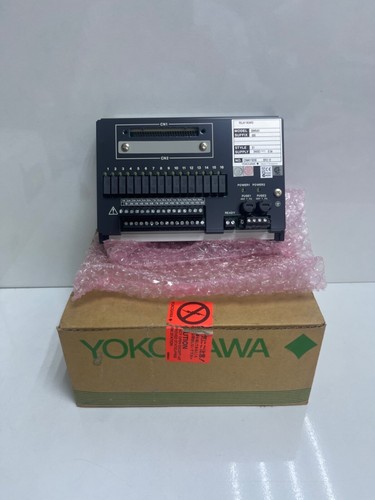
- Model: SBM54D-000 S1 (SBM54D)
- Series: ProSafe-RS Safety Instrumented System (SIS) Series
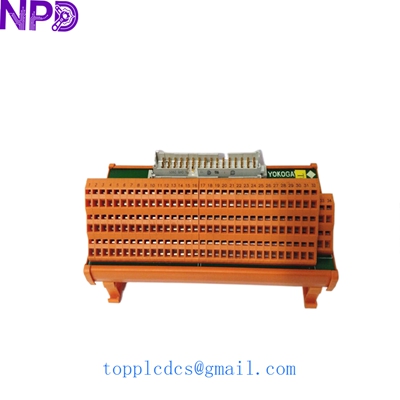
- Product Name: DIN-Rail Mount Relay Output / Interposing Board
- Place of Origin: Japan
- Lifecycle Status: Active / Safety Automation Spare Part
- Dimensions: Compact DIN-Rail Mount Form Factor
- Weight: Approx. 0.80 kg
- Origin Country: Japan
- Safety Integrity Level: Complies with SIL2 / SIL3 system applications (when paired with compatible safety modules)
- Compatibility: Designed to interface with Yokogawa SDV541 Digital Output Modules via dedicated pre-engineered system cables (such as AKB331)
Operating Procedures & Usage Guidelines
- Pre-Installation Inspection: Ensure that the associated safety PLC rack and external field loop power are completely shut down, locked out, and tagged out before handling or installing the relay board.
- DIN-Rail Mounting: Securely snap the SBM54D board onto the standard DIN rail inside the marshaling or termination cabinet, ensuring proper mechanical clearance.
- Wiring & Termination: Connect field output devices to the pressure-clamp terminal blocks and link the control side to the SDV541 module using the designated pre-engineered system cable.
- System Startup: Energize the safety system loop power and verify through the ProSafe-RS engineering software or hardware diagnostics that the relay channels respond correctly to output commands.
Emergency Shutdown Operation
- Loop De-Energization: In an emergency trip condition, the ProSafe-RS system de-energizes the corresponding channels, causing the relay contacts to open and safely shut down connected final elements (such as emergency block valves or shutdown solenoids).
- Cabinet Power Isolation: Open the dedicated instrument power feeds to completely isolate the relay board output power rails during critical facility responses.
Troubleshooting & Common Issues
- Relay Not Activating: Check the 24V DC external power supply feeding the relay board and verify that control signals from the SDV541 output module are reaching the interface cable.
- Contact Chattering / Failure: Inspect the screwless pressure-clamp terminals to ensure wires are fully inserted and locked tight, preventing intermittent electrical connections caused by panel vibration.
- Diagnostic Faults: Review the ProSafe-RS system logs via the engineering station to check for read-back errors or channel-specific loop faults.
Routine Maintenance & Care
- Terminal Integrity Checks: Periodically inspect all pressure-clamp connections and system cable plugs to ensure they remain secure against industrial wear and vibration.
- Environmental Control: Ensure that cabinet internal temperatures and humidity levels stay within operational thresholds (-20 °C to 70 °C) to prevent premature relay wear.
- Visual Inspection: Regularly check for any signs of component discoloration, dust accumulation, or moisture ingress within the termination enclosure.
Frequently Asked Questions (Q&A)
- Q: What is the primary function of the Yokogawa SBM54D-000 S1 board?
- A: It serves as a DIN-rail mount relay output board for the ProSafe-RS safety system, providing electrical isolation and switching capabilities for digital output signals from modules like the SDV541.
- Q: What is the difference between the S1 and S2 style suffixes?
- A: Suffix codes like S1 typically designate specific hardware revisions, terminal configurations, or manufacturing release versions, though they perform the same fundamental relay interfacing role within the product family.
- Q: Can this relay board be used in safety-critical loops?
- A: Yes, it is built specifically for Yokogawa’s ProSafe-RS safety instrumented architecture, supporting high-integrity safety loops up to SIL2/SIL3 requirements depending on the system design.