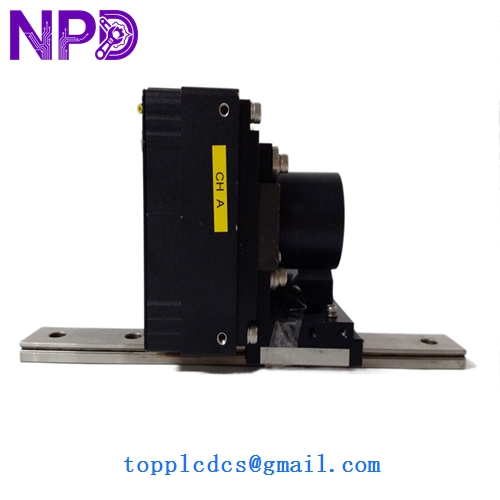

Description
- Model: A404k (Standard Monochrome) / A404kc (Color)
- Brand: Basler (Germany)
- Series: A400 Series High-Performance CMOS
- Core Function: High-speed, high-resolution area scan imaging for industrial inspection.
- Product Type: Industrial Machine Vision Camera
- Key Specs: 2352 x 1728 Resolution | 24 fps | Camera Link Interface
- Sensor Type: CMOS (Cypress Semiconductor LUPA 4000)
- Shutter Type: Global Shutter (Electronic)
- Resolution: 4.0 Megapixel (2352 x 1728 pixels)
- Max Frame Rate: 24 frames per second (at full resolution)
- Pixel Size: 12.0 µm x 12.0 µm
- Video Output: Camera Link (Base/Medium configuration)
- Mono/Color: Monochrome (A404k) / Color (A404kc)
- Lens Mount: F-Mount (Standard) or C-Mount (via adapter)
- Pixel Bit Depth: 8-bit or 10-bit
- Sync/Trigger: External trigger via Camera Link or 6-pin Hirose connector
- Power: 12 VDC (± 10%) via Hirose connector
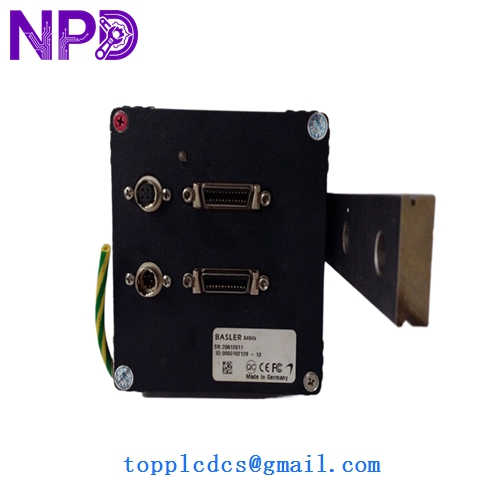
BASLER A404k
Application Scenarios & Pain Points
The Basler A404k is a legendary camera in the world of high-end industrial automation, specifically within the semiconductor and PCB assembly industries. Its 12-micron pixel size provides exceptional light sensitivity, which is critical when inspecting dark surfaces or using high-speed strobe lighting. Because these cameras use the Camera Link interface, they provide deterministic, low-latency data transfer that modern USB or GigE cameras often struggle to match in high-speed sorting applications.
Typical Application Scenarios:
- Semiconductor Wafer Inspection High-resolution scanning of wafers to detect micro-cracks or pattern defects under high-magnification optics.
- Flat Panel Display (FPD) Testing Checking for dead pixels or color uniformity on large-scale LCD/OLED panels.
- High-End Print Inspection Verifying color consistency and alignment on high-speed commercial printing presses where 24 fps is required to keep up with the paper web.
Engineering Case Study: The “Frame Drop” Troubleshooting
Background: A manufacturer of high-speed pharmaceutical packaging reported intermittent “Image Torn” errors on their inspection line. The system used an A404k connected to a PCIe frame grabber.
The Problem: The engineer initially replaced the Camera Link cables, but the problem persisted. Upon testing the A404k, it was discovered that the internal timing generator of the camera was drifting due to heat, causing the “Data Valid” signal to fall out of sync with the frame grabber’s clock.
The Solution: We provided a replacement A404k from our stock. Because this is a legacy “Base/Medium” Camera Link device, we verified the internal DIP switch settings to match the customer’s specific bit-depth configuration (10-bit) before shipping.
Result: The new camera was a drop-in replacement. The system immediately regained sync, and the pharmaceutical line returned to zero-defect operation.
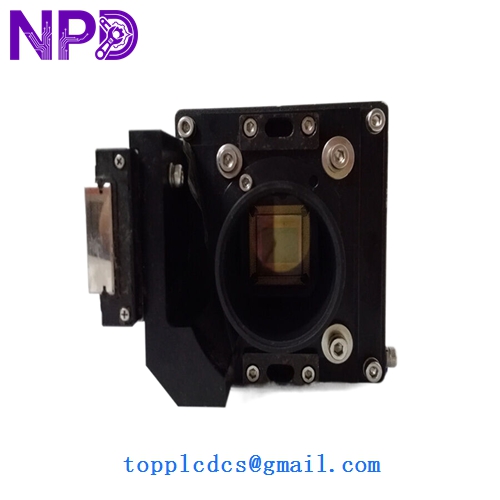
BASLER A404k
Compatible Replacement Models
| Original Model | Replacement Model | Compatibility | Key Differences | Change Impact |
|---|---|---|---|---|
| A404k | A403k | ⚠️ Resolution | 2304 x 1536 resolution | Field of view will change |
| A404k | ace Series (acA2500) | ❌ Interface | USB3 or GigE | Requires new cables/software |
| A404k | A404k (Rev 2/3) | ✅ Direct | Manufacturing Revision | Fully interchangeable |
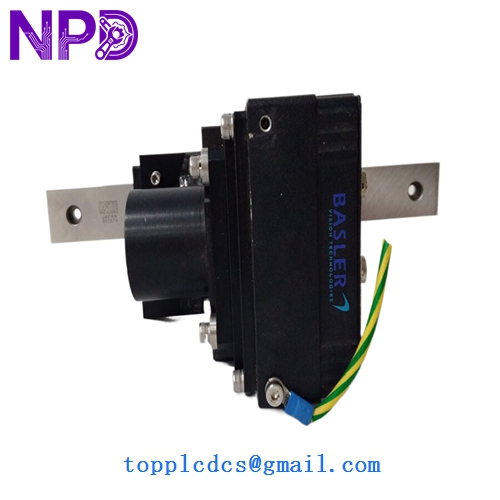
BASLER A404k
Troubleshooting Quick Reference
| Symptom | Possible Cause | Relation to A404k | Quick Check | Action |
|---|---|---|---|---|
| No Image / Black Screen | No Power to Hirose | ⚠️ Medium | Check 12V DC at the Hirose 6-pin. | Verify power supply unit. |
| “No Camera Found” | CL Cable / Grabber | ⚠️ Medium | Ensure Camera Link cables are screwed in. | Re-seat the frame grabber card. |
| Image Jitter / Noise | Gain set too high | ✅ High | Check “Analog Gain” in Basler BCAM tool. | Reduce gain; increase lighting. |
| Vertical Lines in Image | Sensor Column Failure | ✅ High | Observe if lines stay in the same spot. | Replace camera unit. |
Engineer’s Pro-Tip: “When you’re working with the Basler A404k, the biggest failure point isn’t actually the sensor—it’s the Hirose connector. Because these cameras were often mounted on moving robotic arms, the power cable takes a lot of stress. If your camera is intermittently dropping out, check the pins on the 6-pin Hirose connector for fatigue. Also, remember that the A404k is a ‘hot’ camera; it dissipates a fair amount of power. If you’re mounting it in a sealed enclosure without a heatsink, the sensor noise (dark current) will rise significantly, ruining your image quality.”
If you need the technical pinout for the Hirose 6-pin power/trigger connector or the Camera Link ‘Medium’ configuration tap geometry, I have the Basler A400 series manual ready for you.