Description
- Model: IC698CRE040-HN
- Brand: GE / GE Fanuc (PACSystems)
- Series: RX7i (VME64 based)
- Core Function: High-speed Central Processing Unit with dual Ethernet
- Processor: Celeron 1.8 GHz
- Memory: 64 MB User Memory
- Connectivity: 2x 10/100 Ethernet ports, 3x Serial ports (RS-232/RS-485)
-
- Processing Speed: 1.8 GHz (suitable for complex floating-point math)
- I/O Capacity: Supports up to 32,768 Discrete I/O and 32,768 Analog I/O
- Protocols: SRTP, Modbus TCP/IP (Client/Server), Ethernet Global Data (EGD)
- Hardware Architecture: VME64 backplane compatible
- Operating System: VxWorks-based real-time OS for deterministic control
- Internal Storage: 64 MB Non-volatile user memory (Flash)
- Battery: Lithium battery for RAM backup (CR2477N or equivalent)
- Software Requirement: Proficy Machine Edition (version 5.0 or higher)
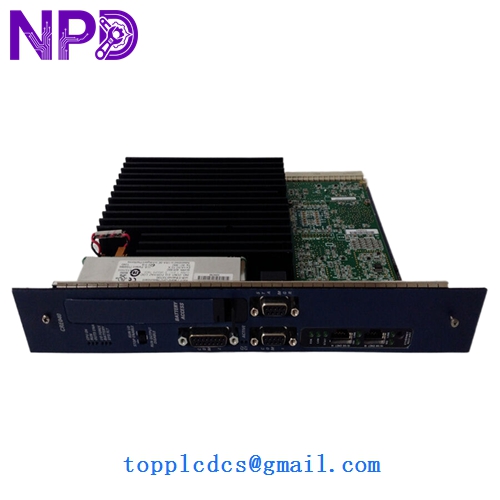
GE IC698CRE040-HN
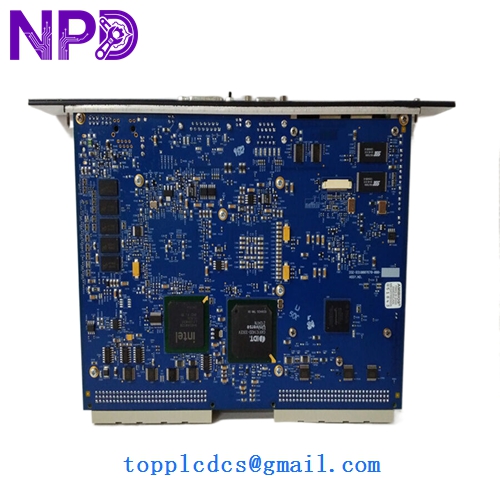
GE IC698CRE040-HN
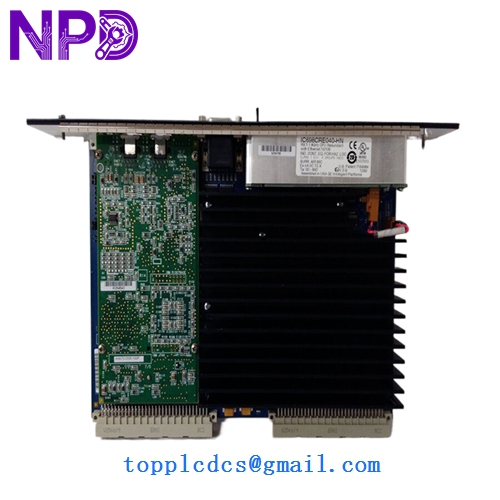
GE IC698CRE040-HN
Installation & Configuration Guide
Phase 1: Pre-Installation (Preparation: 30 minutes)
⚠️ Critical Warning: The IC698CRE040-HN is a VME-based CPU. It is extremely sensitive to physical alignment and electrostatic discharge.
- Full Backup: Use Proficy Machine Edition to perform a “Full Upload” of the project, including hardware configuration and variable tables.
- Firmware Match: Verify the “HN” suffix version. If your current CPU has a different firmware version (e.g., v5.0 vs v5.5), you may need to update the new module or re-compile the project.
- Battery Check: Ensure a fresh battery is installed in the CPU before mounting to prevent loss of volatile memory during power cycles.
Phase 2: Removal (Step-by-Step)
- Safety Shutdown: Power down the RX7i rack completely. Hot-swapping a VME CPU is strictly prohibited and can result in backplane arcing.
- Cable Disconnection: Label and disconnect all Ethernet (RJ45) and Serial (DB9) cables.
- Extraction: Unscrew the top and bottom retaining screws. Use the board ejector levers (found on the front panel) to push the module out of the backplane. Pull vertically to remove.
Phase 3: Installation & Commissioning
- ESD Safety: Only remove the CPU from its anti-static bag at the moment of installation.
- Seating: Align the CPU with the Slot 1 guides. Press firmly until the ejector levers snap into the locked position.
- Power-Up Diagnostics: Restore power. The “PWR” and “OK” LEDs should be steady green.
- Program Download:
- Connect via the Serial port or Ethernet.
- Set the IP address to match your old configuration.
- Download the project and put the CPU in “Run” mode.
- Battery Status: Verify that the “BATT” LED is OFF.
Customer Cases & Industry Applications
Case 1: Water Treatment Plant Master Controller Failure A major metropolitan water district relied on an RX7i rack as their master SCADA gateway. The IC698CRE040 failed due to a cooling fan failure in the cabinet. Without the CPU, the entire site lost remote control. Because they secured our New Surplus IC698CRE040-HN, they were back online in 12 hours. The manager noted that migrating to a newer RX3i system would have required 3 weeks of re-wiring and software mapping.
Case 2: Steel Mill Rolling Line Synchronization A high-speed rolling mill utilized the 1.8GHz processing power of the CRE040 for precise motor synchronization. A refurbished board from a third party failed after only 2 weeks of service. The mill then purchased our New Surplus unit. The “zero-hour” status of the New Surplus hardware ensured the system could handle the high-vibration and high-heat environment of the mill for years to come.
Frequently Asked Questions (FAQ)
Q: What does the “-HN” suffix stand for? A: In GE PACSystems, the “-HN” typically indicates a hardware/firmware revision that might include specific component updates or improved Ethernet stack performance. It is a direct, drop-in replacement for the standard IC698CRE040.
Q: Can I use the Ethernet ports for Modbus TCP? A: Yes. This CPU natively supports Modbus TCP Client and Server. However, you must configure the “Ethernet” tab in Proficy Machine Edition to enable these channels.
Q: Why choose New Surplus over Refurbished for this CPU? A: VME-based CPUs like the IC698CRE040 run hot. Refurbished units have likely been subjected to years of thermal cycling, which stresses the solder joints of the BGA (Ball Grid Array) processor. New Surplus units have zero thermal cycles, significantly reducing the risk of “random” logic errors or crashes.
Q: Is a battery required for operation? A: While the CPU has Flash memory for the program, the battery is required to maintain the Retentive Variables and the Real-Time Clock (RTC). If the BATT LED is red, your data might reset to zero after a power outage.