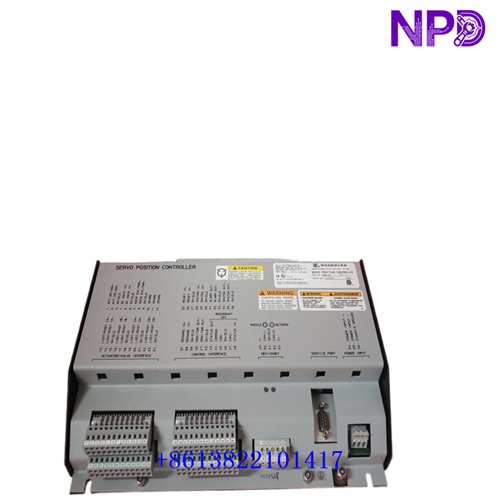

Description
⚙️ Product Specifications (Datasheet)
| Parameter | Value |
| Model / Part Number | 723PLUS Marine Series (P/N: 8280-1173) |
| Device Type | Digital Microprocessor-Based Marine Engine Speed Control |
| Engine Application | Medium- / High-Speed Marine Engines (> 100 RPM) |
| Processor Architecture | 32-Bit Microprocessor |
| Housing Material | Heavy-Duty Sheet Metal Chassis |
| Operating Temperature | -40°C to +70°C (-40°F to +158°F) |
| Power Supply Voltage | Low Voltage DC Version (18 to 40 VDC continuous, 24/32 VDC Nominal) |
| Digital References | Built-in Digital Ramps for Speed, Fuel Limit, Pressure & Temperature |
| Speed Sensor Inputs | 2 Independent Speed Channels (MPT / Proximity Probes) |
| Communication Ports | Dual RS-422 / RS-485 Serial Ports (Modbus RTU / LonWorks) |
🚀 Standard Operating Procedure
- 🛠️ Pre-Start System Checks: Inspect all terminal block wiring, verify steady low-voltage DC power (18–40 VDC), and ensure dual speed sensors and marine safety trip loops are properly wired.
- ⚡ Power On Sequence: Switch on the control power breaker. Observe the front LED indicators as the 32-bit microprocessor completes its boot diagnostic self-checks.
- 🕹️ Control Mode Setup: Select local marine bridge panel control or remote automated control via discrete inputs or Modbus network commands.
- 🏎️ Engine Ramp & Acceleration: Initiate the engine start sequence. The 8280-1173 controls engine acceleration along programmable digital speed ramps, avoiding critical torsional vibration speeds.
- 📊 Marine Parameter Monitoring: Monitor real-time engine speed, charge air pressure, oil pressure, and exhaust temperatures as the controller applies dynamic speed and fuel limiting ramps.
- 🛑 Controlled Engine Shutdown: Issue a normal stop command to execute a controlled deceleration ramp down to idle speed before fuel shutoff.
⚙️ Parameter Configuration Guide
- 💻 Connect a PC running Woodward Watch Window software to the 9-pin serial service port on the front panel.
- 🔑 Log in using the authorized security passcode level to unlock parameter configuration menus.
- 📑 Navigate to marine control function blocks, such as Speed Setpoint Ramps, Variable Fuel Limits (based on Boost Pressure/Temperature), and Dynamic PID Gain curves.
- ✏️ Adjust parameter values to match engine manufacturer specifications (e.g., set acceleration rates, torque limit curves, and temperature override setpoints).
- 💾 Save configuration settings directly to non-volatile EEPROM memory to prevent parameter loss during marine power outages.
🔄 Manual / Automatic Mode Switching
- 🖐️ To Select Manual Mode: Actuate the designated local/manual discrete contact input or set manual override in Watch Window. Manual mode allows local bridge or engine room operators to control speed references and fuel limiters manually.
- 🤖 To Select Auto Mode: Toggle control inputs back to Automatic mode. The controller automatically manages speed loops, responds to vessel pitch/load changes, and enforces temperature and pressure fuel limits automatically.
❓ Frequently Asked Questions (Q&A)
- ❓ Q: What makes model 8280-1173 specifically optimized for marine applications?
💡 A: Model 8280-1173 incorporates dedicated digital reference ramps for marine-specific variables (speed, pressure, and temperature limiting) along with rapid 32-bit processing for medium- and high-speed engines operating above 100 RPM.
- ❓ Q: How do the built-in pressure and temperature ramps protect the marine engine?
💡 A: The controller automatically scales back maximum allowable fuel delivery if turbocharger boost pressure drops or coolant/exhaust temperatures exceed safe operational thresholds, preventing engine thermal overload or smoking.
- ❓ Q: What software tool is used to monitor and tune this 723PLUS marine unit?
💡 A: Parameter tuning, real-time data monitoring, and alarm diagnostic logging are performed using Woodward Watch Window PC software connected via the serial port.