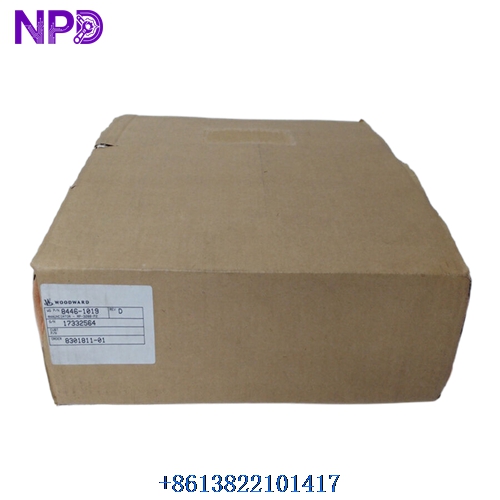

Description
⚙️ Product Specifications (Datasheet)
| Parameter | Value |
| Model | easYgen-3500-5 (PN: 8440-2192) |
| Housing Material | High-impact Plastic Enclosure |
| Enclosure Dimensions | 284 mm x 200 mm x 77 mm (11.18″ x 7.87″ x 3.03″) |
| Weight | Approx. 1.85 kg (4.07 lbs) |
| Country of Origin | Germany / USA |
| Power Supply Voltage | 12 / 24 VDC nominal (8.0 to 40.0 VDC continuous) |
| Power Consumption | Max. 17 W |
| Display & HMI | 320×240 graphic LCD with softkeys |
| Protection Features | Generator & Utility (Over/Under Voltage, Frequency, Reverse Power, Overcurrent) |
| Communication Ports | CAN bus, RS-485, Ethernet (Modbus RTU/TCP) |
🚀 Standard Operating Procedure
- Pre-Start Verification: Inspect all wiring connections, ensure DC power supply is stable (12/24VDC), and verify emergency stop loops are intact.
- Power On System: Switch on the control power circuit breaker. Wait for the graphic LCD display to complete its initialization sequence.
- Mode Selection: Set the controller to the desired operating mode (Manual or Auto) using the front panel navigation keys.
- Engine Cranking & Start: In manual mode, press the Start button. The controller handles pre-heating, fuel solenoid activation, and starter engagement automatically.
- Parameter Monitoring: Monitor real-time electrical values (Voltage, Current, Frequency) and engine metrics (Oil Pressure, Coolant Temp) on the home screen.
- Load Connection / Synchronization: In manual mode, initiate generator breaker closure once voltage and frequency stabilize. In auto mode, synchronization and breaker closing occur automatically upon mains failure signal.
- Safe Shutdown Procedure: Disconnect the generator breaker, allow the engine to run idle for the designated cool-down timer, then press the Stop button to shut down.
⚙️ Parameter Configuration Guide
- Press the Menu/Enter key on the front panel to open the main menu screen.
- Navigate to the “Configuration” menu using the Up/Down directional arrows.
- Enter the Security Password (default level password, typically 0001 or as configured by system admin) when prompted.
- Locate the target parameter group (e.g., Generator Protection, Engine Parameters, or I/O Configuration).
- Highlight the specific parameter value, press Enter to edit, adjust the value using Up/Down arrows, and confirm by pressing Enter again.
- Exit the menu and select “Save Settings” to store all modified values into non-volatile flash memory.
🔄 Manual / Automatic Mode Switching
- To Select Manual Mode: Press the MAN button on the front panel interface. The corresponding LED indicator will light up, transferring breaker and engine start/stop commands exclusively to local user control.
- To Select Auto Mode: Press the AUTO button on the front panel interface. The AUTO LED will illuminate, enabling external remote start signals, mains failure auto-transfer (AMF), and scheduled auto-tests.
❓ Frequently Asked Questions (Q&A)
- Q: What should I do if a “Mains Fail” or “Generator Fail” alarm triggers?
A: Check the active alarm log on the display screen. Press the ACK (Acknowledge) button to silence the horn, resolve the underlying physical fault (e.g., low oil pressure, under-voltage), and press Reset.
- Q: Can the front panel display language and screen layouts be modified?
A: Yes, the easYgen-3500-5 supports multi-language HMI customization and configurable display screens directly through the front panel menu or via ToolKit software.
- Q: How do I handle communication loss over CAN or Modbus?
A: Check the baud rate settings in the Communication menu, verify terminal resistor placements (120 Ω) on the CAN network, and ensure proper shielding/grounding on RS-485 lines.