
Description
Product Description
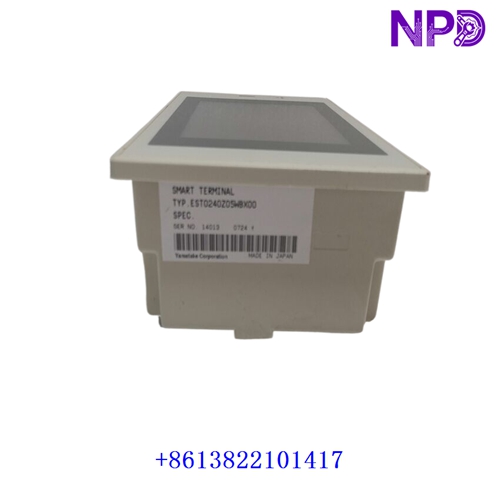
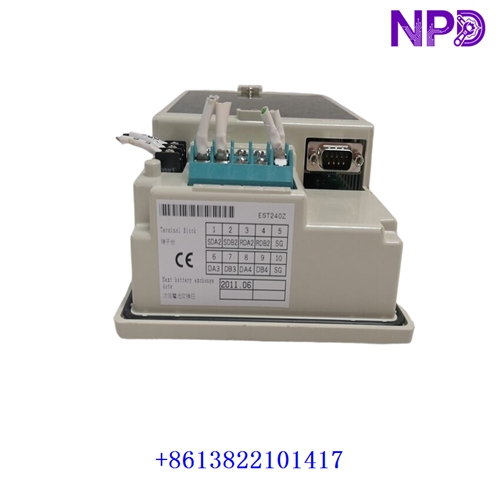
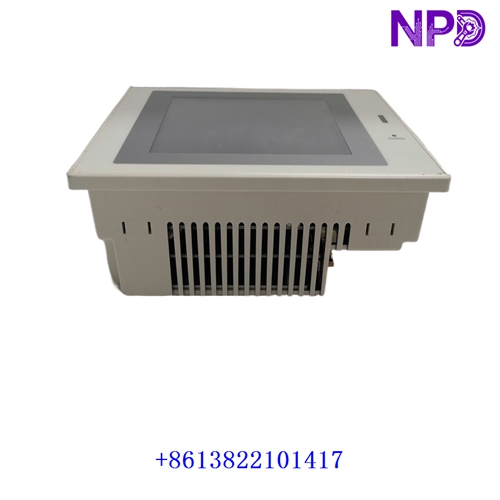
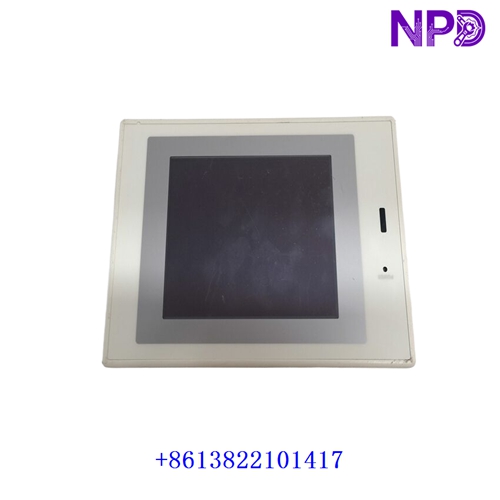
The YAMATAKE EST0240Z05WBX00 is a programmable Smart Terminal from the EST240Z series, designed for industrial machine monitoring and operator interaction. Manufactured by Yamatake Corporation, now known as Azbil Corporation, this model features a 5.7-inch color STN LCD with a resistive touch interface.
The terminal provides local visualization of process data, operator commands, and equipment status. It connects to PLCs, controllers, and host computers through multiple serial communication interfaces, allowing application data to be exchanged between the HMI and connected control equipment.
The EST0240Z05WBX00 features a white front-panel design, 1 MB of program memory, and support for Yamatake AP Editor configuration software. Its multiple RS-232C and RS-485 channels make it suitable for legacy automation installations that require serial-based operator interfaces.
This model is particularly relevant for maintenance teams replacing existing EST240Z terminals or maintaining older industrial equipment. Before replacement, verify the application program, communication settings, cable connections, and hardware revision.
EST0240Z05WBX00
Key Technical Specifications
- Brand: YAMATAKE (Azbil)
- Model: EST0240Z05WBX00
- Series: EST240Z / EST-Z Series
- Product Type: Programmable Smart Terminal / Industrial HMI
- Display Type: 5.7-inch Color STN LCD
- Display Resolution: 320 × 240 pixels
- Display Colors: 256 colors for BMP images; 64 colors for smart objects
- Effective Display Area: 115 × 86 mm
- Front Panel: White
- Touch Technology: Analog resistive membrane
- Touch Switch Service Life: Approximately 1 million operations
- User Program Memory: 1 MB
- Backup RAM: 256 KB
- Power Supply: 24 V DC ±15% (20.4–27.6 V DC)
- Maximum Current Consumption: 1 A
- Communication Interfaces: 1 × RS-232C, 1 × RS-485 full/half duplex, 2 × RS-485 half duplex, 1 × IrDA infrared
- RS-232C Communication Speed: 9,600–115,200 bps
- RS-485 CH2 Communication Speed: 9,600–115,200 bps
- RS-485 CH3/CH4 Communication Speed: 4,800–38,400 bps
- Additional I/O: 1 digital input, 1 digital output, and buzzer
- Configuration Software: Yamatake AP Editor
- Operating Temperature: 0 to +50°C
- Storage Temperature: -20 to +60°C
- Operating Humidity: 30–85% RH, non-condensing
- Front Protection: IP65
- External Dimensions: 140 × 210 × 71.2 mm
- Weight: Approximately 1.3 kg
- Mounting: Vertical panel mounting with rear mounting brackets
Key Features
- Color operator display: The 5.7-inch STN screen presents process values, equipment status, alarms, and operating information.
- Resistive touch operation: Supports direct operator input through the front touch panel.
- Multiple serial interfaces: Provides RS-232C and several RS-485 channels for connecting compatible controllers and PLCs.
- IrDA communication: Supports infrared communication for compatible setup and data-transfer applications.
- Application memory: Includes 1 MB of program memory and 256 KB of backup RAM.
- AP Editor configuration: Supports application development and screen configuration using the dedicated Yamatake software.
- Panel-mount construction: Designed for installation in industrial control cabinets and machine operator panels.
Application Scenarios and Pain Points
Industrial machine operation: Provides a local operator interface for viewing process information and issuing commands to compatible controllers.
Legacy PLC communication: Its RS-232C and RS-485 interfaces support installations using established serial communication architectures.
Equipment monitoring: Displays machine operating conditions, alarms, and process information through configured application screens.
Production-line maintenance: Provides a replacement option for existing EST240Z installations where the original application and communication configuration need to be retained.
Controller integration: Can connect to compatible PLCs and Yamatake DMC10 equipment when the correct communication settings and application package are used.
Installation and Commissioning
- Verify the complete model number and confirm that the replacement is the white-bezel EST0240Z05WBX00.
- Check the existing panel cutout, mounting brackets, cable arrangement, and rear clearance.
- Confirm that the available supply is 24 V DC within the specified 20.4–27.6 V range.
- Disconnect power before wiring or mounting the terminal.
- Connect protective grounding and verify that the grounding resistance meets the manufacturer’s requirement.
- Connect RS-232C or RS-485 cables according to the selected communication channel and terminal assignments.
- Separate signal cables, power cables, and grounding cables. Use shielded twisted-pair cable for RS-485 where required.
- Load the compatible application using Yamatake AP Editor and the appropriate communication cable.
- Verify communication parameters, node addresses, device mappings, and read/write permissions.
- Test screen navigation, touch response, alarm display, and communication with the connected controller before returning the equipment to service.
Daily Maintenance
- Inspect the display for scratches, discoloration, or reduced visibility.
- Check touch-panel response across the active screen area.
- Inspect communication connectors and wiring for looseness or corrosion.
- Verify the 24 V DC supply remains within the specified range.
- Keep the front protective sheet clean using a soft cloth.
- Avoid organic solvents and alkaline cleaning agents.
- Check the enclosure for excessive dust, moisture, or condensation.
- Monitor battery age and replace the battery according to the manufacturer’s maintenance instructions.
- Keep a backup of the application program and configuration data.
Troubleshooting and FAQ
Q1: What is the EST0240Z05WBX00?
It is a programmable industrial Smart Terminal from Yamatake’s EST240Z series, functioning as an HMI for operator monitoring and equipment control.
Q2: What is the display resolution?
The terminal uses a 5.7-inch color STN LCD with a resolution of 320 × 240 pixels.
Q3: What power supply does it require?
It requires 24 V DC ±15%, corresponding to an allowable range of 20.4–27.6 V DC. Maximum current consumption is 1 A.
Q4: Which communication interfaces are available?
The terminal provides one RS-232C channel, one RS-485 full/half-duplex channel, two RS-485 half-duplex channels, and an IrDA infrared interface.
Q5: Which software is used to configure the terminal?
Yamatake AP Editor is the dedicated application configuration software. The original manual lists an AP Editor package for Windows 98, Me, and XP. Confirm software availability and operating-system compatibility before commissioning.
Q6: Can this terminal replace another EST240Z model?
Replacement may be possible within the EST240Z family, but the front-panel color, hardware revision, application data, and communication configuration must be checked. The black-bezel EST0240Z05BBX00 is a related model, not an identical appearance variant.
Q7: Why does the terminal display a communication error?
Common causes include incorrect node addresses, mismatched baud rates or communication formats, wiring errors, damaged cables, electrical noise, or invalid PLC data addresses. Check the selected communication channel and application settings first.
Q8: Does the terminal support Ethernet?
The EST240Z manual specifies serial communication and IrDA interfaces. Ethernet connectivity is not listed as a built-in interface.
Safety Precautions
- Disconnect the power supply before installation, wiring, or maintenance.
- Use a regulated 24 V DC supply within the specified operating range.
- Ground the FG terminal according to the manufacturer’s instructions.
- Keep signal wiring separate from power wiring to reduce electrical interference.
- Use ESD precautions when handling internal electronic components.
- Do not use the terminal as an emergency-stop device or safety switch.
- Applications involving machinery or transportation safety require independent fail-safe protection.
- Ensure that panel mounting and wiring are completed by qualified technicians.
Recommended Related YAMATAKE Models and Components
The following products are related EST-series terminals, configuration software, or maintenance accessories. They are not all direct replacements.
- YAMATAKE EST0240Z05BBX00 – EST240Z Black-Bezel Smart Terminal
- YAMATAKE EST0555Z01BES00 – EST555Z Smart Terminal
- YAMATAKE EST0555Z01WES00 – EST555Z Smart Terminal
- YAMATAKE EST0555Z01WEX00 – EST555Z Smart Terminal
- YAMATAKE EST0300C01WBX00 – EST Series Smart Terminal
- YAMATAKE ESTX240SWWEC000 – AP Editor Software Package
- YAMATAKE ESTX220D1AE3001 – DMC10 Software Package
- YAMATAKE ESTX939FB00 – EST240Z Mounting Bracket
- YAMATAKE ESTX924BL60 – EST240Z Replacement Backlight
- YAMATAKE ESTX924BL61 – EST240Z Replacement Backlight
- YAMATAKE ESTX92XSS60 – White-Model Panel Protective Sheet
- YAMATAKE ESTX92XSS61 – Black-Model Panel Protective Sheet
- YAMATAKE 81446345-001 – EST240Z Maintenance Battery
- YAMATAKE CBL232AFT02 – RS-232C Communication Cable
- YAMATAKE CBL232FFT02 – RS-232C Communication Cable
Inspection and Quality Control
Before shipment, verify the model label, white front-panel finish, LCD condition, touch-panel response, connector integrity, and mounting hardware.
Where testing facilities are available, check the 24 V DC power input, screen startup, touch operation, serial communication, and application loading. Record the firmware revision and test configuration where accessible.
For replacement projects, compare the original terminal’s application data, communication channel assignments, PLC address mapping, and cable pinouts. A physical match alone does not establish complete system compatibility.