Description
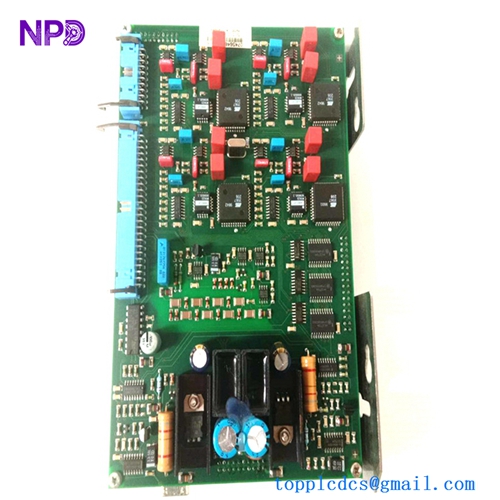
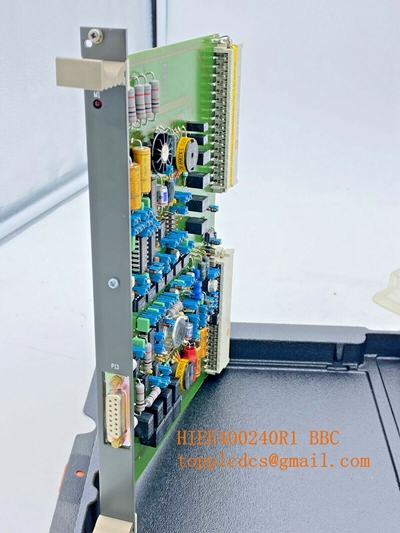
ABB | HENF331215R0001 | N3BS Communication Board
🔹 Product Description
The ABB HENF331215R0001, identified as N3BS, is an industrial communication board designed for integration into compatible ABB automation and control equipment.
This communication board serves as an electronic interface within an industrial control system. Depending on the host equipment configuration, it supports communication-related signal handling and data exchange between associated control components.
Designed for industrial automation environments, the board is suitable for maintenance, equipment servicing, and replacement applications where the original hardware configuration must be preserved.
The HENF331215R0001 identification should be checked against the equipment nameplate and original technical documentation before installation to ensure correct hardware compatibility.
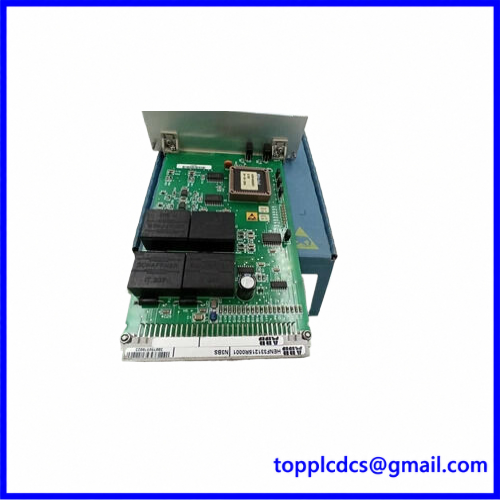
HENF331215R0001
⚙️ Product Parameters
- Brand: ABB
- Model: HENF331215R0001
- Board Identification: N3BS
- Series: ABB Industrial Automation
- Product Name: Communication Board
- Product Type: Industrial Electronic Communication PCB
- Place of Manufacture: Not confirmed
- Product Status: Legacy spare part; availability requires confirmation
- Dimensions: Not specified; subject to physical measurement
- Weight: Not specified; subject to actual hardware configuration
- Country of Origin: Not confirmed
- Power Requirements: Determined by the compatible host equipment
- Communication Interface: Requires verification against the original board documentation
- Installation: Compatible ABB control equipment
- Application: Industrial automation and control system maintenance
🔧 Daily Maintenance and Care
- Visual Inspection
Inspect the circuit board for damaged components, loose connectors, corrosion, discoloration, and signs of overheating.
- Connector Inspection
Check communication connectors and electrical contacts for oxidation, contamination, or mechanical damage.
- Dust Removal
Use ESD-safe cleaning equipment to remove dust. Avoid excessive compressed air and unsuitable cleaning chemicals.
- Temperature Monitoring
Maintain the recommended cabinet operating temperature and ensure adequate ventilation.
- Electrical Condition Checks
Inspect the host equipment power supply, grounding, and electrical connections according to the original system specifications.
- Maintenance Documentation
Record board identification, installation history, system alarms, and maintenance activities.
🛠️ Troubleshooting and Common Problems
- Communication Failure
Possible causes:
- Loose or damaged connectors.
- Incorrect communication configuration.
- Incompatible hardware revision.
- Faults in associated communication equipment.
Solutions:
- Inspect the connectors and wiring.
- Verify the communication settings.
- Check the host system diagnostics.
- Confirm the board part number and revision.
- Intermittent Data Transmission
Possible causes:
- Poor electrical contacts.
- Electromagnetic interference.
- Damaged communication cables.
- Unstable power supply.
Solutions:
- Inspect cable shielding and grounding.
- Secure all connections.
- Check the electrical environment.
- Verify the stability of the host equipment power supply.
- Board Not Recognized
Possible causes:
- Incorrect installation.
- Incompatible board revision.
- Damaged interface contacts.
- Configuration mismatch.
Solutions:
- Verify the installation position.
- Compare the replacement board with the original.
- Inspect the connector condition.
- Check the system hardware configuration.
- Unexpected System Alarms
Possible causes:
- Communication interruption.
- Faults in connected modules.
- Incorrect system configuration.
- Electronic component degradation.
Solutions:
- Review the alarm history.
- Check associated modules and communication connections.
- Verify configuration parameters.
- Arrange qualified technical inspection if the fault persists.
- Abnormal Heating
Possible causes:
- Cabinet ventilation problems.
- Electrical abnormalities.
- Component deterioration.
Solutions:
- Check cabinet cooling.
- Inspect the board for visible damage.
- Verify the host equipment operating conditions.
⚠️ Safety Precautions
- Disconnect power before removing or installing the communication board.
- Use an ESD wrist strap and antistatic workstation when handling the PCB.
- Never touch exposed electronic contacts unnecessarily.
- Verify the complete model number and hardware revision before replacement.
- Do not connect communication cables without confirming the correct interface and pin assignments.
- Avoid installing the board in environments with excessive moisture, dust, or vibration.
- Follow ABB equipment-specific installation and commissioning procedures.
- Only qualified industrial automation technicians should perform maintenance.
📦 Recommended ABB Models – 15 Related Products
- ABB CI854A – PROFIBUS-DP Communication Interface
- ABB CI855 – S100 I/O Communication Interface
- ABB CI867K01 – Modbus TCP Communication Interface
- ABB CI868K01 – IEC 61850 Communication Interface
- ABB CI871K01 – PROFINET Communication Interface
- ABB CI873 – Ethernet Communication Interface
- ABB CI840 – S800 I/O Communication Module
- ABB CI801 – S800 I/O Fieldbus Communication Interface
- ABB CI810B – S800 I/O Communication Interface
- ABB CI862K01 – Communication Interface Module
- ABB CI869K01 – PROFIBUS-DP/V1 Communication Interface
- ABB CI627 – Communication Interface Module
- ABB CI626V1 – Communication Interface Module
- ABB CI856K01 – S100 I/O Interface Module
- ABB CI858K01 – DriveBus Communication Interface
Note: The recommended models belong to ABB automation and communication product families. They are not confirmed direct replacements for HENF331215R0001 / N3BS. Check the original system architecture, hardware revision, communication protocol, and connector configuration before ordering.