Description
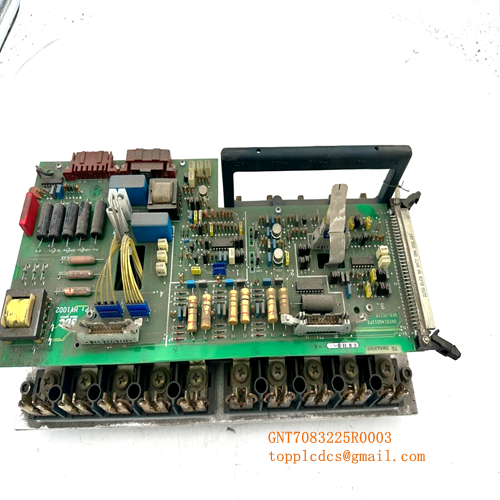
- Model: ABB KUC321AE
- Part Number: HIEE300698R0001
- Brand: ABB (Asea Brown Boveri)
- Series: Legacy High-Performance Control Series (often associated with Advant/Procontic/Drives)
- Core Function: Central processing and logic execution for high-speed industrial applications
- Product Type: Processor / Logic Module
- Key Specs: Multilayer PCB High-density bus interface Onboard diagnostic LEDs
- Processing Architecture: Specialized ABB high-speed logic processor
- Hardware Revision: HIEE300698R0001 (Rev R1 or later)
- Interface: High-density backplane connector for system bus integration
- Diagnostic Display: LED indicators for Power, Status, and Fault conditions
- Power Supply: Typically +5 V and +24 V DC derived from the system rack
- Environmental Rating: Industrial grade, coated for protection against contaminants
- Memory: Integrated EPROM/RAM for firmware and temporary data storage
- Compatibility: Used in specialized ABB excitation systems, drive controls, or power conversion units
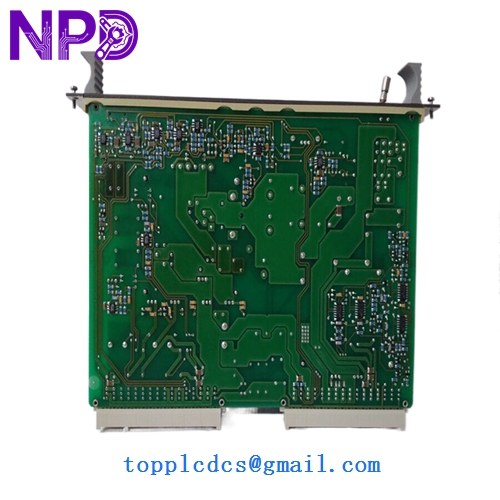
ABB KUC321AE HIEE300698R0001
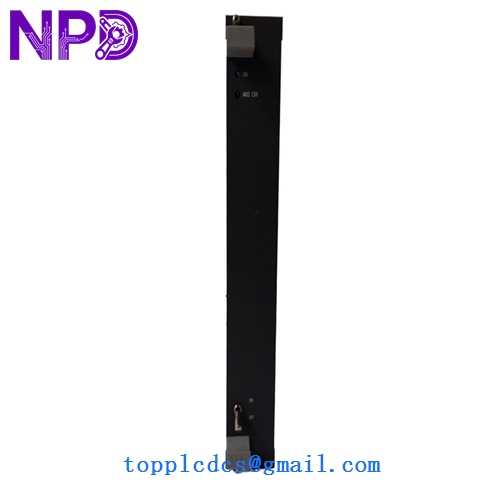
ABB KUC321AE HIEE300698R0001
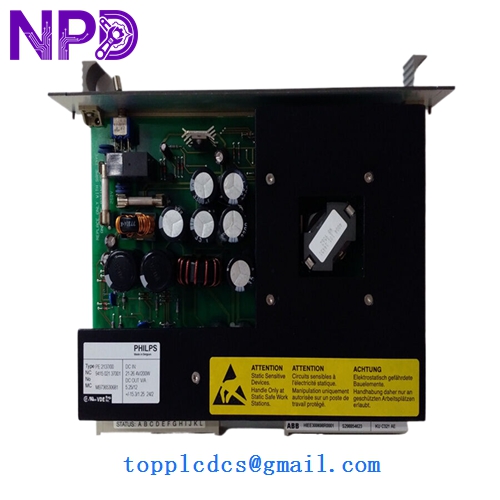
ABB KUC321AE HIEE300698R0001
Application Scenarios & Pain Points
The KUC321AE (HIEE300698R0001) is a specialized processor board found in some of ABB’s most robust legacy power electronics and control systems. Because it serves as a central logic “brain,” a failure of this card typically brings the entire sub-system to a halt. In my experience, these boards are often the most difficult to source because they were built for specific industrial niches. The most common pain point is firmware compatibility—if you are replacing an older revision, you must ensure the EPROM chips are either matched or transferred from the original unit to maintain system identity.
Typical Application Scenarios:
- High-Power Drive Control Managing the firing patterns and protective logic for large-scale industrial motor drives.
- Excitation Systems Used in generator excitation cabinets to control field voltage and maintain grid synchronization.
- Power Conversion Units Managing the logic for large DC-to-AC converters in renewable energy or industrial plants.
- Legacy DCS/PLC Racks Serving as a specialized calculation or communication processor within a larger ABB subrack.
Case Study: The “Intermittent Bus” Error
Background: A steel mill was experiencing random “System Bus Timeouts” on their main drive controller. The machine would run perfectly for three days and then suddenly trip on a processor error.
Problem: We diagnosed the KUC321AE board and discovered that the high-density backplane pins had developed “fretting corrosion” due to years of vibration. While the board’s logic was healthy, the physical connection was failing under thermal expansion.
Solution: We provided a “New Surplus” KUC321AE (HIEE300698R0001) from our stock.
Result: – Stability Restored: The intermittent trips stopped immediately.
- Production Efficiency: The mill avoided an estimated $50,000 per hour in downtime costs.
- Engineer’s Insight: “With legacy boards like the KUC321AE, always inspect the gold plating on the connectors. If it looks dull or pitted, the board is on a timer. Replacing it before a total failure is the only way to ensure 24/7 operation.”
Compatible Replacement Models
The “HIEE” number is the definitive identifier for this ABB board. Be cautious with variants that have different “R” suffixes.
| Original Model | Replacement Model | Compatibility | Note |
|---|---|---|---|
| KUC321AE | HIEE300698R0001 | ✅ Exact Match | The standard baseline unit. |
| KUC711 | None | ❌ Incompatible | Different architecture; do not substitute. |
| KUC321 | KUC321AE | ⚠️ Software | The “AE” version is an enhanced revision; check firmware. |
Troubleshooting Quick Reference
| Symptom | Possible Cause | Relation | Quick Check | Action |
|---|---|---|---|---|
| “Fault” LED Solid Red | Hardware Self-Test Fail | ✅ High | Power cycle the rack and check if LED clears. | Replace KUC321AE board. |
| No LEDs Illuminated | Power Supply Failure | ✅ High | Check +5V DC rail on the backplane. | Check rack power supply module. |
| “Run” LED Flashing | Software/Config Error | ⚠️ Med | Check if the EPROMs are seated correctly. | Reseat chips or reload software. |
| Bus Error Alarms | Connector Issues | ✅ High | Inspect pins for oxidation or bending. | Clean pins with electronic contact cleaner. |
❗ Pro Tip: EPROM Migration
When you receive a replacement KUC321AE, it may not come with the site-specific software. You may need to carefully move the socketed EPROM chips from your old board to the new one. Use a professional chip puller and ensure the “notch” on the chip matches the “notch” on the socket. Incorrect orientation will destroy the chip and the board.
Handling & Installation:
- Safety: Turn off all rack power before removing the module.
- Alignment: Use the card guides. These legacy connectors have hundreds of pins; forcing the board in at an angle will ruin the backplane.
- Storage: Keep these boards in anti-static bags and in a temperature-controlled environment. These legacy components are sensitive to humidity and “tin whiskers” if stored improperly for years.