Description
- Model: A402kc
- Brand: Basler (Germany)
- Series: Basler A400 Series
- Core Function: High-speed, high-resolution area scan camera for machine vision
- Condition: New Surplus (Original packaging, zero lens-mount wear, non-refurbished)
- Type: Digital Color Camera
- Key Specs: 4 Megapixels | 2352 x 1726 resolution | CMOS Sensor
- Sensor Type: CMOS (Progressive Scan)
- Sensor Size: 1-inch (Large format for high detail)
- Resolution: 2352 (H) x 1726 (V) pixels
- Frame Rate: Up to 24 frames per second (fps) at full resolution
- Interface: IEEE 1394 (FireWire)
- Color Format: Raw Bayer (YUV or RGB available via software interpolation)
- Pixel Size: 7.0 µm x 7.0 µm (High light sensitivity)
- Lens Mount: C-Mount (Standard industrial mounting)
- Shutter: Electronic Global Shutter (No rolling-shutter distortion)
- Synchronization: External Trigger or Free-run modes
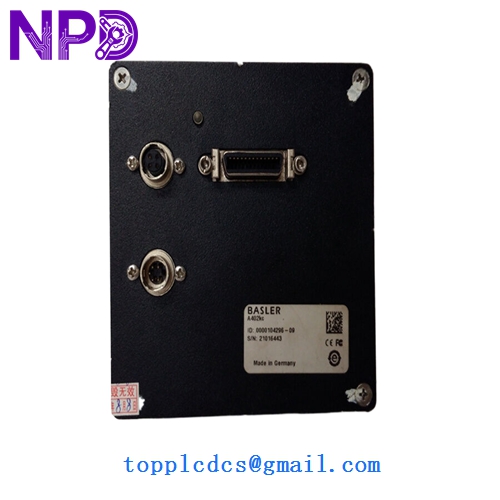
BASLER A402KC
Installation & Configuration Guide
Phase 1: Hardware Setup (15 Minutes)
⚠️ Safety Protocol:
- Ensure your PC’s FireWire card is powered and using the standard IEEE 1394a or 1394b protocol.
- Use a high-quality shielded FireWire cable (screwed-in type preferred) to prevent signal drops in high-EMI industrial environments.
- Clean the sensor cover glass only with professional-grade optical wipes and 99% isopropyl alcohol if dust is visible.
Phase 2: Mounting & Optics (10 Minutes)
- Attach your C-mount lens. If using a heavy lens, ensure the camera body is supported by its own mounting holes rather than just the FireWire cable.
- Back-focus Adjustment: If your image is soft despite focusing the lens, you may need to adjust the C-mount flange distance using shims (rarely needed with original Basler builds).
Phase 3: Software Configuration (20 Minutes)
- Driver Install: Download and install the Basler Pylon Camera Software Suite.
- Discovery: Open the Pylon Viewer. The A402kc should appear automatically under the IEEE 1394 tree.
- Parameter Settings:
- Gain: Keep as low as possible to minimize color noise.
- Exposure Time: Set based on your line speed to avoid motion blur.
- White Balance: Use a “White Card” to perform a One-Push white balance for accurate color reproduction.
Phase 4: Optimization (15 Minutes)
- Verify the frame rate. If you aren’t hitting 24 fps, check for FireWire bus bandwidth saturation (common if multiple cameras are on one card).
- Set the AOI (Area of Interest) if you only need a portion of the 4MP frame; this can significantly increase your frame rate.
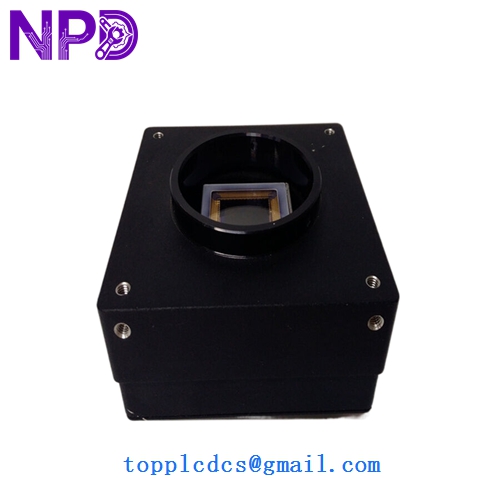
BASLER A402KC
Customer Cases & Industry Applications
Case 1: PCB Optical Inspection (AOI) A consumer electronics manufacturer used the Basler A402kc for high-speed inspection of solder joints. The 4MP resolution allowed them to inspect a large board area in a single shot, while the global shutter ensured no blur as the boards moved on the conveyor. When a primary camera failed, our New Surplus unit was installed and recalibrated in under an hour, maintaining the factory’s zero-defect shipping policy.
Case 2: Specialized Printing Verification A high-security printing plant used the A402kc for real-time color verification of currency watermarks. The large 7µm pixels provided the dynamic range needed to see subtle color shifts that smaller sensors would miss. In my experience, the A400 series is favored in these “slow but detailed” applications where resolution and color accuracy are more important than ultra-high-speed GigE throughput.
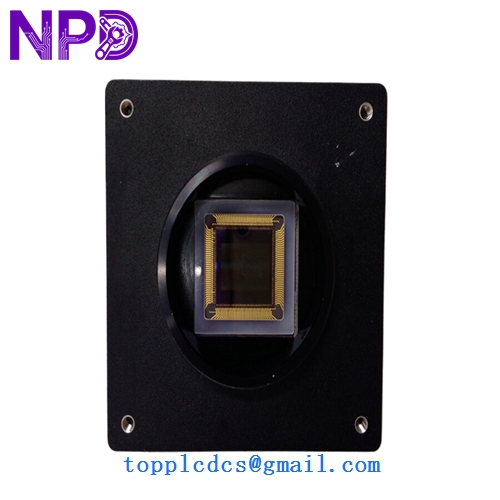
BASLER A402KC
Frequently Asked Questions (FAQ)
Q: Does the camera include a lens? A: No. Industrial cameras are typically sold as bodies only. The A402kc uses a standard C-mount. Depending on your working distance, you will likely need a 16mm, 25mm, or 35mm lens. We can help you calculate the correct focal length if you provide your field of view and working distance.
Q: Is FireWire (IEEE 1394) still supported in Windows 10/11? A: Yes, but you often need to manually select the “Legacy” FireWire driver in the Windows Device Manager for the best stability with industrial cameras. Basler’s Pylon software is excellent at bridging this gap.
Q: What is the benefit of the “k” and “c” in A402kc? A: In Basler’s nomenclature, “k” often refers to the specific sensor revision/interface type, and “c” stands for Color. If you needed a monochrome version, you would look for the A402km.
Q: Can this camera be powered via the FireWire cable? A: Yes. Most 6-pin FireWire cards provide “Bus Power” which is sufficient for the A402kc. However, if you are using a 4-pin laptop port or a low-power hub, you will need to provide external 12V DC power via the Hirose 6-pin connector on the back of the camera.
Q: Why choose the A402kc over a newer GigE camera? A: If your existing inspection machine was built around a FireWire architecture, swapping to GigE requires changing cables, interface cards, and potentially re-writing your inspection software logic. Buying a New Surplus A402kc is the fastest, cheapest way to keep a million-dollar machine running without a complex digital overhaul.