Description
- Model: LCNP4E
- Part Number: 51405098-100
- Brand: Honeywell (USA)
- System Architecture: TDC 3000 / Experion PKS
- Interface Type: Standard PCI slot
- Function: High-speed LCN communication interface for PC-based nodes
- Processor: High-speed onboard CPU to manage LCN protocol stack without taxing the PC host.
- Network Compatibility: Interfaces directly with the 5 MHz Honeywell Local Control Network.
- Software Support: Compatible with Experion PKS (various releases) and TDC 3000 software environments.
- Memory: Expanded onboard RAM for efficient data buffering and signal processing.
- Connectivity: Coaxial LCN connections via a dedicated T-connector or bulkhead.
- Form Factor: Full-height PCI card.
- Diagnostics: Onboard LEDs for card health, LCN transmit/receive status, and error detection.
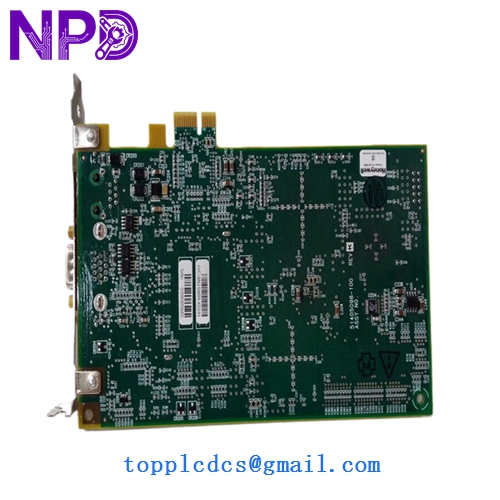
HONEYWELL LCNP4E 51405098-100
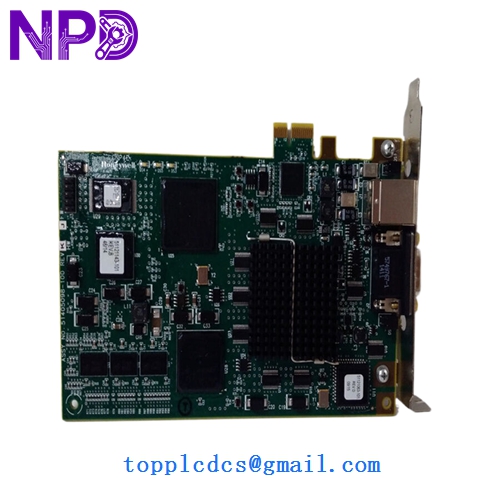
HONEYWELL LCNP4E 51405098-100
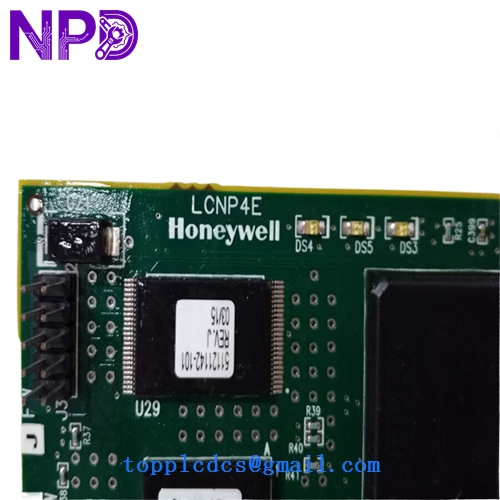
HONEYWELL LCNP4E 51405098-100
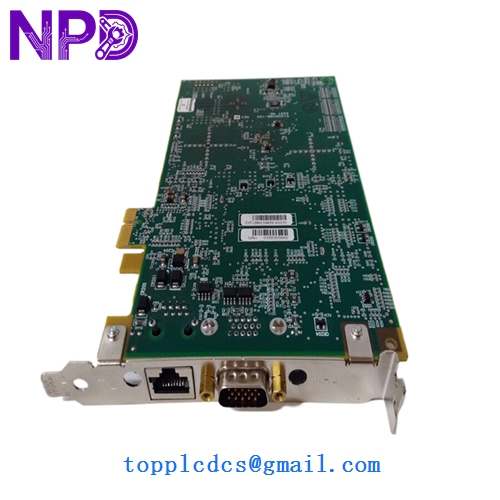
HONEYWELL LCNP4E 51405098-100
Installation & Configuration Guide
Phase 1: Pre-Installation (Preparation)
⚠️ Critical Warning: The LCNP4E is a sensitive network component. A faulty card or improper configuration can “flood” the LCN, potentially causing a loss of view across the entire DCS.
- Driver Compatibility: Ensure the PC host is running the correct Honeywell software release and that the LCNP drivers are pre-staged.
- Node Addressing: Verify the LCN node number assigned to the card in the system configuration.
- ESD Safety: Use an anti-static wrist strap. The PCI interface is highly susceptible to latent damage from static.
Phase 2: Hardware Installation (Step-by-Step)
- Power Down: Shut down the PC workstation and unplug the power cable.
- Slot Insertion: Insert the 51405098-100 into an available PCI slot. Ensure it is seated firmly and the bracket is screwed in to provide a chassis ground.
- Cabling: Connect the LCN coaxial cables. Ensure the BNC connectors are tightened correctly; loose coax connections are the #1 cause of LCN “noise.”
Phase 3: Software & Commissioning
- Registry/Configuration: Run the Honeywell LCNP configuration utility to set the card’s memory address and IRQ (if applicable).
- Power-Up: Turn on the PC. Observe the LEDs on the back of the card.
- Network Join: Verify that the node “joins” the LCN and appears as an active node on the Status Display of the Global User Station (GUS) or Experion Console.
Customer Cases & Industry Applications
Case 1: Upgrading Legacy Workstations A refinery in Southeast Asia needed to replace an aging PC workstation that utilized an older LCNP2 card. By upgrading to the LCNP4E (51405098-100), they were able to use a modern industrial PC with a standard PCI slot, providing much faster HMI response times and better integration with their Experion PKS server.
Case 2: Emergency Replacement in a Paper Mill During a routine server reboot, a paper mill’s primary LCN interface card failed, leaving the operators “blind” to half the process. Honeywell factory lead times for a new card were over 8 weeks. We provided a New Surplus LCNP4E via priority international express, allowing the mill to restore operator visibility within 48 hours.
Frequently Asked Questions (FAQ)
Q: Is the LCNP4E 51405098-100 hot-swappable? A: No. The card resides in a PC’s PCI slot. The PC must be fully powered down before removing or installing the card to prevent damage to both the card and the motherboard.
Q: Can I use this card in a PCIe (PCI Express) slot? A: No. The 51405098-100 is a legacy PCI card. If your new server only has PCIe slots, you may need a specialized industrial bridge or a different Honeywell interface solution.
Q: Why choose “New Surplus” over “Refurbished” for LCN cards? A: LCN cards are the “lifeline” of your control system. Refurbished cards may have weakened BNC connectors or aging solder joints that can introduce intermittent “noise” onto the LCN, which is notoriously difficult to troubleshoot. New Surplus ensures the card is in original, pristine condition with 100% factory reliability.
Q: Does it come with the BNC T-connector? A: Typically, the 51405098-100 is the card itself. We recommend reusing your existing Honeywell LCN T-connectors or ordering them separately to ensure a secure network tap.