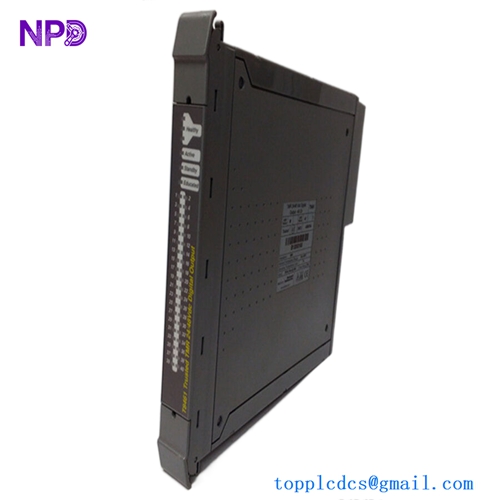
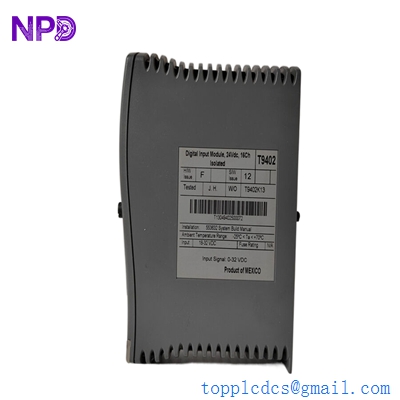
Description
- Model: ICS Triplex T8193
- Brand: ICS Triplex (Rockwell Automation)
- Series: Trusted TMR (Triple Modular Redundant) System
- Core Function: High-integrity communication interface between Trusted Controller and external networks (DCS/HMI)
- Product Type: Communication Interface Module
- Key Specs: Dual Ethernet Ports Modbus TCP/RTU Support SIL 3 System Compatibility
Key Technical Specifications
| Attribute | Specifications |
| Communication Protocols | Modbus TCP, Modbus RTU, Sequence of Events (SOE) |
| Ethernet Ports | 2 x 10/100 Mbps RJ45 (Front Panel) |
| Serial Ports | RS422 / RS485 Isolated Interfaces |
| Safety Integrity | Part of SIL 3 Certified System |
| Data Throughput | Optimized for high-speed TMR system data exchange |
| Isolation | 500 V DC Port-to-Chassis isolation |
| Diagnostics | Comprehensive internal self-test and link status monitoring |
| Power Consumption | Approx. 10 W (Bus Powered) |
| Operating Temp | -5°C to 60°C (23°F to 140°F) |
| Configuration | Setup via Trusted Toolset / ISaGRAF |
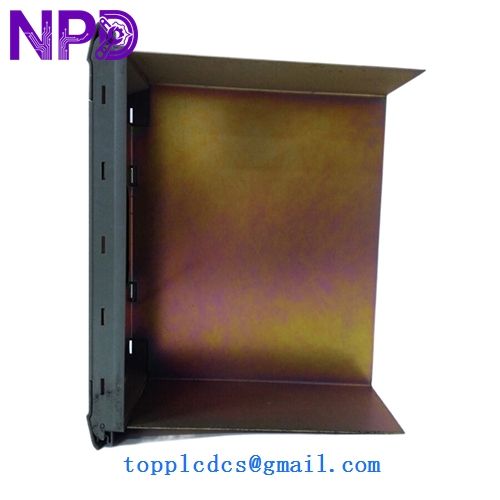
ICS TRIPLEX T8193
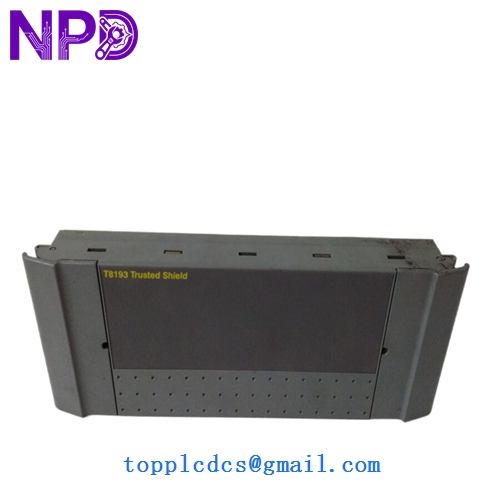
ICS TRIPLEX T8193
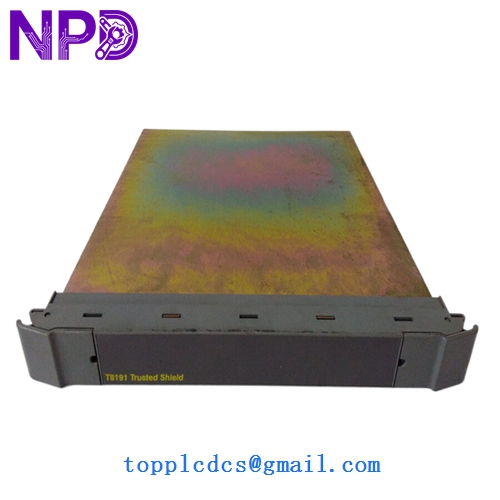
ICS TRIPLEX T8193
Application Scenarios & Pain Points
In a Triple Modular Redundant (TMR) environment, the T8193 acts as the vital bridge between the “Safety Island” (the controller) and the “Control World” (the DCS or HMI). The biggest pain point with this module is communication “freezing.” If the T8193 fails or its internal buffer overflows due to poor network optimization, the operators in the control room lose visibility of the safety system. While the plant might still be protected, you are essentially “flying blind,” which usually necessitates a manual emergency shutdown per safety protocols.
Typical Application Scenarios:
- DCS Integration
Linking a Trusted ESD system to a Honeywell or Emerson DCS via Modbus TCP for real-time monitoring of safety loops.
- Sequence of Events (SOE) Recording
Transmitting millisecond-accurate event data to a central historian for post-trip forensic analysis.
- Peer-to-Peer Safety Messaging
Facilitating safety-critical data exchange between multiple Trusted chassis across a plant-wide fiber network.
Case Study: The “Invisible” Safety System
Background: A gas processing plant used an ICS Triplex Trusted system for fire and gas monitoring.
Problem: The HMI suddenly stopped updating. The TMR processor (T8110) was healthy, but the T8193 communication module had a “Link Fail” LED. The site was 48 hours away from a mandatory safety audit, and without HMI visibility, they couldn’t demonstrate system integrity.
Solution: We dispatched a pre-tested T8193 from our stock via priority air freight.
Result: The module was hot-swapped into the chassis. Because the configuration is stored in the controller, the T8193 automatically pulled the IP settings and Modbus mapping. Visibility was restored in minutes, and the audit was passed successfully.
Compatible Replacement Models
| Original Model | Replacement Model | Compatibility | Main Difference | Change Required | Cost Impact |
| T8193 | T8193 | ✅ Direct | N/A | 1:1 Replacement | Base |
| T8193 | T8151B | ❌ Incompatible | Communications vs I/O | Cannot swap | N/A |
| T8193 | T8191 | ⚠️ Partial | Older Interface Model | Configuration rewrite | -10% |
Engineer’s Note: If you are upgrading from an older T8191 to a T8193, be aware that the memory mapping for Modbus registers might shift slightly depending on your Toolset version. Always perform a “Read-Back” of your registers after installation to ensure your HMI addresses still align.
Troubleshooting Quick Reference
| Symptom | Possible Cause | Spare Relevance | Quick Check | Action |
| LINK LED Off | Physical Layer Failure | ❌ Low | Swap Ethernet cable or check switch port | Fix network hardware first |
| TX/RX LEDs Solid Red | IP Address Conflict | ⚠️ Medium | Ping the module from a laptop on the same subnet | Change IP or disconnect conflicting device |
| Module “Healthy” but No Data | Modbus ID Mismatch | ⚠️ Medium | Verify Slave ID settings in Toolset | Re-configure software settings |
| Internal Fault (ERR LED) | Firmware/Hardware Crash | ✅ High | Perform a power cycle by reseating the module | Replace module if ERR returns |
❗ Critical Warning: The “Hot-Swap” Trap
While the Trusted chassis supports hot-swapping the T8193, you must wait for the “Active” LED to transition before assuming the link is up. I’ve seen technicians pull a module, put a new one in, and immediately try to ping it—only to get frustrated when it takes 60-90 seconds for the internal processor to boot and synchronize with the TMR backplane. Patience is key here.
SOP Quality & Testing Protocol:
Before shipping, this T8193 is inserted into our Trusted Chassis Test Rig. We run a continuous Modbus TCP Stress Test for 12 hours to ensure no packet loss occurs under heavy load. Communication timing is verified using a Protocol Analyzer, and we provide a full report including the MAC address and loaded Firmware version. We can provide a video of the “Healthy” status LEDs upon request.