
Description
🚀 Product Overview
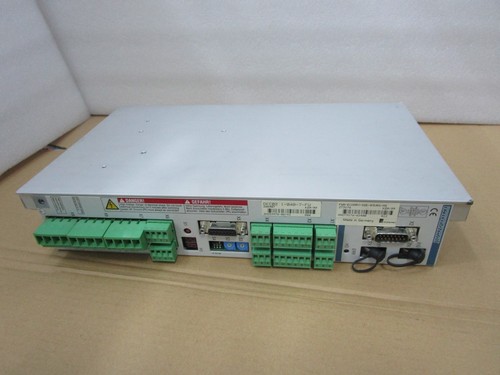
The DKC02.1-040-7-FW is a high-performance, compact intelligent digital AC servo drive developed by Indramat (now part of Rexroth/Bosch). It is designed for precise motion control applications, offering advanced diagnostic capabilities, integrated positioning control, and seamless integration into automation networks. This drive is renowned for its reliability in industrial environments, providing high torque density and dynamic response.
📋 Technical Specifications
- Model Number: DKC02.1-040-7-FW
- Continuous Current: 40 A
- Input Voltage: 3-phase AC 200V – 480V
- Control Interface: Fieldbus connectivity (varies by firmware)
- Dimensions: Approximately 350mm (H) x 80mm (W) x 250mm (D)
- Weight: Approx. 6.5 kg
- Country of Origin: Germany
⚙️ Application Fields
- Packaging machinery
- Material handling systems
- Printing machines
- Robotics and assembly automation
- CNC machine tools
📖 Product Usage Instructions
- Installation: Ensure the drive is mounted vertically in a clean, ventilated control cabinet. Leave at least 100mm of space above and below for cooling airflow.
- Wiring: Connect the power supply to the L1, L2, L3 terminals. Ensure the motor phases (U, V, W) and the encoder feedback cable are securely connected and shielded to prevent EMI.
- Grounding: Always verify the protective earth (PE) connection to prevent electrical hazards and reduce noise.
⚠️ Product Precautions
- Capacitor Discharge: After power-off, wait at least 5 minutes before touching the terminals to allow internal capacitors to discharge.
- Environmental Limits: Avoid operation in environments with excessive dust, humidity, or corrosive gases.
- Parameter Protection: Always back up current parameters before attempting firmware updates or major changes.
🛠️ Parameter Setting & Modification
- Software Tool: Use the Indramat commissioning software (typically WinPED or related DriveTop software).
- Modification: Establish a serial connection between the PC and the drive’s programming port. Access the parameter list (P-0-XXXX), modify the required values, and perform a “Write” command. A power cycle may be required for certain changes to take effect.
🔄 Manual/Auto Mode Switching
- Manual Mode: Usually controlled via the commissioning software interface to jog the motor for testing and mechanical alignment.
- Auto Mode: Enabled by the PLC/Controller via the control word. Ensure the “Drive Enable” (Enable Signal) is high and no faults are present in the error register.
❓ Common Questions (Q&A)
- Q: Why is the drive showing an ‘F’ error code? A: The ‘F’ prefix indicates a fatal error. Check the manual for the specific code number. Most common causes include over-voltage, over-current, or encoder communication failure.
- Q: Can I use this drive with non-Indramat motors? A: It is strictly recommended to use this drive with compatible Indramat/Rexroth motors as the drive uses specific motor parameter files stored in the encoder memory.
- Q: How do I clear faults? A: Faults can be cleared by sending a “Clear Fault” command via the control bus or by cycling the power if the error condition has been physically corrected.