Description
Product Description
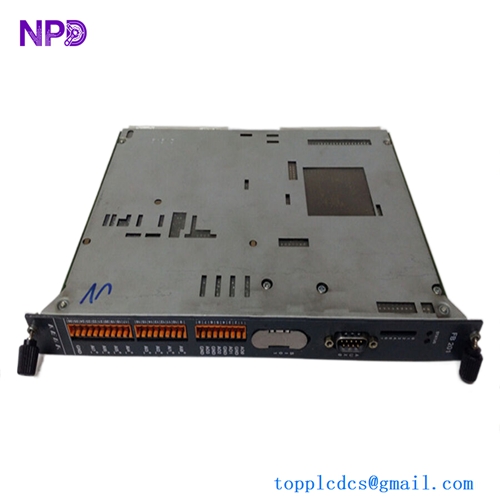
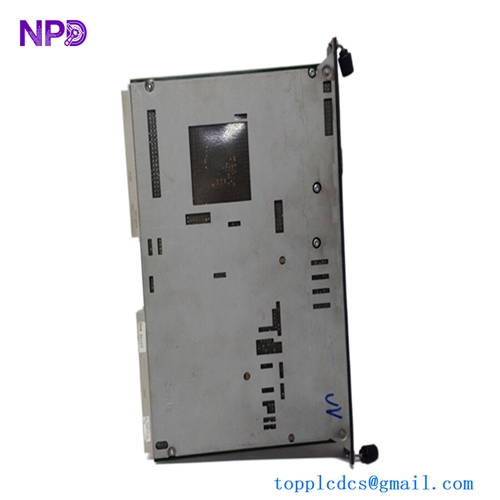
The Kongsberg Norcontrol MCU8625 PENT-200 Main Computer Unit is a marine automation computer designed for centralized processing in shipboard alarm, monitoring, and control systems. Equipped with a Pentium-class processor architecture, this unit serves as a central computing platform for processing machinery status signals, handling alarms, coordinating communication with distributed I/O modules, and supporting operator workstation functions. It is used in legacy Norcontrol marine automation installations, including engine room monitoring, machinery supervision, and integrated vessel control applications. The MCU8625 is designed for rack or cabinet installation and operates as part of a larger automation architecture rather than as an independent PLC. It is suitable for maintenance, repair, and replacement of existing Norcontrol systems where matching hardware, software, system configuration, and communication interfaces are essential.
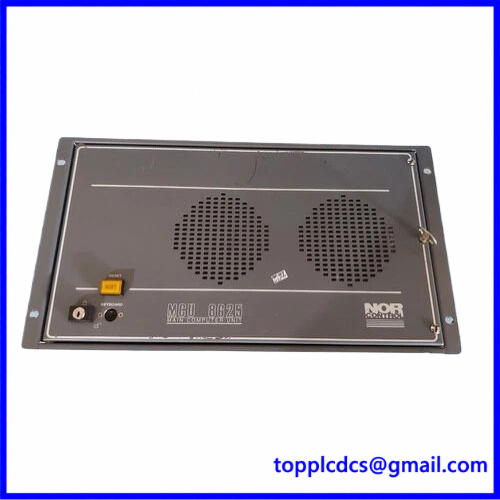
MCU8625 PENT-200
Product Datasheet – 10 Key Parameters
- Brand: Kongsberg Norcontrol
- Model: MCU8625 PENT-200
- Series: Norcontrol MCU 8625
- Product Name: Main Computer Unit
- Article Number: 8200291 (PENT-200 version)
- Manufacturer: Norcontrol Automation AS / Kongsberg Maritime
- Country of Origin: Norway
- Product Status: Legacy / Used equipment; verify availability
- Dimensions: Exact dimensions not verified; rack-mounted assembly
- Weight: Exact weight not confirmed for this 8200291 version
Additional Technical Specifications
- Processor: Pentium-class PENT-200
- Computer Type: Marine Main Computer Unit
- Application: Norcontrol marine automation
- Mounting: Rack / control cabinet
- System Function: Centralized automation processing
- Communication: Norcontrol proprietary system interfaces, depending on installation
- Power Supply: Verify exact 8200291 nameplate before connection
- Operating System: System-specific legacy software
- Configuration: Vessel-specific software and hardware configuration
⚙️ Operating Instructions and Usage
1. Installation and Preparation
- Verify the MCU8625 PENT-200 model identification.
- Confirm Article No. 8200291 and serial number.
- Compare the replacement unit with the installed computer.
- Check processor board, power supply, memory, connectors, and backplane.
- Inspect the rack slot and mating connectors.
- Verify the existing system configuration and software version.
- Confirm the required DC supply and polarity using the equipment nameplate.
- Check communication connections to operator stations and distributed I/O modules.
- Back up the original configuration and available system data before replacement.
2. Power-On Sequence
- Confirm that the vessel automation system is in an approved maintenance or standby condition.
- Verify that essential alarm and monitoring functions have an approved backup arrangement.
- Check the power supply voltage and wiring.
- Confirm that the MCU is correctly installed in its designated rack position.
- Energize the computer according to the original Norcontrol system procedure.
- Allow the processor to complete its startup and self-diagnostic sequence.
- Check CPU status and diagnostic indicators.
- Verify communication with the system backplane and connected modules.
- Check operator workstation connections.
- Confirm that alarm monitoring and data acquisition functions are available.
3. Normal Operating Procedure – Step by Step
- Confirm that the MCU is running normally.
- Check the CPU and system status indicators.
- Verify communication with distributed I/O units.
- Check the operator workstation and monitoring displays.
- Review active alarms and event messages.
- Confirm that engine-room sensor values are updating correctly.
- Verify machinery status and alarm indications.
- Check communication between the MCU and other automation nodes.
- Monitor system performance during normal vessel operation.
- Record abnormal alarms, communication failures, or processor faults.
4. Shutdown Sequence
- Confirm that essential monitoring functions have been transferred to an approved backup arrangement.
- Notify the engine-room personnel before shutting down the computer.
- Follow the Norcontrol system shutdown procedure.
- Close or stop active software processes where supported.
- Confirm that important configuration data has been saved.
- Isolate the MCU power supply according to the electrical maintenance procedure.
- Verify that the unit is de-energized before removal.
- Disconnect cables and connectors carefully.
- Label all connections for correct reinstallation.
5. Parameter Setting and Modification
- Use the original Norcontrol engineering workstation and approved service tools.
- Identify the installed MCU hardware and software revisions.
- Back up the existing system configuration.
- Verify system node addresses and communication settings.
- Check distributed I/O module assignments.
- Confirm alarm channel mapping and sensor scaling.
- Verify operator workstation communication.
- Check system clock, event logging, and alarm database settings where applicable.
- Restore configuration data only from a compatible system backup.
- Perform communication and alarm function tests after configuration changes.
6. Safety and Maintenance Precautions
- Never remove the main computer while essential alarm functions are unprotected.
- Do not interrupt power during critical configuration or software operations.
- Use ESD protection when handling internal circuit boards.
- Verify the exact power input before energizing the unit.
- Do not replace the MCU with a different hardware version without compatibility verification.
- Inspect rack connectors and cooling arrangements periodically.
- Maintain backups of system software and configuration files.
- Record all maintenance activities and replacement serial numbers.
- Perform a complete system function test before returning the equipment to service.
🔧 Recommended 15 Other Kongsberg Norcontrol Models and Components
- Kongsberg Norcontrol MCU 8625 – Main Computer Unit
- Kongsberg Norcontrol MCU 8625 486-33 – Main Computer Unit
- Kongsberg Norcontrol MCU 8620 – Main Computer Unit
- Kongsberg Norcontrol MCU 8625 Art. No. 8200133 – Main Computer Unit
- Kongsberg DataChief C20 – Marine Automation System
- Kongsberg DataChief C21 – Marine Automation System
- Kongsberg RCU 502 – Remote Control Unit
- Kongsberg RCU 500 – Remote Control Unit
- Kongsberg RAI-16 – Remote Analog Input Module
- Kongsberg RDI-32 – Remote Digital Input Module
- Kongsberg RDO-16 – Remote Digital Output Module
- Kongsberg ESU 8100275 – Engine Safety Unit
- Kongsberg MP 7900 – Operating Station CPU
- Kongsberg MP 8300 – Operator Station CPU
- Kongsberg 8200291 – MCU8625 Main Computer Unit
Compatibility Note: The MCU8625 PENT-200 with Article No. 8200291 must not be confused with other MCU8625 variants, including the 486-33 version with Article No. 8200133. Verify the complete article number, processor architecture, software image, serial number, and vessel-specific configuration before replacement.