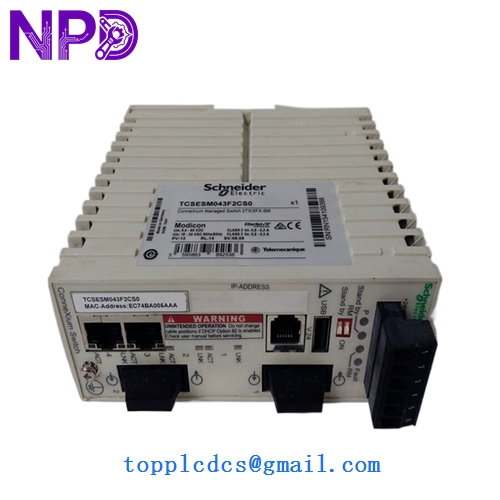

Description
- Model: Schneider Electric TCSESM043F2CS0
- Brand: Schneider Electric
- Series: ConneXium Managed Switches
- Core Function: Compact managed Ethernet switch for field-level network distribution
- Product Type: Layer 2 Managed Industrial Switch
- Key Specs: 4 x 10/100 Base-TX (RJ45) 24V DC Input SNMP/VLAN Support
Key Technical Specifications
| Attribute | Specifications |
| Total Ports | 4 x RJ45 (10/100 Mbps) |
| Communication Protocols | EtherNet/IP, Modbus TCP, SNMP, HTTP, TFTP |
| Redundancy | HiPER-Ring (Ring redundancy support) |
| Management Features | VLAN, QoS, Port Mirroring, IGMP Snooping |
| Input Voltage | 12 V to 24 V DC (Dual redundant inputs) |
| Mounting | 35mm DIN Rail |
| IP Rating | IP30 |
| Operating Temp | 0°C to 60°C (32°F to 140°F) |
| Diagnostics | LED indicators (Power, Status, Data, Link) |
| Configuration | Web interface, Command line, or SNMP |
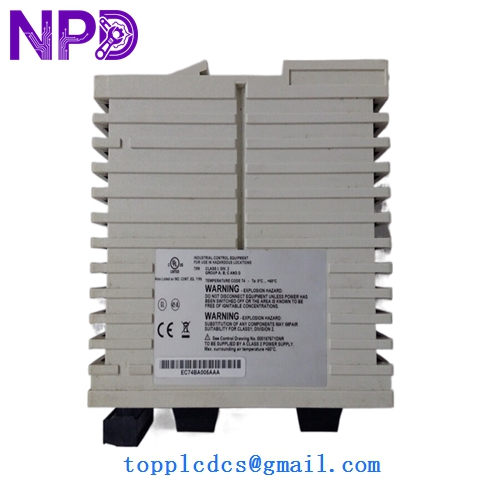
MODICON TCSESM043F2CS0
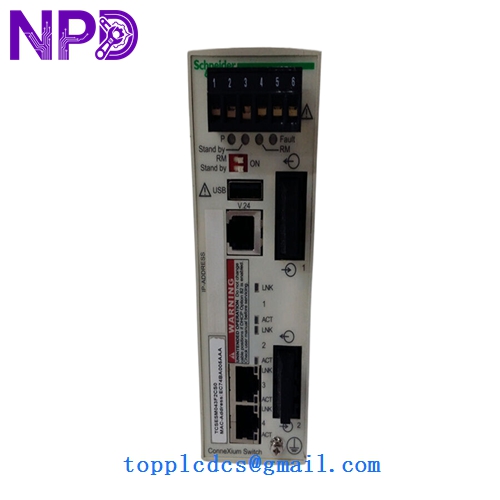
MODICON TCSESM043F2CS0
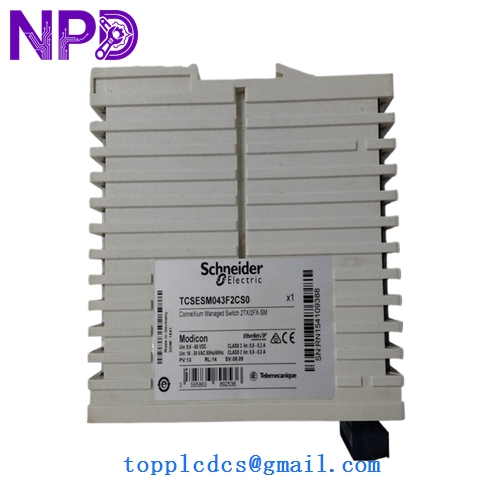
MODICON TCSESM043F2CS0
Application Scenarios & Pain Points
In an automated warehouse or assembly line, the TCSESM043F2CS0 serves as the localized “traffic cop.” The biggest headache for integrators using this specific ConneXium model is IGMP Snooping configuration. If you are running high-traffic EtherNet/IP multicast traffic (like high-speed motion control) and this switch isn’t configured correctly, the multicast traffic will flood every port, eventually crashing the PLC’s comms card. The compact 4-port design is perfect for tight cabinets, but it requires “managed” thinking to avoid “unmanaged” chaos.
Typical Application Scenarios:
- Localized Machine Control
Linking a Modicon M580 PLC to local HMI, variable frequency drives (VFDs), and remote I/O drops within a single machine cabinet.
- Infrastructure Ring Redundancy
Using Schneider’s HiPER-Ring protocol to ensure that if one network cable is cut, the data reroutes in less than 50ms, keeping the process online.
- Data Aggregation
Collecting data from legacy Modbus TCP devices and bridging them to a plant-wide SCADA backbone.
Case Study: The Bottleneck in the Bottling Plant
Background: A beverage bottling facility used unmanaged switches for their palletizing line.
Problem: Every time the plant added a new smart sensor, the network latency increased until the VFDs started tripping on “Communication Loss” faults. The network was flooded with unnecessary broadcast traffic.
Solution: We replaced the unmanaged hubs with TCSESM043F2CS0 managed switches. We enabled VLANs to isolate the drive traffic from the general factory network.
Result: Network jitter dropped by 60ms. The plant was able to increase line speed by 15% without a single communication trip.
Compatible Replacement Models
| Original Model | Replacement Model | Compatibility | Main Difference | Change Required | Cost Impact |
| TCSESM043F2CS0 | TCSESM043F2CS0 | ✅ Direct | N/A | 1:1 Replacement | Base |
| TCSESM043F2CS0 | TCSESM083F23F0 | ⚠️ Partial | 8-Port Version | Larger physical footprint | +40% |
| TCSESM043F2CS0 | TCSESU043FN0 | ❌ Incompatible | Unmanaged Version | Loses VLAN/Management | -30% |
Engineer’s Note: Be careful with the F2CS0 suffix. Schneider has several variations of the 4-port switch. This specific model is a Managed version. If you accidentally replace it with an Unmanaged (TCSESU) model, your Ring Redundancy (HiPER-Ring) will break, and your whole network might loop and crash.
Troubleshooting Quick Reference
| Symptom | Possible Cause | Spare Relevance | Quick Check | Action |
| FAULT LED On (Red) | Configuration Mismatch | ⚠️ Medium | Access web UI and check “Alarm Summary” | Clear logs; check Ring settings |
| Port LED Off | Physical Cable/SFP | ❌ Low | Test cable with a fluke tester | Replace patch lead |
| Intermittent Disconnects | Duplex Mismatch | ✅ High | Check if one side is “Auto” and other “Fixed” | Set both sides to Auto-Negotiate |
| No Access to Web UI | IP Subnet Mismatch | ❌ Low | Use Schneider’s “ConneXium Network Manager” | Reset to factory or find IP via ARP |
❗ Wiring Note: Power Redundancy
The TCSESM043F2CS0 has two power inputs (P1 and P2). If you only wire one power source, the “Fault” LED may stay lit because the switch thinks it has lost a power phase. To clear this without a second power supply, you usually have to disable the “Power Supply Monitoring” alarm in the management software.
SOP Quality & Testing Protocol:
Each Schneider ConneXium switch undergoes a Firmware Integrity Check to ensure it hasn’t been tampered with. We perform a Port Stress Test by flooding all 4 ports with 100Mbps traffic for 8 hours to check for thermal stability. We provide a Test Report including the default IP address (usually 192.168.1.10) and login credentials. Video of the “Ready” status and web interface login is available.