Description
Product Core Brief
| Attribute | Detailed Information |
| Model | TRICONEX 4351B |
| Brand | Schneider Electric (Triconex) |
| Series | Tricon v10.x / v11.x Systems |
| Core Function | Tricon Communication Module (TCM) for external interfacing |
| Product Type | Communication Interface Module |
| Key Specs | Dual Net Ports / Fiber Optic & Copper / Modbus TCP & EtherNet-IP |
Key Technical Specifications
- Network Interfaces: Two 10/100 Mbps Ethernet ports (Copper or Fiber Optic via SFP)
- Serial Ports: One RS-485 port (Modbus RTU support)
- Protocols Supported: Modbus TCP/RTU, EtherNet/IP, Triconex Peer-to-Peer, TSAA
- Architecture: Triple Modular Redundant (TMR) interface to the Tricon backplane
- Isolation: 500 V DC (Network to Backplane)
- Security: Role-based access control and port enable/disable features
- Compliance: SIL-3 rated as part of the Tricon Safety System
- Status Indicators: Pass, Fault, Active, and specific Network Link/Speed LEDs
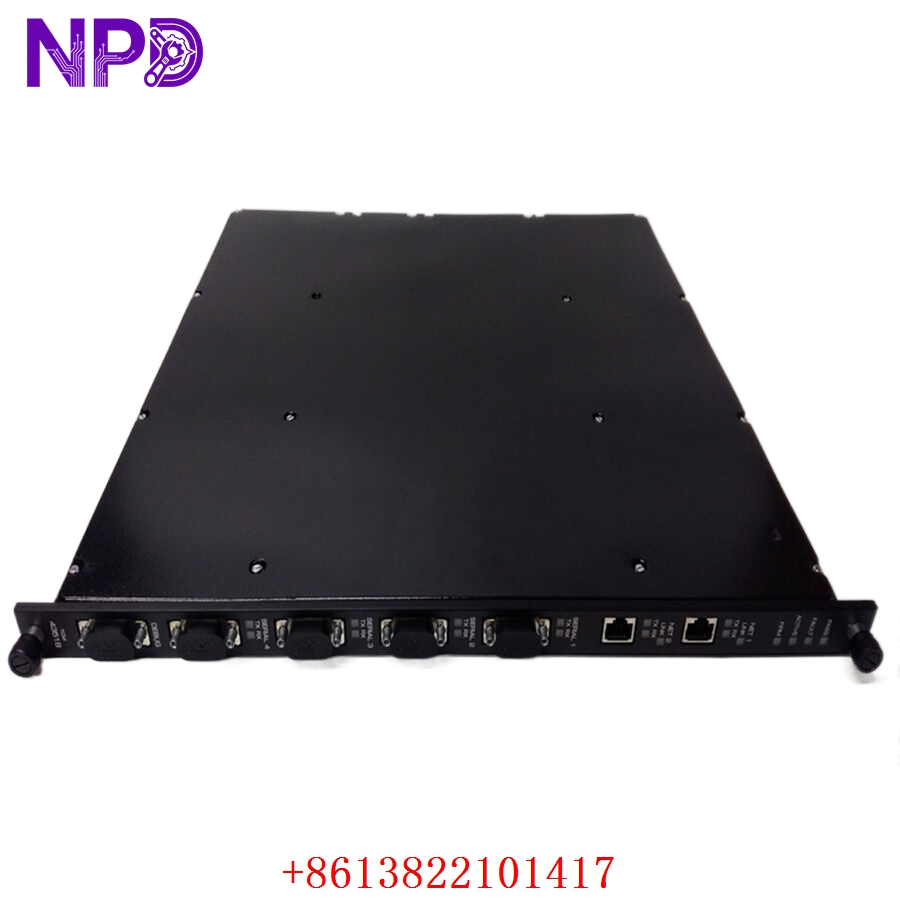
TRICONEX 4351B
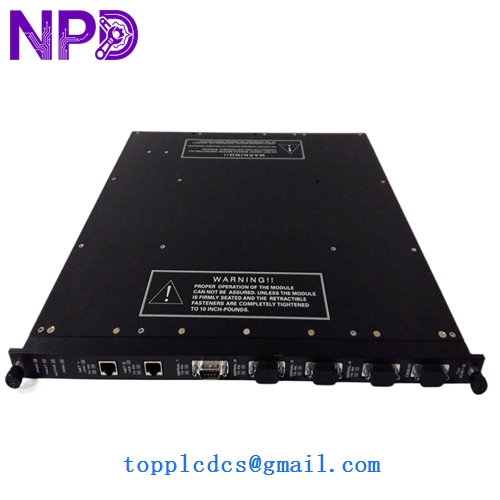
TRICONEX 4351B
Application Scenarios & Pain Points
The TRICONEX 4351B (TCM) is the gateway between the isolated safety world and the rest of your plant. While the 3008 processors handle the logic, the 4351B handles the talk—feeding data to your DCS, SCADA, or Historian. It’s designed so that a communication failure cannot “lock up” the safety controller’s execution.
The Engineering Challenge:
In modern “integrated” plants, the TCM is a single point of data failure. If your 4351B drops out, your operators lose visibility of the ESD (Emergency Shutdown) status. Worse, if you rely on Peer-to-Peer (P2P) communication between different Tricon racks (e.g., Boiler to Turbine), a TCM failure can trigger a full-site safety trip because the racks “lose sight” of each other. Replacing a faulty TCM quickly is the only way to prevent “blind” operations.
Typical Application Scenarios:
- DCS Integration (Modbus TCP/EtherNet-IP)
Sending thousands of safety points to an ABB 800xA or Honeywell Experion system for operator visualization.
- Safety Peer-to-Peer (P2P) Links
Direct, fast communication between multiple Tricon controllers in a distributed safety network.
- Sequence of Events (SOE) Recording
Transferring high-resolution time-stamped event data to a Historian for post-trip analysis.
- Asset Management
Allowing the Triconex Diagnostic Tool (TDT) to monitor the health of the hardware from a remote engineering station.
Case Study: The “Blind” Control Room at a Gas Plant
Background: A midstream gas processing facility used a 4351B to link its Tricon v10.5 system to a central Ignition SCADA.
Problem: The 4351B suffered an internal memory parity error. While the safety system was still protecting the plant, the Modbus TCP link died. The control room lost all safety status indicators—no pressure readings, no valve positions, just “Comms Fail” on the screen.
Solution: We dispatched a tested 4351B via next-day air. Because the TCM stores its configuration in the Tricon Main Processors, the replacement was a “plug-and-play” swap once the IP addresses were verified.
Result:
- Safety Maintained: The plant stayed online because the TCM failure did not interfere with the 3008 logic.
- Visibility Restored: Total “blind” time was less than 18 hours.
Compatible Replacement Models
The TCM series has evolved, and the “B” suffix usually denotes updated hardware components for better longevity.
| Original Model | Alternative Model | Compatibility Level | Notes |
| 4351B | 4351A | ⚠️ Software Compatible | 4351A is the older version; check for minimum TriStation version. |
| 4351B | 4351B (Series 2) | ✅ Direct Replacement | Fully interchangeable. |
| 4351B | 4352A/B | ❌ Incompatible | 4352 is the Fiber-only version (usually SCM). |
Troubleshooting Quick Reference
| Symptom | Possible Cause | Relevance | Quick Check | Action |
| “PASS” LED is Off | Module Hardware Failure | ✅ High | Reseat module; check if TriStation can “see” the TCM. | If “PASS” stays off, internal logic has failed. Replace module. |
| “NET 1” Link LED Off | Physical Cable/Switch Issue | ❌ Low | Swap Ethernet cable; check the switch port status. | Replace cable/check switch before replacing TCM. |
| Ping works, but no Modbus | Port/Protocol Disabled | ⚠️ Medium | Check TriStation “Communication Module” config. | Ensure the Modbus port is “Enabled” in software. |
| System Alarm: “TCM Mismatch” | Firmware Version Conflict | ⚠️ Medium | Compare the firmware version of the new TCM with the system project. | Re-flash TCM firmware to match the system version. |
Field Engineer’s Insight:
When you swap a 4351B, remember: The IP address and configuration are pushed from the Main Processors (MPs) to the TCM. You don’t usually “program” the TCM directly. However, if the new module has a much newer firmware than your existing MPs, they might refuse to talk. Always keep a firmware-matching kit or a laptop with TriStation 1131 handy.
❗ IMPORTANT: If you use the RS-485 port, check your termination resistors. I’ve seen 4351B ports “blow out” because of ground loops on the RS-485 line that weren’t properly isolated.
Need to check if your current TriStation version supports the 4351B firmware we have in stock? Just give me your system version, and I’ll verify the compatibility matrix for you.