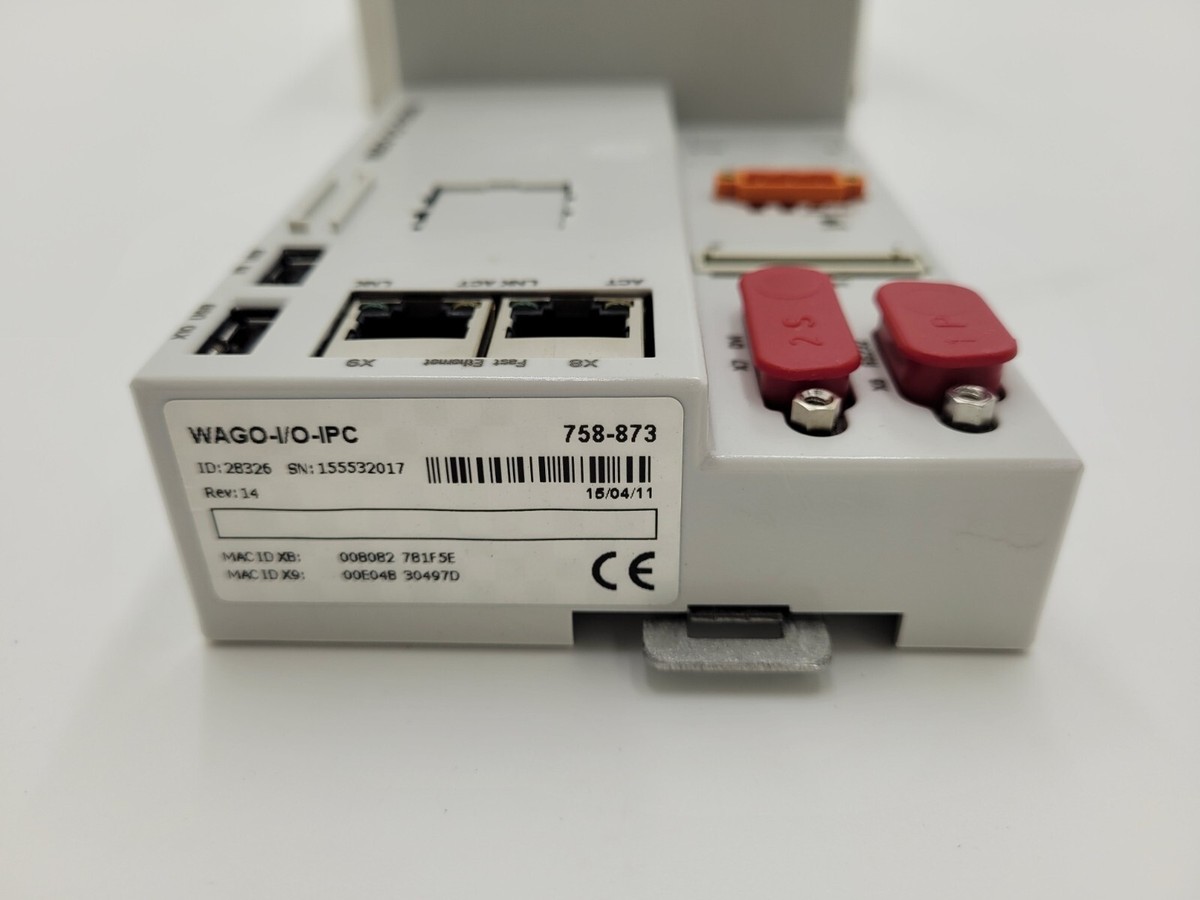

Description
- Model: WAGO 758-873
- Brand: WAGO
- Series: PERSPECTO® CP (Control Panel)
- Core Function: Combined HMI (Human Machine Interface) and PLC (Programmable Logic Controller)
- Product Type: Industrial PC / Touch Panel
- Key Specs: 5.7″ TFT Display 640×480 resolution Intel® Celeron® M 600 MHz
- Display: 14.5 cm (5.7″) TFT Color Touchscreen
- Processor: Intel® Celeron® M 600 MHz
- Memory:
- 256 MB RAM
- 128 MB Flash (internal)
- 1x CF Card slot (external)
- Communication Interfaces:
- 2x Ethernet (10/100 Mbps)
- 2x USB 2.0
- 1x RS-232 / RS-485
- 1x CANopen
- Operating System: Windows® CE 5.0
- Programming: WAGO-I/O-PRO (based on CODESYS)
- Protection Class: IP65 (front-side)
- Input Voltage: 24 V DC

Application Scenarios & Pain Points
The WAGO 758-873 is more than just a screen; it is a “Control Panel” that integrates the visualization and the control logic into a single unit. It is commonly used as a master controller for WAGO 750 Series I/O modules via CANopen or Ethernet. The biggest pain point with this model is the aging touchscreen. Over years of use in industrial environments, the resistive touch layer can lose calibration or fail entirely. Because this model runs Windows CE, recovering the original application files can be difficult if the internal Flash or CF card becomes corrupted.
Typical Application Scenarios:
- Building Automation Serving as a central room controller or HVAC management interface.
- Machine Tooling Controlling small-to-medium specialized machines where space for a separate PLC and HMI is limited.
- Renewable Energy Monitoring and controlling solar inverter banks or wind turbine auxiliary systems.
- Process Marine Systems Used for on-deck monitoring systems due to its robust front-panel IP65 rating.
Case Study: The “Ghost” Touch Failure
Background: A textile manufacturing plant reported that their WAGO PERSPECTO panel was “clicking” on its own, opening menus and changing setpoints without operator input.
Problem: We inspected the 758-873 and found that fine dust had packed into the bezel around the edge of the screen. This mechanical pressure was tricking the resistive touch sensor into thinking a finger was held down in the corner.
Solution: We provided a replacement unit and advised the client to implement a regular cleaning schedule using compressed air around the bezel.
Result: – Accuracy Restored: The “phantom” inputs stopped.
- Safety: The risk of accidental machine starts was eliminated.
- Engineer’s Insight: “Resistive touchscreens are great for gloved hands, but they are vulnerable to debris. If your 758-873 is acting up, clean the edges before you assume the hardware is dead.”
Compatible Replacement Models
The 758-873 is part of a specific generation of PERSPECTO panels. Newer versions (e.g., e!DISPLAY) may require software migration.
| Original Model | Replacement Model | Compatibility | Note |
|---|---|---|---|
| 758-873 | 758-873 | ✅ Exact Match | 5.7″ Control Panel. |
| 758-873 | 758-874 | ⚠️ Physical | Larger screen (10.4″); same logic, but different cutout size. |
| 758-873 | 762-4202 | ❌ Incompatible | Newer e!DISPLAY; uses e!COCKPIT software (incompatible with 758 project). |
Troubleshooting Quick Reference
| Symptom | Possible Cause | Relation | Quick Check | Action |
|---|---|---|---|---|
| Stuck at Boot Logo | Corrupt CF Card | ✅ High | Remove CF card and try to reboot. | Replace/re-image the CF card. |
| Touch Calibration Drift | Wear & Tear | ✅ High | Run the WinCE touch calibration tool. | If it fails to save, replace the panel. |
| No Ethernet Link | Configuration | ⚠️ Med | Check IP settings in the Control Panel. | Verify the Ethernet cable and switch. |
| Backlight is Dark | Inverter/LED Failure | ✅ High | Shine a flashlight at an angle to see if logic is visible. | Replace the panel (backlight is not field-serviceable). |
❗ Pro Tip: Backup Your Project
Since the 758-873 stores its PLC program on internal non-volatile memory or a CF card, you should always keep a backup of the .prg and .chk files from the CODESYS environment. If the hardware fails, you can simply load these files onto the replacement unit to be back in operation in minutes.
Handling & Maintenance:
- Screen Care: Do not use sharp objects (screwdrivers, pens) on the touch surface. This is a resistive screen and will scratch or puncture easily.
- Mounting: Ensure the mounting clamps are tightened evenly to maintain the IP65 seal against the cabinet door.
- Connectors: The 758-873 uses standard D-Sub and RJ-45 ports. Ensure these have adequate strain relief, as vibration can cause the solder points on the PCB to crack over time.