Description
- Model: JAPMC-IQ2303
- Brand: Yaskawa (Japan)
- Series: MP2000 (MP2200, MP2300, MP2310)
- Function: Combined Digital Input and Digital Output
- Points: 64 Total (typically 32 Inputs / 32 Outputs)
- Voltage: 24 V DC
-
- Input Section: 32 Points, 24 V DC, Sink/Source (Configurable via wiring).
- Output Section: 32 Points, 24 V DC, Transistor outputs (Sinking type).
- I/O Refresh Time: High-speed processing integrated with the MP2000 CPU bus.
- Connector Type: Uses high-density HIF3BA-64D or equivalent multi-pin connectors to save rack space.
- Isolation: Photo-coupler isolation between the internal logic and external field circuits to prevent noise interference.
- Indicators: Front-panel LEDs for “RDY” (Ready) and “ERR” (Error) status.
- Mounting: Direct plug-in to the MP2000 base unit or expansion rack.
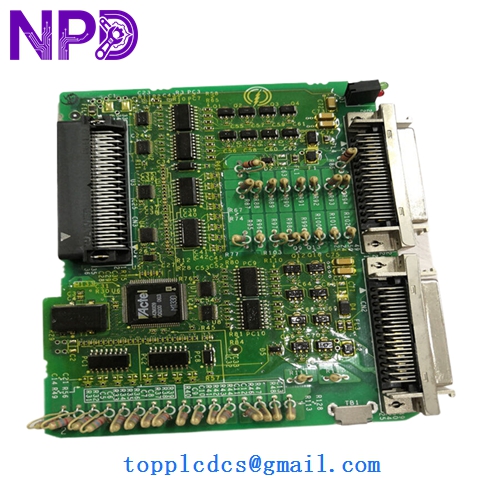
YASKAWA JAPMC-IQ2303
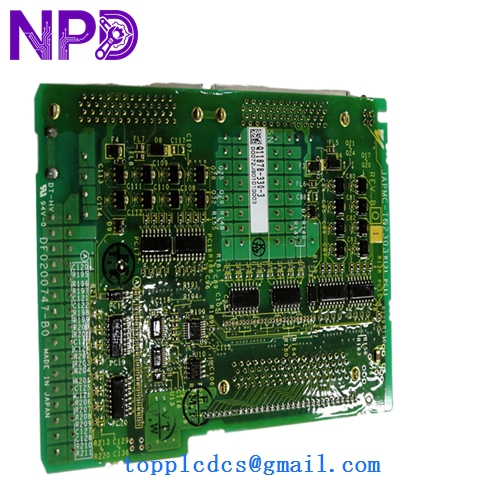
YASKAWA JAPMC-IQ2303
Installation & Configuration Guide
Phase 1: Pre-Installation (Preparation)
⚠️ Critical Warning: The MP2000 base unit and I/O modules are not designed for “Hot Swapping.” Plugging or unplugging this module while the controller is powered can cause permanent damage to the CPU backplane.
- Full Backup: Save your MPE720 software project.
- Cable Integrity: High-density 64-pin cables are susceptible to pin-bending. Inspect the cable head before connection.
- ESD Safety: Use a grounded wrist strap. The JAPMC-series modules contain sensitive high-speed logic chips.
Phase 2: Removal & Replacement
- Power Down: Turn off the 24V DC supply to the MP2000 controller.
- Disconnect Cables: Unplug the high-density I/O connectors.
- Extraction: Loosen the top and bottom mounting screws. Pull the module straight out from the rack guides.
- Hardware Addressing: Check the module’s dip-switches (if applicable) or slot position, as the MP2000 assigns I/O addresses based on physical slot location.
Phase 3: Commissioning
- Insertion: Slide the new JAPMC-IQ2303 into the slot and secure the screws.
- Power-Up: Restore power. The “RDY” LED should be solid green.
- Software Verification:
- Open MPE720 software.
- Navigate to the “Module Configuration” window.
- Confirm the system recognizes the 64-point I/O module in the correct slot.
- I/O Check: Force a few test bits in the software to verify that the physical outputs on the machine are actuating correctly.
Customer Cases & Industry Applications
Case 1: Correcting Intermittent Robotics Failures An automotive tier-1 supplier noticed random “Signal Lost” errors on a robotic welding cell using an MP2300 controller. After tracing the wiring, it was found that the internal transistor on one output of the JAPMC-IQ2303 was partially blown. Replacing the module with a New Surplus unit instantly restored the communication integrity and eliminated the intermittent downtime.
Case 2: Rapid Maintenance in a Semiconductor Line A semiconductor packaging line went down due to a short circuit in a sensor that fried the input stage of the I/O module. Because they had a JAPMC-IQ2303 in their strategic spares cabinet, the maintenance team swapped the module and had the line back at full capacity within 30 minutes, avoiding a massive loss in silicon wafers.
Frequently Asked Questions (FAQ)
Q: Is the JAPMC-IQ2303 compatible with the MP3000 series? A: No. The IQ2303 is designed for the MP2000 architecture. For MP3000 systems, you would typically use the newer SIGMA-7 based I/O modules.
Q: Do I need to program the module itself? A: No. The module is “dumb” hardware. All logic and configuration are handled by the MP2000 CPU through the MPE720 engineering software.
Q: Why choose “New Surplus” over “Used”? A: High-density I/O modules like the JAPMC-IQ2303 are often used in high-cycle applications (millions of switches). “Used” modules may have weakened transistors or worn-out photo-couplers. New Surplus ensures you are getting a module with its full operational life ahead of it.
Q: How do I handle the 64-pin connector wiring? A: We recommend using Yaskawa’s pre-made cable assemblies (e.g., JEPMC-W6060-xx) or a terminal block conversion module to simplify the wiring and reduce the chance of connection errors.