Description
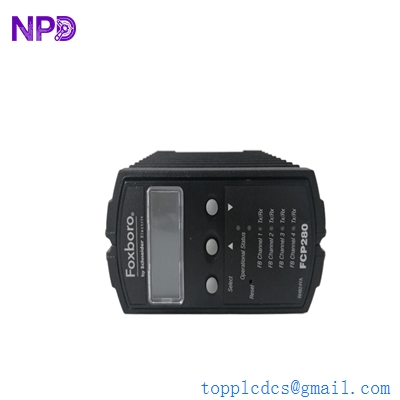
- Model: FOXBORO FCP270 (P0917YZ)
- Brand: Foxboro (by Schneider Electric)
- Series: I/A Series / EcoStruxure Foxboro DCS
- Core Function: Distributed control and communication between I/O and the mesh network
- Product Type: Field Control Processor (FCP)
- Key Specs: 100 Mbps Ethernet Supports up to 128 FBMs Redundancy capable
- Processor Type: High-speed RISC architecture
- Memory: 16 MB SDRAM, 32 MB Flash memory
- Communication: Dual 100 Mbps fiber optic or copper (The Mesh)
- I/O Support: Manages up to 128 Field Bus Modules (FBMs)
- Redundancy: Supports fault-tolerant pair configuration (hot standby)
- Input Voltage: 24 V DC (typical via backplane)
- Mounting: 2-position or 4-position baseplate
- Operating Temp: 0 to +60 °C (32 to +140 °F)
- Regulatory: CE, UL/CSA, Class 1 Div 2 hazardous location ratings
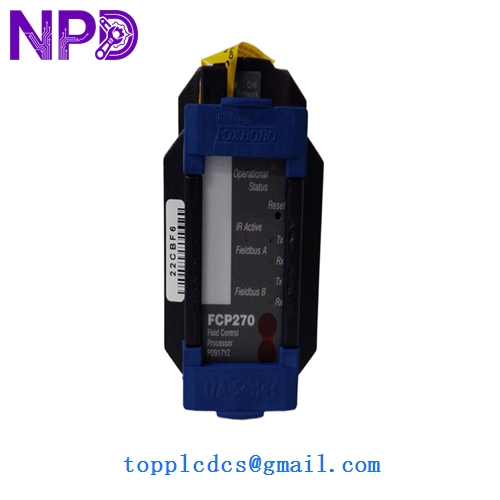
FOXBORO FCP270 P0917YZ
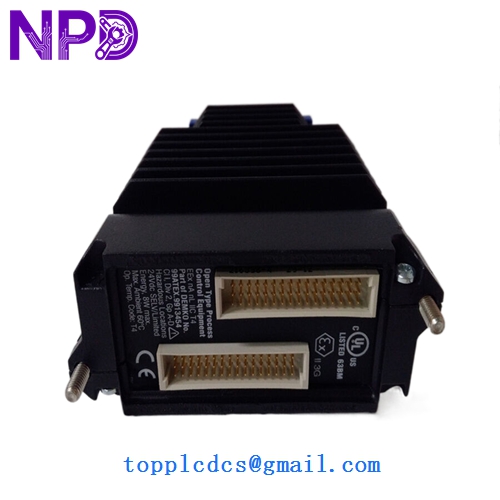
FOXBORO FCP270 P0917YZ
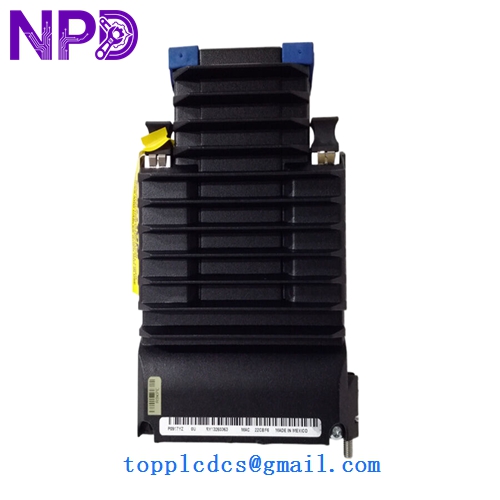
FOXBORO FCP270 P0917YZ
Application Scenarios & Pain Points
The FCP270 (P0917YZ) is the primary “engine” of the Foxboro I/A Series DCS. It is responsible for executing the control blocks (PID, Logic, etc.) and acting as the gateway between the field-level I/O and the high-speed “Mesh” network. If an FCP270 fails and there is no redundancy in place, the entire control area goes offline. In my experience, these are often the most time-critical spares for refineries and power plants because an FCP failure can lead to a “black plant” scenario in minutes.
Typical Application Scenarios:
- Refining & Petrochemical Control Executing complex regulatory control for distillation columns and crackers where timing is critical.
- Power Generation (DCS) Managing boiler control loops and turbine auxiliaries that require high availability and fast scan rates.
- Pharmaceutical Batching Ensuring precise sequence control and data logging for GMP-regulated production lines.
- Water & Wastewater SCADA Serving as a centralized processor for large distributed pump stations via fiber-optic Mesh links.
Case Study: The “Mesh” Mismatch
Background: A pulp and paper mill in Canada was upgrading a section of their plant and added a second FCP270 for redundancy. However, the new processor refused to “sync” with the existing primary.
Problem: The on-site team assumed all P0917YZ modules were identical. Upon investigation, we found the firmware on the new unit was V3.2, while the primary was still running V2.8. In the Foxboro world, firmware parity is non-negotiable for redundancy.
Solution: We provided a module with the correct firmware revision to match their existing I/A Series version.
Result: – Seamless Sync: The modules synchronized immediately upon insertion.
- Improved Uptime: The plant now has full hardware fault tolerance.
- Engineer’s Insight: “When ordering an FCP270, always check your Letterbug and software version. It’s not just about the hardware part number; the software environment dictates compatibility.”
Compatible Replacement Models
The FCP270 has seen several iterations. While the P0917YZ is the most common, you may encounter others depending on the baseplate and fiber/copper requirements.
| Original Model | Replacement Model | Compatibility | Note |
|---|---|---|---|
| FCP270 (P0917YZ) | P0917YZ | ✅ Exact Match | Standard 100Mbps Processor. |
| FCP270 (P0917YZ) | FCP280 | ⚠️ Software | The FCP280 is the newer upgrade; requires software migration. |
| FCP270 | FCP240 | ❌ Incompatible | Older 10Mbps version; backplane and speed differ. |
Troubleshooting Quick Reference
| Symptom | Possible Cause | Relation | Quick Check | Action |
|---|---|---|---|---|
| “FAIL” LED Solid Red | Hardware Error | ✅ High | Check the Letterbug display/Diagnostic screen. | Replace FCP270 module. |
| Not Synchronizing | Firmware Mismatch | ✅ High | Check the system software version vs. FCP Rev. | Flash firmware or replace with matched Rev. |
| Mesh Comm Alarms | SFP/Cable Issue | ⚠️ Med | Inspect fiber optic links and SFP transceivers. | Replace SFP before replacing the processor. |
| Intermittent Reboots | Power Stability | ⚠️ Med | Measure 24V DC at the baseplate terminals. | Check baseplate power supplies. |
❗ Pro Tip: The “Letterbug” Display
The FCP270 features a small alphanumeric display. If the unit isn’t booting, look at that display! It provides 2-character codes that are specific to the boot sequence. If you see “BF” (Boot Fail) or “HW” (Hardware Error), the processor is likely toast. If it stays at “==” for more than 5 minutes, it’s not finding the software load from the workstation.
Handling & Configuration:
Always ensure you have a backup of the ICC (Integrated Control Configurator) or Control Core Services files before swapping an FCP. While the processor is “dumb” until it gets its load, having the exact station configuration ready will save you hours of downtime during the “Re-load” phase. Remember to set the Letterbug (station address) on the new module to match the one you are replacing!