Description
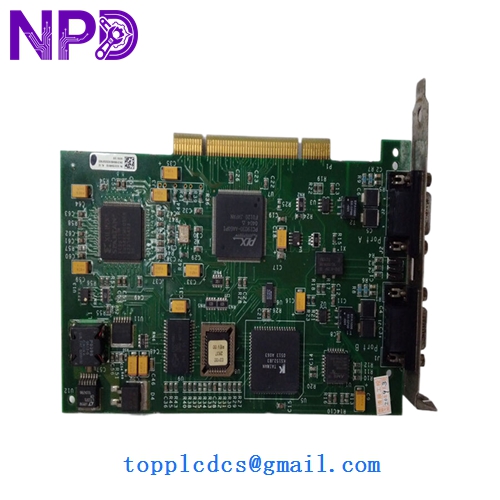
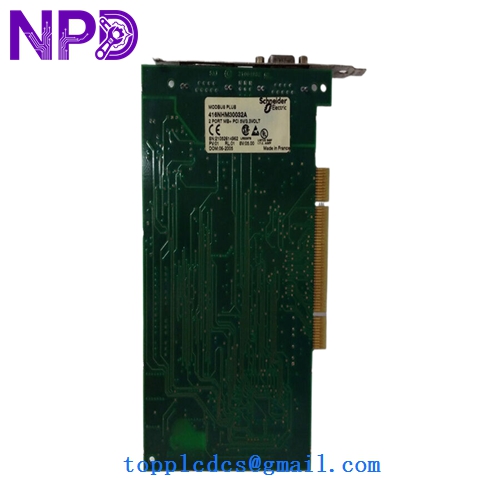
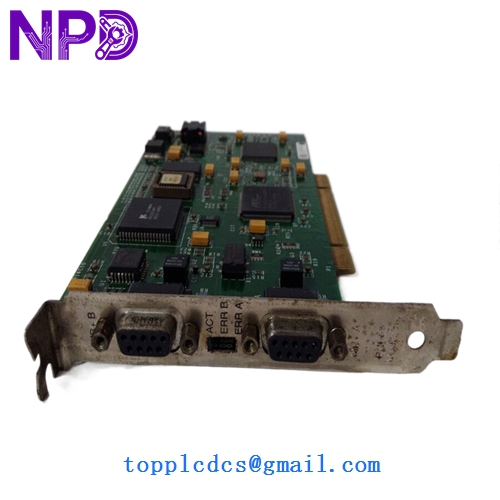
- Model: 416NHM30032A
- Brand: Schneider Electric / Modicon
- Series: Modicon 984 Compact Series
- Core Function: Memory expansion and option module for Compact 984 controllers
- Condition: Brand New Surplus (Original New), zero-hour usage, original factory seals
- Product Type: Option / Memory Module
- Key Specs: Compatible with 984-A120 series | Low power consumption | High-reliability SRAM
Key Technical Specifications
- Compatibility: Specifically designed for Modicon 984-A120 Compact PLCs
- Memory Type: Battery-backed SRAM
- Storage Capacity: Specific to the 30032A revision (typically expansion for logic and registers)
- Data Retention: Requires external battery on the base PLC unit
- Bus Interface: Direct plug-in to the option slot of the Compact base
- Isolation: Industrial grade EMI/RFI shielding
- MTBF: Rated for over 200,000 hours of continuous operation
- Operating Temperature: 0 to 60 °C (32 to 140 °F)
- Humidity: 0 to 95% (non-condensing)
- Form Factor: Compact plug-in footprint
Installation & Configuration Guide
Phase 1: Pre-Installation (Preparation: 10 minutes)
⚠️ Legacy Hardware Warning: The Modicon 984 Compact series utilizes older electronic components that are highly susceptible to static. Always use an ESD-safe workstation. Because the 416NHM30032A handles logic memory, pulling this module while powered can corrupt the entire CPU executive program.
Tools & Prep:
- ESD Wrist Strap
- Modsoft or Proworx software (to verify memory allocation)
- Needle-nose pliers (if any jumper adjustments are needed on the base unit)
Phase 2: Removing the Old Module (Removal: 10 minutes)
- Backup First: Crucial! Before doing anything, upload the current PLC program and register data. Replacing a memory module often clears the RAM.
- Power Down: Switch off the 24V DC or 115/230V AC power to the Compact base.
- Ejection: Locate the release clips on the side of the option module slot. Gently pry the old 416NHM30032A out. Avoid touching the gold contact pins.
Phase 3: Installing the New Module (Installation: 15 minutes)
- Alignment: The module is keyed to fit only one way. Align the pins with the internal socket of the 984 base.
- Seating: Press firmly until you hear a “snap.” The module faceplate should be flush with the PLC housing.
- Battery Check: Ensure the battery in the 984-A120 base is fresh (check voltage > 2.8V). A dead battery will cause the new memory module to lose data the moment you cycle power.
Phase 4: Commissioning & Testing (Testing: 30 minutes)
- Power Up: Turn on the PLC. The “Ready” light should blink and then go steady.
- Memory Clear: You will likely see a “Memory Error” initially. This is normal. Use your programming software to perform a “Memory Clear” and “Initialize” command.
- Download: Download your backed-up program to the new 416NHM30032A.
- Verify: Check the register values and logic scan time to ensure the expansion memory is being utilized correctly.
Customer Cases & Industry Applications
Case 1: Grain Elevator Automation Recovery A large grain silo in the Midwest relied on a Modicon 984-A120 for its conveyor sequence logic. A lightning strike nearby caused a memory parity error on the existing 416NHM30032A. The plant was at a standstill during harvest season. Since Schneider no longer stocks these, the local distributor suggested a $20,000 migration. We provided a New Surplus module from via overnight shipping. The system was back online the next day for less than 10% of the upgrade cost.
Case 2: Textile Machine Life Extension A textile mill in Southeast Asia had 20 machines running on Modicon Compact PLCs. To increase the complexity of their patterns, they needed to expand the register memory. By purchasing our remaining 416NHM30032A units, they were able to upgrade their machines’ capabilities without the risk of learning new software or rewiring the cabinets.
Frequently Asked Questions (FAQ)
Q: Does this module come with a new battery? A: No. The 416NHM30032A is a memory carrier. The backup battery is located within the main 984 Compact PLC base unit. We strongly recommend replacing that battery whenever you install a new memory module.
Q: Can I use this in a 984-685 or 984-785 Slot Mount PLC? A: No. The “NHM” series is specifically designed for the Compact (A120 style) form factor. Slot-mount 984 systems use different memory expansion cards.
Q: Is “New Surplus” really as good as a new part from 1995? A: Actually, it’s better than a “used” part from 1995. While the components are legacy, these units have never been subjected to the heat cycles of a working control cabinet. In my experience, “New Surplus” memory modules have a much lower failure rate than “Refurbished” ones where the SRAM chips may already be aged.
Q: Why does the PLC show a “Dim” Ready light after installation? A: This usually indicates a firmware mismatch or an improperly seated module. Pull the 416NHM30032A, check the pins for any dust, and re-seat it firmly. If the problem persists, you may need to clear the PLC executive memory.