
Product Description
The Indramat MT-CNC 264281 is an industrial CNC control component associated with the Bosch Rexroth Indramat MT-CNC automation platform. Designed for integration into computer numerical control systems, MT-CNC hardware supports coordinated machine control, positioning operations, and communication with associated drive and automation equipment. It is intended for use in industrial machine tools and automated manufacturing environments where accurate motion coordination and reliable control-system integration are essential. The MT-CNC family is part of Indramat’s legacy CNC technology portfolio and may be found in existing production machinery requiring maintenance, repair, or replacement components. The exact hardware function, electrical specifications, interfaces, and compatibility of part number 264281 must be confirmed from its physical identification label and original machine documentation before installation.
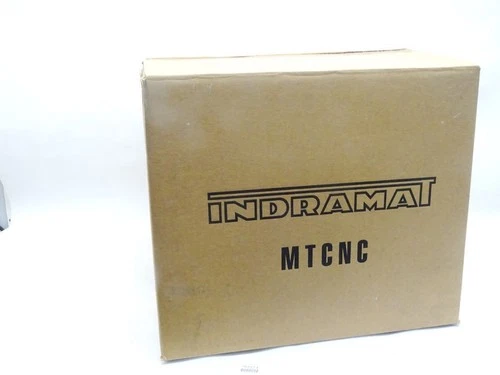
📋 Product Datasheet
| Parameter | Specification |
|---|---|
| Brand | Bosch Rexroth Indramat |
| Model | MT-CNC 264281 |
| Part Number | 264281 |
| Series | Indramat MT-CNC |
| Product Name | Industrial CNC Control Component |
| Product Category | CNC Automation / Motion Control |
| Application | Numerical Machine Control |
| Control Platform | Indramat MT-CNC |
| Processor | Not verified |
| Communication Interface | Depends on hardware configuration |
| Power Requirements | Not verified; check nameplate |
| Dimensions | Not verified |
| Weight | Not verified |
| Place of Manufacture | Not verified |
| Country of Origin | Not verified |
| Product Status | New Original Packaging, according to seller description |
| Cooling Method | Depends on hardware configuration |
| Firmware | Not verified |
| Discontinued | Legacy product family; exact part lifecycle requires confirmation |
⚙️ Operating Procedures and Usage Instructions
1. Installation and Preparation
- Inspect the original packaging and verify the component identification label.
- Confirm part number 264281 against the machine’s original bill of materials.
- Check the hardware revision and any additional type-code markings.
- Inspect connectors, mounting points, and contact surfaces.
- Verify compatibility with the existing Indramat MT-CNC control rack.
- Check the required power supply and interface specifications using the machine documentation.
- Install the component in its designated position.
- Ensure all connections are correctly seated and secured.
- Verify grounding and electrical isolation requirements before energizing the system.
2. Power-On Sequence
- Confirm that the CNC machine is in a safe maintenance condition.
- Check the control cabinet wiring and power supply.
- Verify the installation and connections of the MT-CNC hardware.
- Switch on the auxiliary control power according to the machine procedure.
- Energize the CNC system using the approved sequence.
- Allow the control system to complete initialization.
- Check status indicators and diagnostic messages.
- Verify communication with connected drive and I/O modules.
- Confirm that the CNC system recognizes the installed hardware.
- Enable machine operation only after all system checks are complete.
3. Normal Operating Procedure
- Start the machine’s CNC operating environment.
- Verify the control system status.
- Check communication with the connected motion-control equipment.
- Confirm that machine reference and positioning data are available.
- Load the approved CNC program.
- Verify axis configuration and machine operating limits.
- Execute a controlled test cycle.
- Monitor axis movement and diagnostic messages.
- Confirm that all machine interlocks are functioning correctly.
- Start automatic production after successful verification.
4. Parameter Configuration and Modification
- Access the machine’s approved CNC engineering environment.
- Back up the existing machine parameters and control configuration.
- Verify the hardware identification and installed firmware.
- Check axis assignments and associated drive configurations.
- Confirm communication settings and I/O mapping.
- Review machine-specific positioning and operating parameters.
- Make changes only according to the original machine documentation.
- Save the configuration and verify system diagnostics.
- Perform a controlled test cycle before returning the machine to production.
5. Shutdown Sequence
- Stop the CNC program.
- Bring all machine axes to a safe position.
- Confirm that spindle and axis movement have stopped.
- Save required machine data and configuration changes.
- Exit the CNC operating environment according to the machine procedure.
- Disable the drive system in the approved sequence.
- Switch off the CNC control and auxiliary power.
- Isolate the cabinet power before hardware maintenance.
- Verify electrical safety before removing the component.
🔧 Daily Maintenance and Troubleshooting
- Check the CNC control system’s diagnostic messages.
- Inspect connectors and rack mounting points.
- Verify communication between the CNC controller and drive equipment.
- Check the control cabinet temperature and ventilation.
- Back up machine parameters and CNC programs regularly.
- Investigate communication faults by checking connected interfaces and cables.
- Check hardware recognition if the controller does not initialize.
- Review firmware and configuration compatibility after component replacement.
- Record fault codes and machine operating conditions.
- Keep original configuration records for future maintenance.
⚠️ Safety Precautions
- Installation must be performed by qualified CNC and electrical technicians.
- Isolate electrical power before removing or installing control hardware.
- Follow electrostatic discharge precautions when handling electronic components.
- Never insert or remove modules while energized unless the manufacturer explicitly supports hot swapping.
- Back up machine parameters before replacing control components.
- Do not assume compatibility based only on the MT-CNC family name.
- Verify the exact part number, revision, and machine configuration before commissioning.
- Preserve all original machine safety interlocks.
🔗 Product Keywords and Information
Indramat 264281, Bosch Rexroth Indramat MT-CNC, MT CNC Control, Industrial CNC Controller, Numerical Control System, CNC Machine Automation, Indramat Motion Control, Industrial Machine Tool Spare Parts, CNC Replacement Components.
For industrial CNC controllers and automation spare parts, visit:
Recommended Bosch Rexroth Indramat Models
- MTC-P01.2 – MT-CNC Control Module
- MTC-R01.1 – MT-CNC Control Module
- MTC-R02.1 – MT-CNC Control Module
- MTS-P01.2 – PLC Control Module
- MTS-R01.1 – PLC Control Module
- PPC-R02.2 – VisualMotion Controller
- PPC-R22.1 – VisualMotion Controller
- CLC-D02.3 – Motion Control Module
- CLC-P01.2 – Motion Control Module
- CLC-R03.4 – Motion Control Module
- CLM01.3 – Motion Control Module
- CML25.1 – Indramat Controller
- BTV20.3 – Operator Terminal
- BTV30.2 – CNC Operator Terminal
- IndraControl XM22 – Embedded Controller
Note: These are related Indramat and Bosch Rexroth automation product families, not confirmed direct replacements for part number 264281. Verify the complete hardware designation, firmware, interfaces, and machine-specific configuration before ordering.


