
Product Description
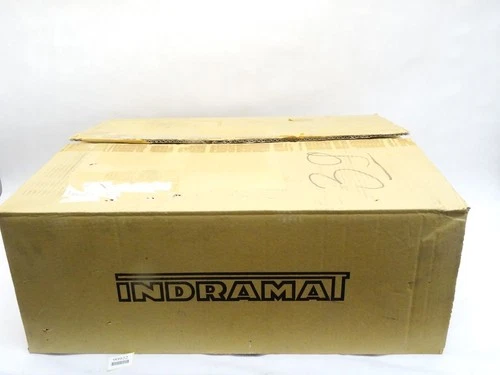
The Bosch Rexroth Indramat BTV01.1AA-08N-25C-AB-NN/MD-DE is an industrial visualization and operating terminal from the BTV01 series, designed for machine operation, process monitoring, and operator input in industrial automation systems. It combines a 10.4-inch color TFT display with an integrated alphanumeric keyboard, allowing operators to access machine information, enter commands, and monitor operating conditions from a cabinet-mounted interface. The terminal provides serial communication through an RS232C interface and a Serial Indramat Interface (SIS), supporting integration with compatible Indramat control systems. Its 115/230 V AC autoranging power configuration and IP65-rated front panel make it suitable for industrial control cabinets and machine operator stations. The BTV01.1AA is intended for legacy automation installations where the original terminal configuration must be maintained. The supplied listing describes the unit as new in original packaging, making it suitable for replacement inventory and maintenance applications.
Key Product Parameters
- Brand: Bosch Rexroth Indramat
- Model: BTV01.1AA-08N-25C-AB-NN/MD-DE
- Series: BTV01 Visualization Terminals
- Product Name: Industrial Operating and Visualization Terminal
- Product Type: Cabinet-Mounted HMI / Industrial Operator Terminal
- Display Size: 10.4 inches
- Display Type: Color TFT
- Display Resolution: 640 × 480 pixels (VGA)
- Processor: Pentium II MMX, minimum 200 MHz
- Memory: 32 MB RAM
- Storage: Minimum 0.5 GB hard-drive capacity
- Keyboard: Integrated alphanumeric keyboard
- Keyboard Configuration: Full NC keyboard configuration associated with this model family; verify exact layout on the unit
- COM 1 Interface: RS232C
- COM 2 Interface: Serial Indramat Interface (SIS)
- ISA-Bus Adapter: Not equipped
- Additional Interfaces: No additional interface option confirmed
- Power Supply: 115/230 V AC ±15%, automatic voltage range selection
- Input Frequency: 45–65 Hz
- Front Panel Protection: IP65
- Housing Protection: IP20
- Operating Temperature: +5°C to +45°C
- Storage Temperature: -20°C to +60°C
- Typical Heat Dissipation: Approximately 65 W
- Maximum Heat Dissipation: Approximately 200 W
- Weight: Approximately 8 kg
- Dimensions: Confirm the exact cabinet cutout and housing dimensions from the installation drawing
- Place of Manufacture: Not confirmed; check the nameplate
- Country of Origin: Not confirmed
- Product Status: New Original Packaging, as stated in the supplied listing
- Discontinued Status: Legacy BTV01 product family; current availability should be confirmed
Operating Procedures and Usage Instructions
1. Installation Preparation
- Verify the complete type code BTV01.1AA-08N-25C-AB-NN/MD-DE.
- Confirm that the terminal matches the original machine configuration.
- Check the cabinet cutout, mounting depth, and required ventilation clearance.
- Inspect the display, keyboard, housing, and communication connectors.
- Verify the available AC supply against the terminal’s 115/230 V AC input specification.
- Review the machine electrical drawings and Indramat system documentation before installation.
2. Mechanical Installation
- Disconnect the electrical supply before installation.
- Prepare the cabinet opening according to the terminal installation drawing.
- Insert the terminal into the designated panel opening.
- Secure the unit using the specified mounting hardware.
- Check the front-panel gasket and mounting pressure to maintain the specified protection level.
- Ensure sufficient rear clearance and ventilation for heat dissipation.
3. Electrical Connection
- Verify the AC supply voltage and protective grounding.
- Connect the power supply according to the terminal wiring documentation.
- Connect the RS232C interface to the designated compatible control device.
- Connect the SIS interface where required by the machine configuration.
- Check cable routing, connector seating, and shielding.
- Confirm that no communication cable is connected to an incompatible interface.
4. Power-On and Initial Checks
- Restore the AC supply using the approved machine startup procedure.
- Allow the terminal to complete its startup sequence.
- Check the display for normal image output.
- Test the integrated keyboard and operator input functions.
- Verify communication through the configured serial interface.
- Check for startup, communication, or system configuration errors.
5. Normal Operation
- Access the machine operating interface.
- Monitor process values, machine status, and diagnostic messages.
- Use the integrated keyboard to enter commands and operating data.
- Navigate available machine functions according to the operator authorization level.
- Monitor communication status between the terminal and the connected control system.
- Report abnormal display, keyboard, or communication behavior to maintenance personnel.
6. Parameter Configuration and Modification
- Back up the existing machine and terminal configuration where supported.
- Confirm the installed software and firmware versions.
- Verify RS232C and SIS communication settings against the original machine documentation.
- Modify interface or terminal settings only through the approved service procedure.
- Do not install unsupported operating systems or software on this legacy terminal.
- Record configuration changes and test the machine interface before returning the equipment to service.
7. Shutdown Procedure
- Stop active machine operations and place the system in a safe state.
- Close active terminal applications according to the machine procedure.
- Shut down the connected control system using its approved sequence.
- Switch off and isolate the terminal’s AC supply before servicing.
- Allow the equipment to cool before removing it from the cabinet.
Daily Maintenance
- Clean the front display with a soft, lint-free cloth.
- Avoid abrasive cleaners and excessive pressure.
- Check the keyboard for stuck or unresponsive keys.
- Inspect the front-panel gasket and mounting hardware.
- Check serial connectors and cables for looseness or damage.
- Keep cabinet ventilation openings clear.
- Monitor cabinet temperature and terminal operating stability.
- Review recurring communication or startup alarms.
- Maintain backups of relevant machine configuration and terminal software where available.
Troubleshooting
1. Terminal Does Not Power On
Check the AC supply, voltage selection behavior, protective grounding, and power connections. Verify that the supply is within the specified input range.
2. Display Does Not Show an Image
Check the terminal startup status and internal display hardware. Review system diagnostics and inspect the unit for physical damage.
3. Keyboard Does Not Respond
Inspect the keyboard for stuck keys or contamination. Check the terminal software and system status.
4. RS232C Communication Failure
Verify the serial cable, connector pinout, communication parameters, and connected device configuration.
5. SIS Communication Error
Check the Serial Indramat Interface connection and confirm that the connected control system supports the terminal’s SIS configuration.
6. Terminal Overheating
Check cabinet ventilation, ambient temperature, and rear clearance. Remove dust from ventilation openings and verify that the terminal is operating within its specified environmental limits.
Safety Precautions
- Installation and maintenance must be performed by qualified industrial electrical personnel.
- Disconnect AC power before opening the cabinet or servicing the terminal.
- Verify the supply voltage before connecting the power cable.
- Maintain protective grounding according to the machine electrical design.
- Do not expose the rear housing to liquids or excessive dust.
- Maintain sufficient cabinet ventilation and operating clearance.
- Use only compatible serial interfaces and approved cables.
- Back up machine configuration before modifying software or communication settings.
- Do not assume that other BTV01 variants have identical electrical or interface configurations.
- Complete communication and functional checks before returning the machine to production.
Product Keywords
Indramat BTV01.1AA-08N-25C-AB-NN/MD-DE, BTV01.1AA, Bosch Rexroth Indramat terminal, BTV01 operating terminal, industrial visualization terminal, 10.4-inch TFT HMI, 640 × 480 display, Indramat operator panel, RS232C interface, SIS serial interface, industrial machine HMI, AC-powered operator terminal, CNC machine control panel, automation spare parts.
Product information: https://www.newplcdcs.com
15 Related Indramat Models and Product Families
The following are related BTV01 visualization terminal variants and Indramat operator-interface product families. They are useful for spare-parts research but are not confirmed direct replacements for this exact configuration.
- BTV01.1AA-08N-25C-AB-NN-FW – BTV01 Terminal Variant
- BTV01.1AA-08N-25C-AN-ND-FW – BTV01 Terminal Variant
- BTV01.1AA-08N-25C-BA-NN-FW – BTV01 Terminal Variant
- BTV01.1CA-08N-08C-AN-NN/MD-DE – BTV01 Terminal Variant
- BTV01.2CA-08N-50A-AN-NN-FW – BTV01.2 Visualization Terminal
- BTV01.3CA-16N-50B-BB-NL-FW – BTV01.3 Visualization Terminal
- BTV01.4CA-32T-50D-AS-DL-FW – BTV01.4 Visualization Terminal
- BTV01 Visualization Terminal Family – Industrial HMI Series
- BTV02 Visualization Terminal Family – Indramat Operator Interface
- BTV20 Industrial Operating Terminal Family
- BTZ Industrial Operator Terminal Family
- PCK Industrial PC Family
- PCE Industrial PC Family
- Indramat CNC Operator Interface Family
- Bosch Rexroth IndraControl Panel Family
Always verify the full type code, display configuration, keyboard layout, serial interfaces, power supply, firmware, and cabinet dimensions before selecting a replacement.


