
Product Description
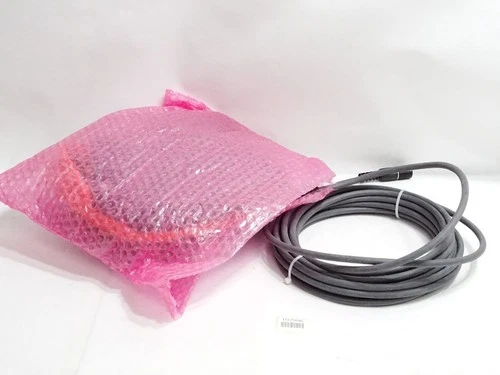
The KUKA 00-168-334 is a KCP4 smartPAD handheld teach pendant designed for operating, programming, and commissioning industrial robots equipped with KUKA KRC4 controllers. It provides an integrated touchscreen operator interface combined with physical control buttons, a 6D mouse, an emergency-stop button, and an enabling device for controlled robot operation. The pendant allows operators and maintenance technicians to access robot programs, monitor operating conditions, perform manual jogging, and carry out diagnostic tasks directly from the robot cell. Its wired connection provides communication and power between the smartPAD and the compatible KRC4 robot controller. The 00-168-334 is suitable for robot maintenance, replacement, and spare-parts inventory where the installed controller and pendant configuration are compatible. The supplied listing describes this unit as unused, making it a potential spare for KRC4 automation systems.
Key Product Parameters
- Brand: KUKA
- Model: 00-168-334
- Product Name: KCP4 smartPAD Teach Pendant
- Series: KUKA KRC4 Robot Operator Interface
- Product Type: Handheld Robot Control and Programming Panel
- Compatible Controller: KUKA KR C4 / KRC4
- Display Size: 8.4 inches
- Display Type: Color TFT touchscreen
- Display Resolution: 800 × 600 pixels (commonly specified for this smartPAD generation; verify exact revision)
- Operating Interface: Touchscreen and physical operator controls
- Motion Control: Integrated 6D mouse and jog controls
- Safety Controls: Emergency-stop button and three-position enabling device
- Connection: Dedicated KUKA smartPAD cable and controller interface
- Cable Length: Approximately 10 m when supplied with the standard cable; verify included cable
- Operating Voltage: 24 V DC
- Current Consumption: Approximately 1 A
- Protection Rating: IP54 (verify the exact hardware revision)
- Dimensions: Approximately 360 × 280 × 100 mm reference envelope; confirm before packaging or mounting arrangements
- Weight: Varies with cable and accessories; exact unit weight not confirmed
- Place of Manufacture: Not confirmed; check the product nameplate
- Country of Origin: Not confirmed
- Product Status: Unused, as stated in the supplied listing
- Power Requirements: Supplied through the compatible KRC4 controller connection
- Discontinued Status: Legacy KCP4 generation; current spare-part availability should be confirmed
Operating Procedures and Usage Instructions
1. Preparation and Compatibility Checks
- Confirm that the robot uses a compatible KUKA KRC4 controller.
- Check the pendant label for the exact part number 00-168-334 and hardware revision.
- Inspect the housing, touchscreen, emergency-stop button, enabling device, and cable.
- Confirm that the supplied cable and connector match the controller interface.
- Check the robot cell’s safety configuration and operating mode.
- Ensure that the pendant is intended for the specific controller and software configuration.
2. Connection and Installation
- Place the robot in a safe condition before connecting the pendant.
- Follow the KUKA controller manual for the approved pendant connection procedure.
- Inspect the connector for bent contacts, contamination, or physical damage.
- Connect the smartPAD to the designated KRC4 interface.
- Secure and route the cable to prevent crushing, excessive bending, or interference with robot movement.
- Verify that the pendant is properly recognized by the controller.
3. Power-On and Initial Checks
- Start the KRC4 controller using the approved startup sequence.
- Wait for the smartPAD interface to initialize.
- Check touchscreen response and physical button operation.
- Verify the emergency-stop circuit and enabling device using the approved safety test procedure.
- Confirm that the correct robot and operating system information appear.
- Check for pendant communication or hardware alarms before operation.
4. Normal Operation
- Select the authorized robot operating mode.
- Log in with the appropriate access level.
- Navigate the smartHMI interface to access robot programs and system information.
- Use the 6D mouse or jog keys for manual robot movement when permitted.
- Monitor robot status, axis positions, alarms, and operating messages.
- Use the pendant for program selection, teaching, and approved maintenance operations.
- Keep the enabling device correctly operated during permitted manual-motion activities.
5. Parameter Configuration and Program Modification
- Back up robot programs and relevant system configuration before making changes.
- Confirm the installed KUKA System Software version.
- Use the approved KUKA programming and configuration functions.
- Modify robot programs, tool data, base data, or operating parameters only when authorized.
- Verify safety-related settings and machine-cell interlocks after configuration changes.
- Test program changes at reduced speed and under controlled conditions.
6. Shutdown Procedure
- Stop robot motion and place the robot in a safe position.
- End active programming or maintenance operations.
- Follow the KRC4 controller shutdown procedure.
- Disconnect the pendant only as permitted by the controller documentation.
- Store the smartPAD in its designated holder, protecting the touchscreen and cable.
- Secure the connector against contamination when the pendant is not connected.
Daily Maintenance
- Clean the touchscreen with a soft, lint-free cloth.
- Avoid abrasive cleaners and excessive pressure on the display.
- Inspect the emergency-stop button for physical damage.
- Check the enabling device for normal mechanical operation.
- Inspect the cable jacket and connector for wear, cuts, or deformation.
- Check the 6D mouse and jog keys for consistent response.
- Keep the pendant housing clean and dry.
- Check for communication interruptions or recurring operator-interface alarms.
- Store the pendant securely when not in use.
Troubleshooting
1. smartPAD Does Not Start
Check the controller status, pendant connector, cable condition, and compatible 24 V DC supply from the controller.
2. Touchscreen Does Not Respond
Inspect the screen for contamination or damage. Check the pendant hardware and controller diagnostics.
3. Pendant Communication Error
Inspect the dedicated cable and connector. Confirm that the pendant is compatible with the KRC4 controller and its installed configuration.
4. Emergency-Stop Alarm
Check the emergency-stop button, safety circuit, and controller diagnostic messages. Do not bypass safety functions to clear an alarm.
5. Enabling Device Fault
Check the three-position enabling device and its safety-system diagnostics. Have qualified KUKA service personnel inspect the assembly if abnormal behavior persists.
6. 6D Mouse or Jog Keys Do Not Respond
Check the selected operating mode, enabling conditions, pendant input functions, and controller status.
Safety Precautions
- Only trained and authorized personnel should operate or service the robot system.
- Never bypass the emergency-stop or enabling-device safety functions.
- Verify the robot’s operating mode before manual movement.
- Keep personnel outside hazardous robot movement zones.
- Inspect the pendant cable before every shift.
- Do not use a damaged emergency-stop button or enabling device.
- Follow KUKA safety procedures when connecting or disconnecting the pendant.
- Test safety functions after replacement or maintenance.
- Use reduced-speed operation during commissioning and initial testing.
- Confirm KRC4 compatibility before connecting the pendant.
Product Keywords
KUKA 00-168-334, KUKA KCP4, KUKA smartPAD, KRC4 teach pendant, KUKA robot control panel, industrial robot programming pendant, KUKA handheld operator panel, robot touchscreen controller, 6D mouse teach pendant, KUKA robot spare parts, KRC4 operator interface, industrial robot maintenance, unused KUKA smartPAD.
Product information: https://www.newplcdcs.com
15 Related KUKA Models and Components
The following are related KUKA teach pendants, smartPAD variants, and robot-control components for spare-parts research. They are not all direct replacements for 00-168-334.
- 00-216-801 – KUKA KCP4 smartPAD Variant
- 00-291-556 – KUKA smartPAD-2
- 00-130-547 – KUKA KCP2 Teach Pendant
- 00-131-239 – KUKA KCP2 Operator Panel Variant
- 69-000-398 – KUKA KCP1 Teach Pendant
- 69-000-422 – KUKA KCP1 Operator Panel Variant
- KRC4 – KUKA Robot Controller
- KRC4 Compact – Compact Robot Controller
- KRC4 Small Size – Compact Robot Controller Family
- KRC4 Extended – Industrial Robot Controller
- KRC5 – KUKA Robot Controller Generation
- smartPAD pro – KUKA Next-Generation Operator Pendant
- KUKA KR C4 Cabinet – Robot Control Cabinet
- KUKA KSS 8.x – KUKA System Software Family
- KUKA smartHMI – Robot Operator Interface Software
Important: The 00-168-334 KCP4 smartPAD is associated with the KRC4 generation. KCP2, smartPAD-2, and smartPAD pro belong to different product generations or configurations. Verify controller compatibility, connector type, software version, and safety functions before ordering a substitute.


